
GamingGogeta - Minecraft Skins & Skin History
Current Minecraft skin of the player GamingGogeta, loaded from the official Mojang API. Rotate the 3D model with your mouse or finger, then download the skin as a PNG file and use it in Minecraft: Bedrock Edition or Java Edition for free. When GamingGogeta changes their skin, this page updates automatically and the old skin stays in the history below.
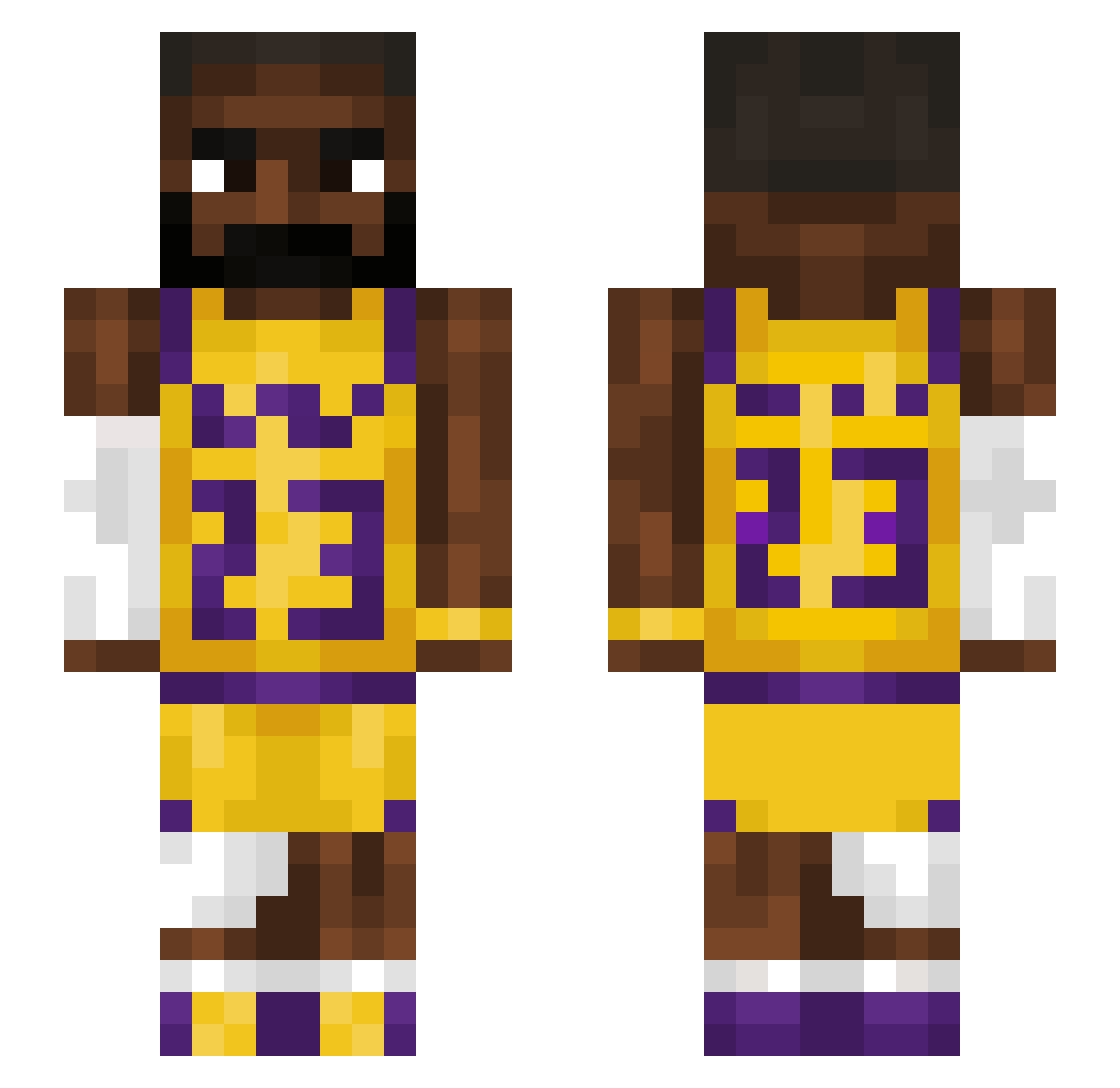
Other players with this skin (1221)
GamingGogeta was the 451st player we have seen with this skin, first spotted on 27.08.2026. The same skin was seen on these players. Open a nickname to see their current skin and skin history.
 Kyronima Librong_James PROMANION daddyigor Grizzzzzzz TK_o7o ImmerAmZockenZoc adao18 GurpSire Magicyoshi11 bublzwyd Triangle_Equi MindGoblin1996 Cap1tan_Claw metal0217 poisonluca thirdblock 6ngara rowanwilson10 OBEYTHELAST dlby MoonIronTR JtXwx ghjsavjhd Droves11 jrpwv_ Tenki420 kjjjapas nickff44 Chandorshrek69
 PeterNegus SheriffiReijo91 EZNIIGGA IAMNICKBOIS wo_ist_Lena tikelmonster8008 IceBearFortyTwo TacoTubby TreeEater4 Kaveni7 Zayyy2k OWO_sempai Psalti_ ScoobyDoo1123
 ndbs2 Stephen_Curry_ david234048 Txirulas cakapes RestoMod Botif_1 duke_luke84 Lavi007 themilkman_exe LAXsouldier Gizehhh Zombiemangamar3 melkdrinker1 Monstertrucksco _Price69_
More Lakers Minecraft skins
How to install the GamingGogeta skin
- Press the Download button above to save the skin as a PNG file.
- Minecraft: Bedrock Edition (PE): open the Dressing Room from the main menu (or tap your character → Edit Character), go to Classic Skins → Owned, press the + (new skin) button, choose the downloaded PNG and pick the Slim (Alex) model. Works on PC and mobile; consoles cannot import custom skins.
- Minecraft: Java Edition: open the Minecraft Launcher, go to the Skins tab, click New Skin, load the PNG, pick the Slim (Alex) model and press Save & Use. You can also upload it at minecraft.net → Profile → Change Skin.
The skin does not show up after import - what should I do?
Restart Minecraft and open the Dressing Room again - imported skins sometimes appear only after a restart. Also make sure you selected the imported skin and picked the Slim (Alex) model.
Which model should I choose, Classic or Slim?
This skin is designed for the Slim (Alex) model. If you pick the wrong model, the arms of the skin will look stretched or squeezed.
Is the skin of GamingGogeta free to download?
Yes. Press Download, save the PNG file and use it in Minecraft: Bedrock Edition or Java Edition - no payment or registration needed. The skin also works on multiplayer servers and Realms.
More skins
Looking for more? Go back to all Minecraft skins and check the top skins of the week, month and all time, or find any player's skin by nickname.