
Gaminator8315 - Minecraft Skins & Skin History
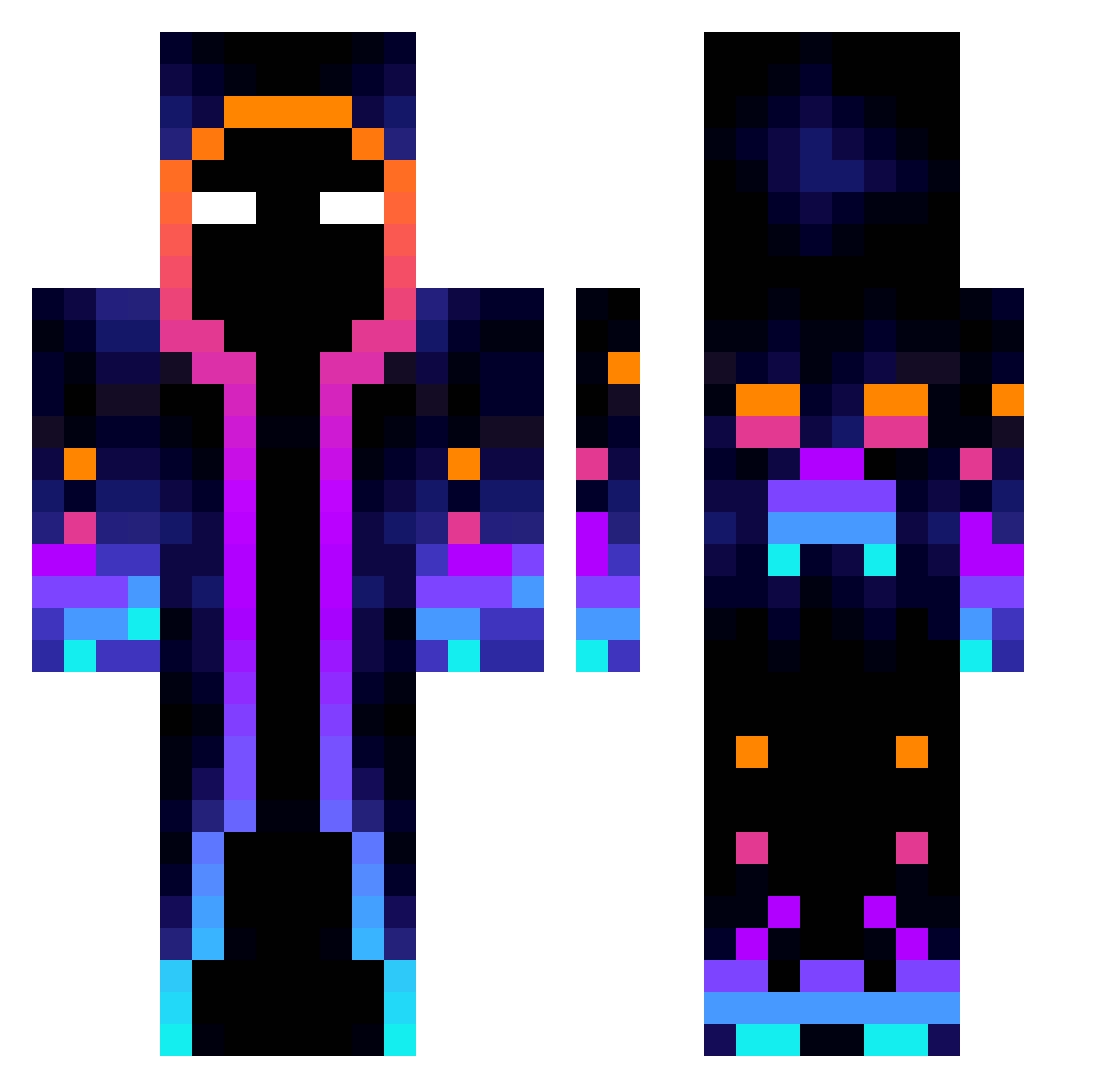
Current Minecraft skin of the player Gaminator8315, loaded from the official Mojang API. Rotate the 3D model with your mouse or finger, then download the skin as a PNG file and use it in Minecraft: Bedrock Edition or Java Edition for free. When Gaminator8315 changes their skin, this page updates automatically and the old skin stays in the history below.
Other players with this skin (667)
Gaminator8315 was the 235th player we have seen with this skin, first spotted on 30.08.2026. The same skin was seen on these players. Open a nickname to see their current skin and skin history.
 ShierLemur _Unknown_TV Diego_dev AlinaEveryn2007 Leonx60 MegaHomem wamwam1020 Mstryial ColorLight Amoguss123 kes3542 nimgu3n MINIDICER xXLostMemoryXx Sascuachst LRalda9 rodolfogood stunknife MMAndrey Noobboss12 kalok1550 zhekai630 Frostikiller weilai830 MechanicPaw remy1128 Tamiaplacebo59 ChinaXs Kagel_Darksun Rednews Netherit001 Source_code__ midnight22k KTK175 FIN1667 AEDMAN44 Pcraft11 WQQtang DisasWalker12 bluedragon11456 MazapancitoUwU ghost_killerd13 J_Carlo Electrolysit muhammed_ben Aetherage LeaderXD JenniKenny Repollo1000 xna7shix MPO_SEC Nils3311 Qi_Xiaoyu gphjb nonhong 0625henry MVFran payasitokingdom Koshiro_ IceCrush007
More Galaxy Minecraft skins
How to install the Gaminator8315 skin
- Press the Download button above to save the skin as a PNG file.
- Minecraft: Bedrock Edition (PE): open the Dressing Room from the main menu (or tap your character → Edit Character), go to Classic Skins → Owned, press the + (new skin) button, choose the downloaded PNG and pick the Classic (Steve) model. Works on PC and mobile; consoles cannot import custom skins.
- Minecraft: Java Edition: open the Minecraft Launcher, go to the Skins tab, click New Skin, load the PNG, pick the Classic (Steve) model and press Save & Use. You can also upload it at minecraft.net → Profile → Change Skin.
The skin does not show up after import - what should I do?
Restart Minecraft and open the Dressing Room again - imported skins sometimes appear only after a restart. Also make sure you selected the imported skin and picked the Classic (Steve) model.
Which model should I choose, Classic or Slim?
This skin is designed for the Classic (Steve) model. If you pick the wrong model, the arms of the skin will look stretched or squeezed.
Is the skin of Gaminator8315 free to download?
Yes. Press Download, save the PNG file and use it in Minecraft: Bedrock Edition or Java Edition - no payment or registration needed. The skin also works on multiplayer servers and Realms.
More skins
Looking for more? Go back to all Minecraft skins and check the top skins of the week, month and all time, or find any player's skin by nickname.