
GamerSoulz - Minecraft Skins & Skin History
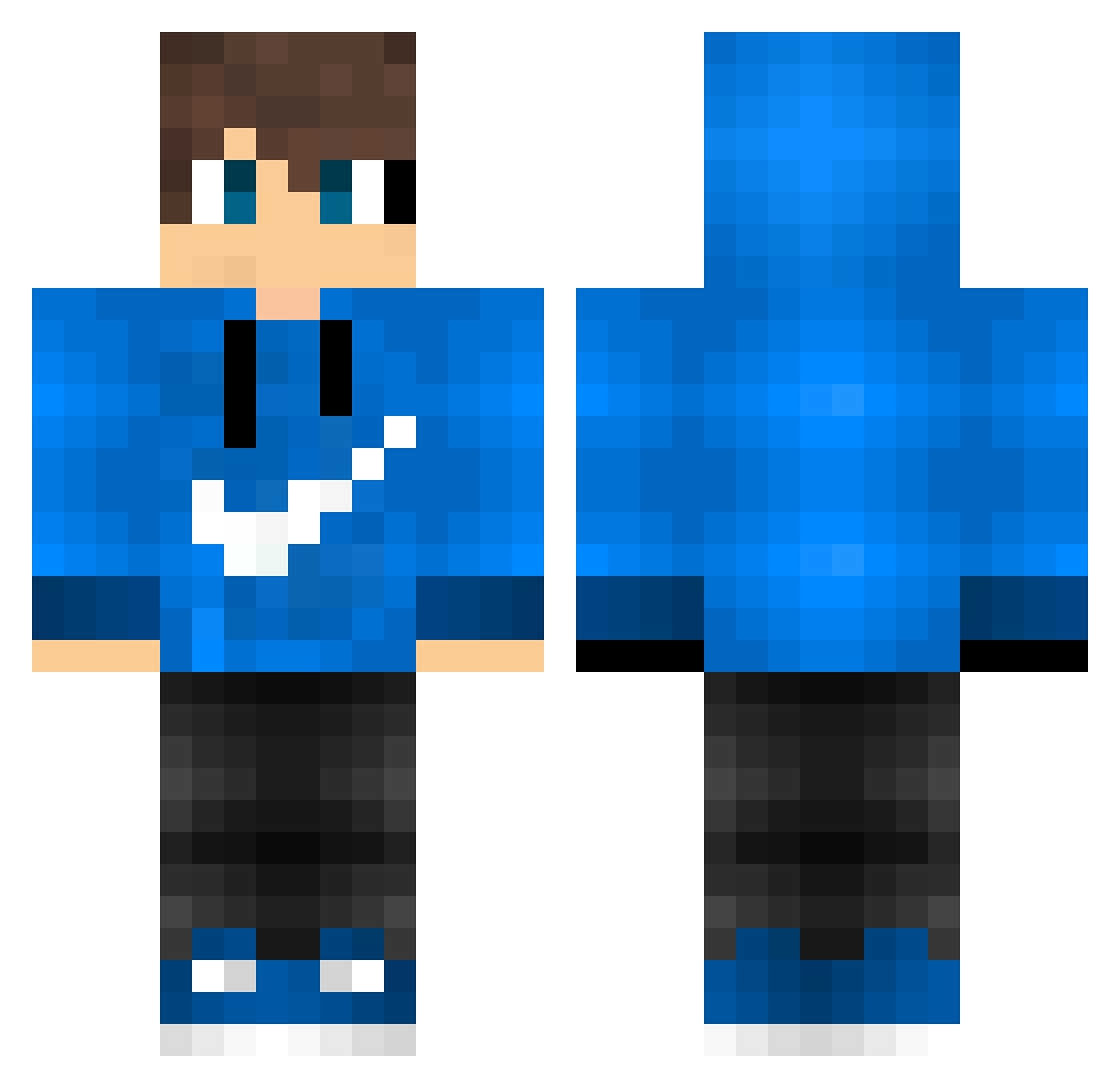
Current Minecraft skin of the player GamerSoulz, loaded from the official Mojang API. Rotate the 3D model with your mouse or finger, then download the skin as a PNG file and use it in Minecraft: Bedrock Edition or Java Edition for free. When GamerSoulz changes their skin, this page updates automatically and the old skin stays in the history below.
Other players with this skin (176)
GamerSoulz was the 97th player we have seen with this skin, first spotted on 03.10.2026. The same skin was seen on these players. Open a nickname to see their current skin and skin history.
 Glowes Pysor55 EndGame__ yGhostz ElectroFire ivanmandli KYT_boi luan0830 Merlin720 Hintpain AmiKego totox84 NoobdzVN Xeptos Tobinku Matpul Perzo Mikhaeel_ AVMDL55 Macmillan49 Nikko1892 pedrinho07 Lester_The_Guy Octav120 Universe_Benni Alevans455 Stuadt_XD GuiMCTazeHavuc _Levile_ Levin_200 Sebastian9002 dansbakes OGrandeGIO hArpiano Fabi_PvP_01 victorxis Steveneddu Flinsius SurerCapybara36 MilkTeaU saucho Mineken50 Szym273 BubSon904 jojo_de_07 Leords YokitoS2 VidaMestre LachyCheese Marinnwo vudex56 Yari_YT hudsonpanda8 Melwinmax RembrandICE Crafter0137 FelipeBr171 janobebra leslie6687 jishii
How to install the GamerSoulz skin
- Press the Download button above to save the skin as a PNG file.
- Minecraft: Bedrock Edition (PE): open the Dressing Room from the main menu (or tap your character → Edit Character), go to Classic Skins → Owned, press the + (new skin) button, choose the downloaded PNG and pick the Classic (Steve) model. Works on PC and mobile; consoles cannot import custom skins.
- Minecraft: Java Edition: open the Minecraft Launcher, go to the Skins tab, click New Skin, load the PNG, pick the Classic (Steve) model and press Save & Use. You can also upload it at minecraft.net → Profile → Change Skin.
The skin does not show up after import - what should I do?
Restart Minecraft and open the Dressing Room again - imported skins sometimes appear only after a restart. Also make sure you selected the imported skin and picked the Classic (Steve) model.
Which model should I choose, Classic or Slim?
This skin is designed for the Classic (Steve) model. If you pick the wrong model, the arms of the skin will look stretched or squeezed.
Is the skin of GamerSoulz free to download?
Yes. Press Download, save the PNG file and use it in Minecraft: Bedrock Edition or Java Edition - no payment or registration needed. The skin also works on multiplayer servers and Realms.
More skins
Looking for more? Go back to all Minecraft skins and check the top skins of the week, month and all time, or find any player's skin by nickname.