
GamerGirl_Two - Minecraft Skins & Skin History
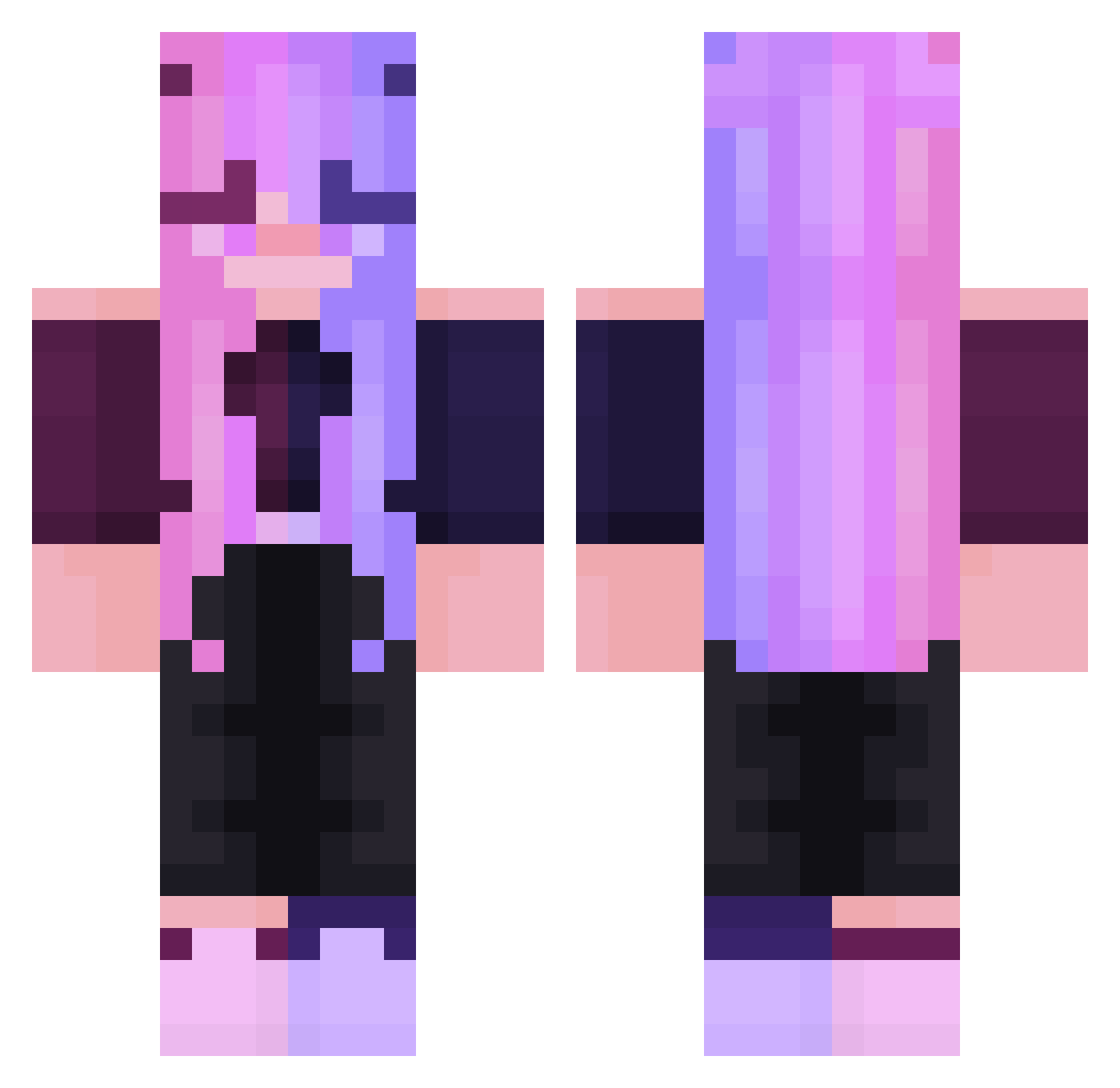
Current Minecraft skin of the player GamerGirl_Two, loaded from the official Mojang API. Rotate the 3D model with your mouse or finger, then download the skin as a PNG file and use it in Minecraft: Bedrock Edition or Java Edition for free. When GamerGirl_Two changes their skin, this page updates automatically and the old skin stays in the history below.
Other players with this skin (247)
GamerGirl_Two was the 238th player we have seen with this skin, first spotted on 29.10.2026. The same skin was seen on these players. Open a nickname to see their current skin and skin history.
 Tigresa888 KreinVell Zepphraa MeowMour GoJoGod0829 Reemay BlockHuntt alephreze RicardoBlade cassadilo amaumau45 Nodra_ ForestFox625470 lit_prince tiktok0208 NyashkaMilashka Jerryfish9211 ratitachloe HammerTribe AcroGymGirl PerryWinkle2 Milpha MaoMilimNava em__14 PvP_Legendary ifec fwy70 marikanoob Petehead Mavidson Faiththegymnast HeyImWiccan mxrxe19 TopLeft stollendad Spadeshero L4royz Zzog_Posthorn Melweii KimDog23 agrolos BraisEnzo2 Im_Candy F3r0nd linakr1128 AKAxJuGo l00m0 xSahshi ShishiroBest qakuux K_Sawako JellyFish412 IKEASoderhamn Giulia_regaday EnchantedSlime Opal_Amaya Megaaxes _rgf eleonoremaxime nabv
More Off Shoulder Minecraft skins
See all 443 Off Shoulder skins
How to install the GamerGirl_Two skin
- Press the Download button above to save the skin as a PNG file.
- Minecraft: Bedrock Edition (PE): open the Dressing Room from the main menu (or tap your character → Edit Character), go to Classic Skins → Owned, press the + (new skin) button, choose the downloaded PNG and pick the Classic (Steve) model. Works on PC and mobile; consoles cannot import custom skins.
- Minecraft: Java Edition: open the Minecraft Launcher, go to the Skins tab, click New Skin, load the PNG, pick the Classic (Steve) model and press Save & Use. You can also upload it at minecraft.net → Profile → Change Skin.
The skin does not show up after import - what should I do?
Restart Minecraft and open the Dressing Room again - imported skins sometimes appear only after a restart. Also make sure you selected the imported skin and picked the Classic (Steve) model.
Which model should I choose, Classic or Slim?
This skin is designed for the Classic (Steve) model. If you pick the wrong model, the arms of the skin will look stretched or squeezed.
Is the skin of GamerGirl_Two free to download?
Yes. Press Download, save the PNG file and use it in Minecraft: Bedrock Edition or Java Edition - no payment or registration needed. The skin also works on multiplayer servers and Realms.
More skins
Looking for more? Go back to all Minecraft skins and check the top skins of the week, month and all time, or find any player's skin by nickname.