
Game_Cat99 - Minecraft Skins & Skin History
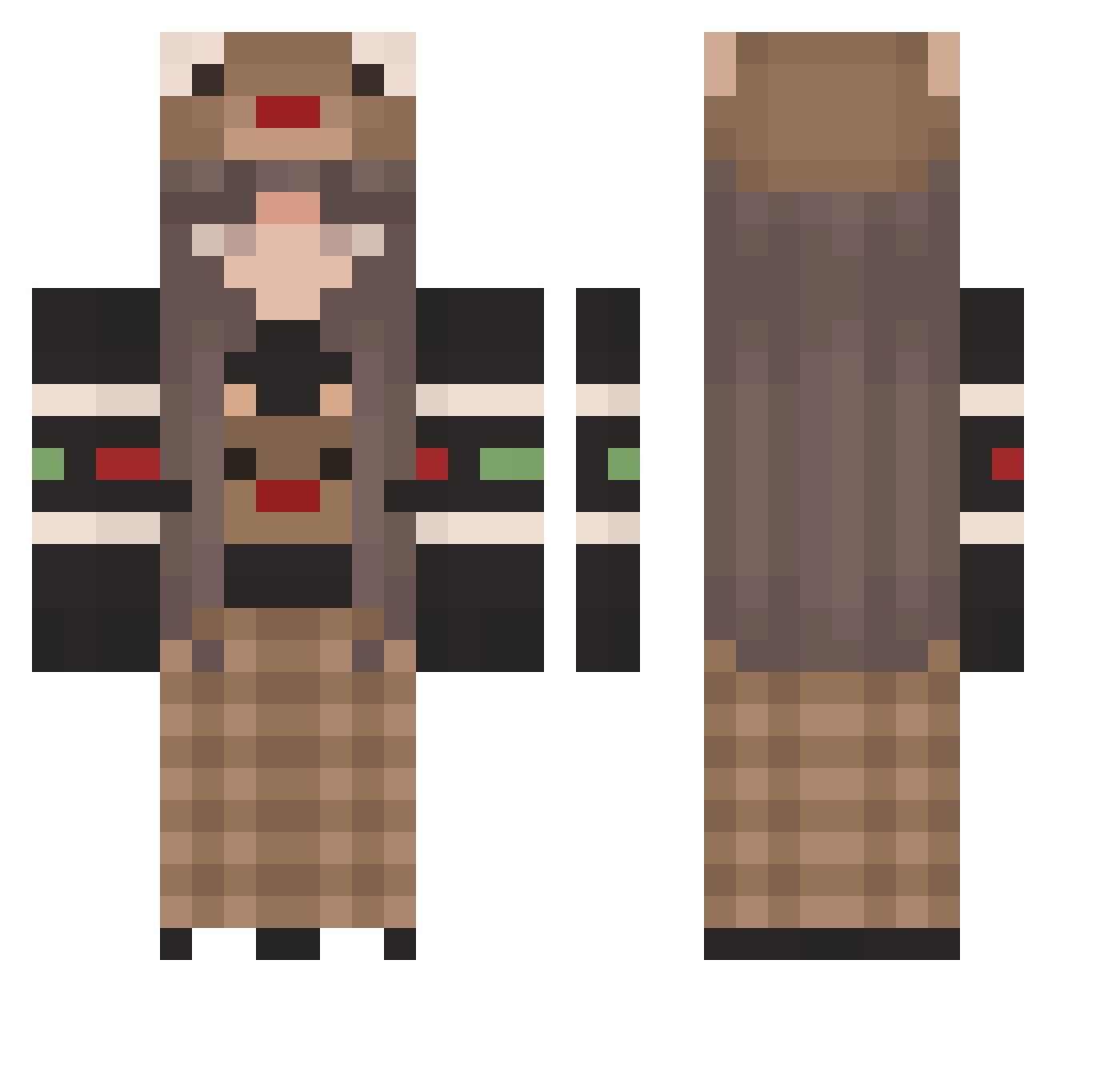
Current Minecraft skin of the player Game_Cat99, loaded from the official Mojang API. Rotate the 3D model with your mouse or finger, then download the skin as a PNG file and use it in Minecraft: Bedrock Edition or Java Edition for free. When Game_Cat99 changes their skin, this page updates automatically and the old skin stays in the history below.
Other players with this skin (170)
Game_Cat99 was the 48th player we have seen with this skin, first spotted on 22.08.2026. The same skin was seen on these players. Open a nickname to see their current skin and skin history.
 stacy_nt stitch09 PinkBubblezUuU Avedith 1stjoon SominRow JeanZx GuiKjkk Di0ttavio Spellaa Hunka147 z6uehom Gabizita777 saturnpei 0Ma51 ImAJinx ItzMazapan ALostSkeleton wayneswag klaudrynka Aliviexia Merigshi Gigasean9487 Rissataoz LouuBoutin Dapbrn AngelBear08 bananaas_ Tigerlily624 Mandrex_ Hello_There32 valynne Yutaquita Melancia Eiko1506 Deu2006 Alenchen1608 Sanna00 Corepace Renata04 StarlitWitch31 mcm7 STEGS123 tn5823 Maria_e_Joao Bogdan2115 Tanya_Kaktus Lala_dxd junze2015 xMatchaax b0rran DragonDark_VN _zalejza_ Hey_Nani grxtq 0Maika0 KeksFranzi SpasaSveta youcantseemelool kinder_eggz
More Plaid Minecraft skins
How to install the Game_Cat99 skin
- Press the Download button above to save the skin as a PNG file.
- Minecraft: Bedrock Edition (PE): open the Dressing Room from the main menu (or tap your character → Edit Character), go to Classic Skins → Owned, press the + (new skin) button, choose the downloaded PNG and pick the Classic (Steve) model. Works on PC and mobile; consoles cannot import custom skins.
- Minecraft: Java Edition: open the Minecraft Launcher, go to the Skins tab, click New Skin, load the PNG, pick the Classic (Steve) model and press Save & Use. You can also upload it at minecraft.net → Profile → Change Skin.
The skin does not show up after import - what should I do?
Restart Minecraft and open the Dressing Room again - imported skins sometimes appear only after a restart. Also make sure you selected the imported skin and picked the Classic (Steve) model.
Which model should I choose, Classic or Slim?
This skin is designed for the Classic (Steve) model. If you pick the wrong model, the arms of the skin will look stretched or squeezed.
Is the skin of Game_Cat99 free to download?
Yes. Press Download, save the PNG file and use it in Minecraft: Bedrock Edition or Java Edition - no payment or registration needed. The skin also works on multiplayer servers and Realms.
More skins
Looking for more? Go back to all Minecraft skins and check the top skins of the week, month and all time, or find any player's skin by nickname.