
Gaboone1 - Minecraft Skins & Skin History
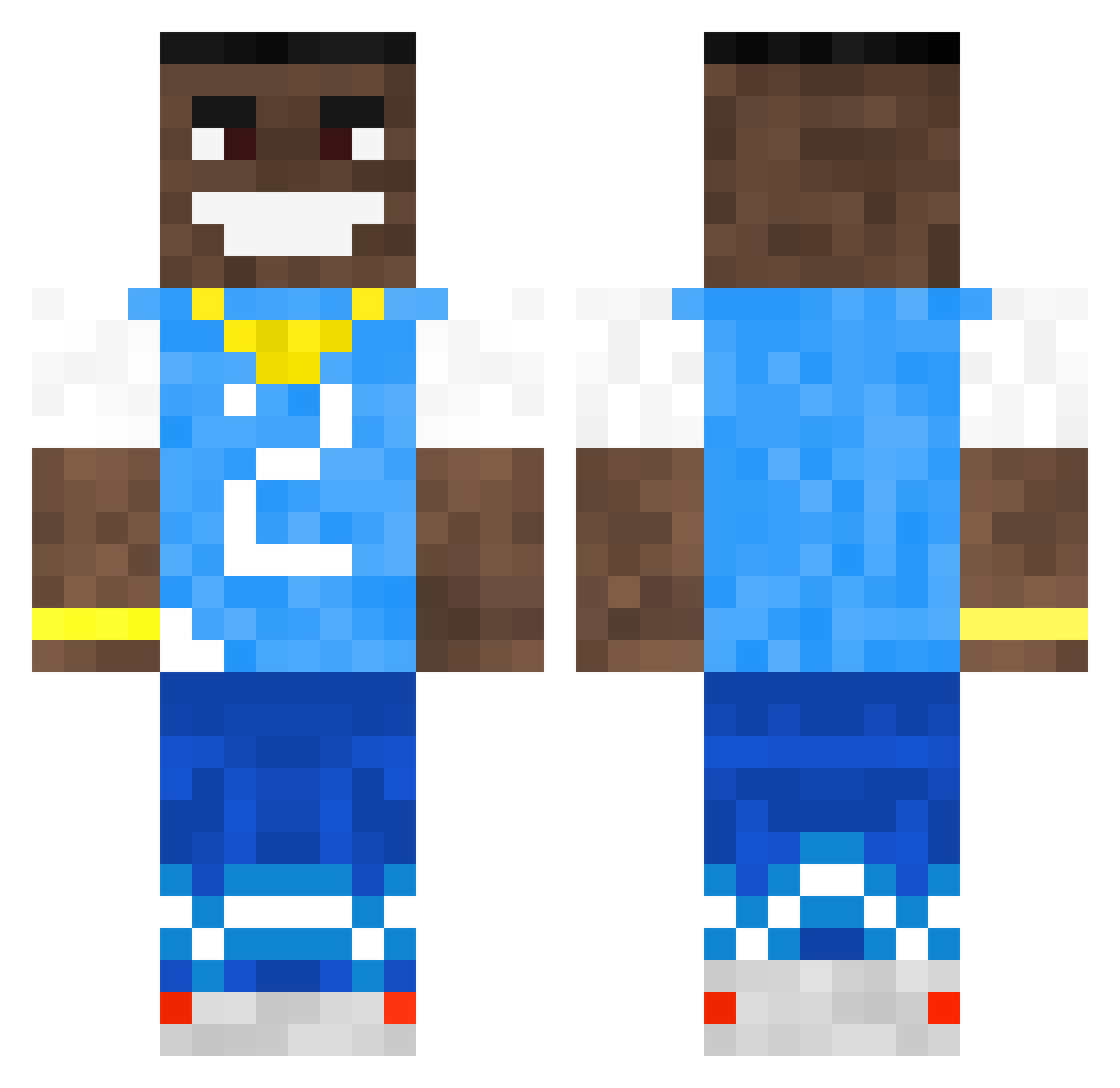
Current Minecraft skin of the player Gaboone1, loaded from the official Mojang API. Rotate the 3D model with your mouse or finger, then download the skin as a PNG file and use it in Minecraft: Bedrock Edition or Java Edition for free. When Gaboone1 changes their skin, this page updates automatically and the old skin stays in the history below.
Other players with this skin (502)
Gaboone1 was the 17th player we have seen with this skin, first spotted on 24.07.2026. The same skin was seen on these players. Open a nickname to see their current skin and skin history.
 pssychapper69 HIPPODIPPOJOE CrustySxcks Dodoken Pointiest SpeedyyRL DenGuy174 jdog2733 oAranhaaa Jemboiminirolls daqz1 ay0x HoofedGalaxy876 Lutheboss_16 rxbin21 bradyboy44 Ruinzz__ gattimalati DrySocket acewk05 Mrjinx233 Lorenzzouuu Garku4K Kideder Gixnni TREVOR_IS_STINKY HallalPork d759 Halloo parsa1zwanzi zig5918 Homosechual_1 Natanicaa Lilbaka383 Burgisnot omergayri Lapecheauxmoules DiscoBang Gengaa schmegmuh iLoveGarfieldd NoahIsMegaSalty lauti7 Night1leet Onefootspc SweatyGucci LigmaCheeto S0Me11 laughing_piccolo Sovary aromaticpapereat LucainMC2 armuzi_1 laleeps T4rkov LeoptimusPrime76 SheH0t Bry_an_R Nooblx095 kechdestr0yer
More Dababy Minecraft skins
How to install the Gaboone1 skin
- Press the Download button above to save the skin as a PNG file.
- Minecraft: Bedrock Edition (PE): open the Dressing Room from the main menu (or tap your character → Edit Character), go to Classic Skins → Owned, press the + (new skin) button, choose the downloaded PNG and pick the Classic (Steve) model. Works on PC and mobile; consoles cannot import custom skins.
- Minecraft: Java Edition: open the Minecraft Launcher, go to the Skins tab, click New Skin, load the PNG, pick the Classic (Steve) model and press Save & Use. You can also upload it at minecraft.net → Profile → Change Skin.
The skin does not show up after import - what should I do?
Restart Minecraft and open the Dressing Room again - imported skins sometimes appear only after a restart. Also make sure you selected the imported skin and picked the Classic (Steve) model.
Which model should I choose, Classic or Slim?
This skin is designed for the Classic (Steve) model. If you pick the wrong model, the arms of the skin will look stretched or squeezed.
Is the skin of Gaboone1 free to download?
Yes. Press Download, save the PNG file and use it in Minecraft: Bedrock Edition or Java Edition - no payment or registration needed. The skin also works on multiplayer servers and Realms.
More skins
Looking for more? Go back to all Minecraft skins and check the top skins of the week, month and all time, or find any player's skin by nickname.