
Gabi_11 - Minecraft Skins & Skin History
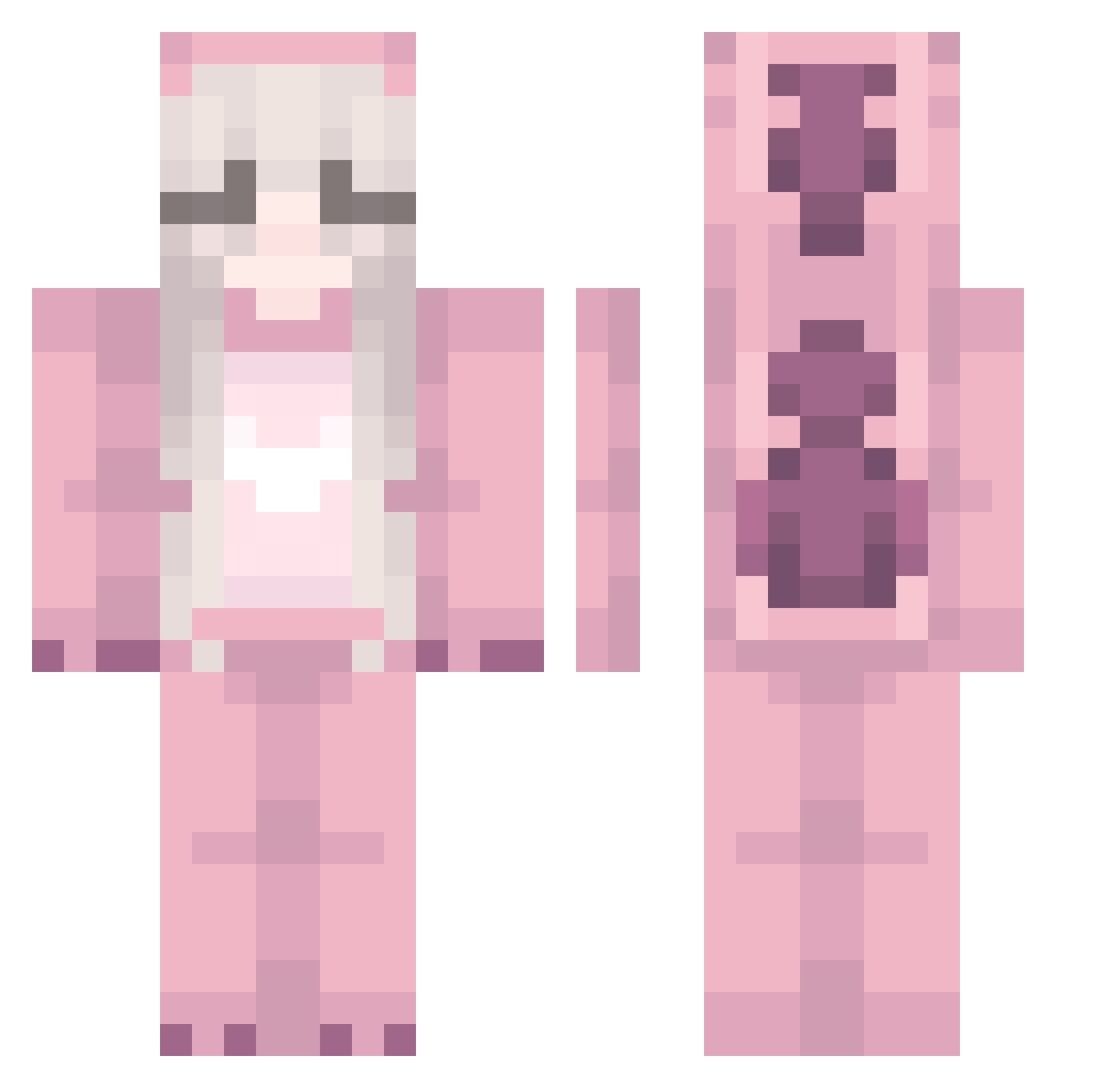
Current Minecraft skin of the player Gabi_11, loaded from the official Mojang API. Rotate the 3D model with your mouse or finger, then download the skin as a PNG file and use it in Minecraft: Bedrock Edition or Java Edition for free. When Gabi_11 changes their skin, this page updates automatically and the old skin stays in the history below.
Other players with this skin (240)
Gabi_11 was the 193rd player we have seen with this skin, first spotted on 19.10.2026. The same skin was seen on these players. Open a nickname to see their current skin and skin history.
 OLED50INCHTV naadijaa kvatsu merumuten Circulation frejarasm Cady_bunny rockcandybooba tinallc DreyAimeFlo Ratickowy Dzuuly Leozinho003YT SubPrincess vejinka Axellelsa Monilisiio mmikus10 PinkyGirl_312 LuvTaina SpookyPandi akaBilly11 HuHuEr Daimont81 aldararose kjuou Loventa brayanmaldii theQUTcapybara __GHOST__FACE__ DiLe_9055 Miluly Karmel3000 vehemencee Timeule974 Bangi_J Miio0 SmolHiggledy SofiFofiny Lenka32 djabelel Jacky816 tokaohw BlockyChutoy156 hisblunt kombuwucha BNickel epffldk ObamaDrama pokehdd RoboRosie AksenA nmxxa ojciec5 Seje_Reje2008 selfqt Meraki_Mena an6dr3a satanlovesme merle_fst
More Kigurumi Minecraft skins
How to install the Gabi_11 skin
- Press the Download button above to save the skin as a PNG file.
- Minecraft: Bedrock Edition (PE): open the Dressing Room from the main menu (or tap your character → Edit Character), go to Classic Skins → Owned, press the + (new skin) button, choose the downloaded PNG and pick the Classic (Steve) model. Works on PC and mobile; consoles cannot import custom skins.
- Minecraft: Java Edition: open the Minecraft Launcher, go to the Skins tab, click New Skin, load the PNG, pick the Classic (Steve) model and press Save & Use. You can also upload it at minecraft.net → Profile → Change Skin.
The skin does not show up after import - what should I do?
Restart Minecraft and open the Dressing Room again - imported skins sometimes appear only after a restart. Also make sure you selected the imported skin and picked the Classic (Steve) model.
Which model should I choose, Classic or Slim?
This skin is designed for the Classic (Steve) model. If you pick the wrong model, the arms of the skin will look stretched or squeezed.
Is the skin of Gabi_11 free to download?
Yes. Press Download, save the PNG file and use it in Minecraft: Bedrock Edition or Java Edition - no payment or registration needed. The skin also works on multiplayer servers and Realms.
More skins
Looking for more? Go back to all Minecraft skins and check the top skins of the week, month and all time, or find any player's skin by nickname.