
Gab0of - Minecraft Skins & Skin History
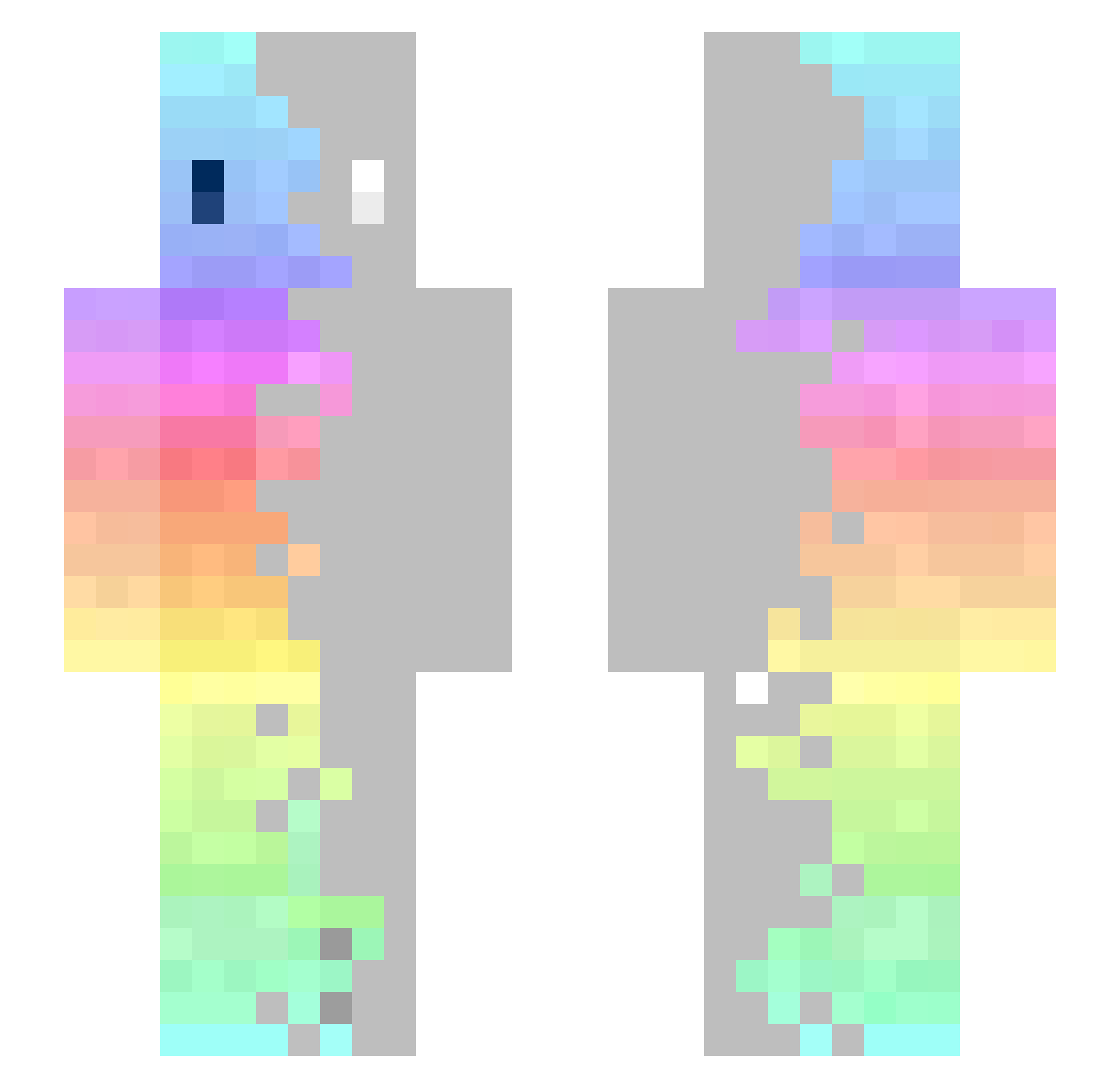
Current Minecraft skin of the player Gab0of, loaded from the official Mojang API. Rotate the 3D model with your mouse or finger, then download the skin as a PNG file and use it in Minecraft: Bedrock Edition or Java Edition for free. When Gab0of changes their skin, this page updates automatically and the old skin stays in the history below.
Other players with this skin (366)
Gab0of was the 193rd player we have seen with this skin, first spotted on 22.09.2026. The same skin was seen on these players. Open a nickname to see their current skin and skin history.
 thatapplefreak Sotushka nonoah14 IKUDFE LunarRocket OttoHachi Axelstri19 nedeaxx Emtalb WesleyMan123 ABsoba StaLKerinoO kanonWn YangJelly Quality_Z inf4nitiz Noonnunnie Booran11 martin_mister Jie_126 CzOrnY92 WhackTwo MissCon Minimiser ffiirrobbiic katte2840 Joulinni_ Kashy1 Mizukaa_ RejectedCow AmaroSep jim910727 IcyVert Greg0410 Tofabtw Izero_ SkyCrater ZamasuPL FuriousNinja0416 DuffGig _Mu3f kukio2525 ADIBNOORI SpeedSauce MYHH007 Nekosiii Urosuro1 KWG0420 petersonso SirLanserot Davi5183 xC4D8x nectar60 PANOMANOMANIX Jagadhatri lemon0122 Yeolsin Stormcat14 Zhulander23 Aurane27
How to install the Gab0of skin
- Press the Download button above to save the skin as a PNG file.
- Minecraft: Bedrock Edition (PE): open the Dressing Room from the main menu (or tap your character → Edit Character), go to Classic Skins → Owned, press the + (new skin) button, choose the downloaded PNG and pick the Slim (Alex) model. Works on PC and mobile; consoles cannot import custom skins.
- Minecraft: Java Edition: open the Minecraft Launcher, go to the Skins tab, click New Skin, load the PNG, pick the Slim (Alex) model and press Save & Use. You can also upload it at minecraft.net → Profile → Change Skin.
The skin does not show up after import - what should I do?
Restart Minecraft and open the Dressing Room again - imported skins sometimes appear only after a restart. Also make sure you selected the imported skin and picked the Slim (Alex) model.
Which model should I choose, Classic or Slim?
This skin is designed for the Slim (Alex) model. If you pick the wrong model, the arms of the skin will look stretched or squeezed.
Is the skin of Gab0of free to download?
Yes. Press Download, save the PNG file and use it in Minecraft: Bedrock Edition or Java Edition - no payment or registration needed. The skin also works on multiplayer servers and Realms.
More skins
Looking for more? Go back to all Minecraft skins and check the top skins of the week, month and all time, or find any player's skin by nickname.