
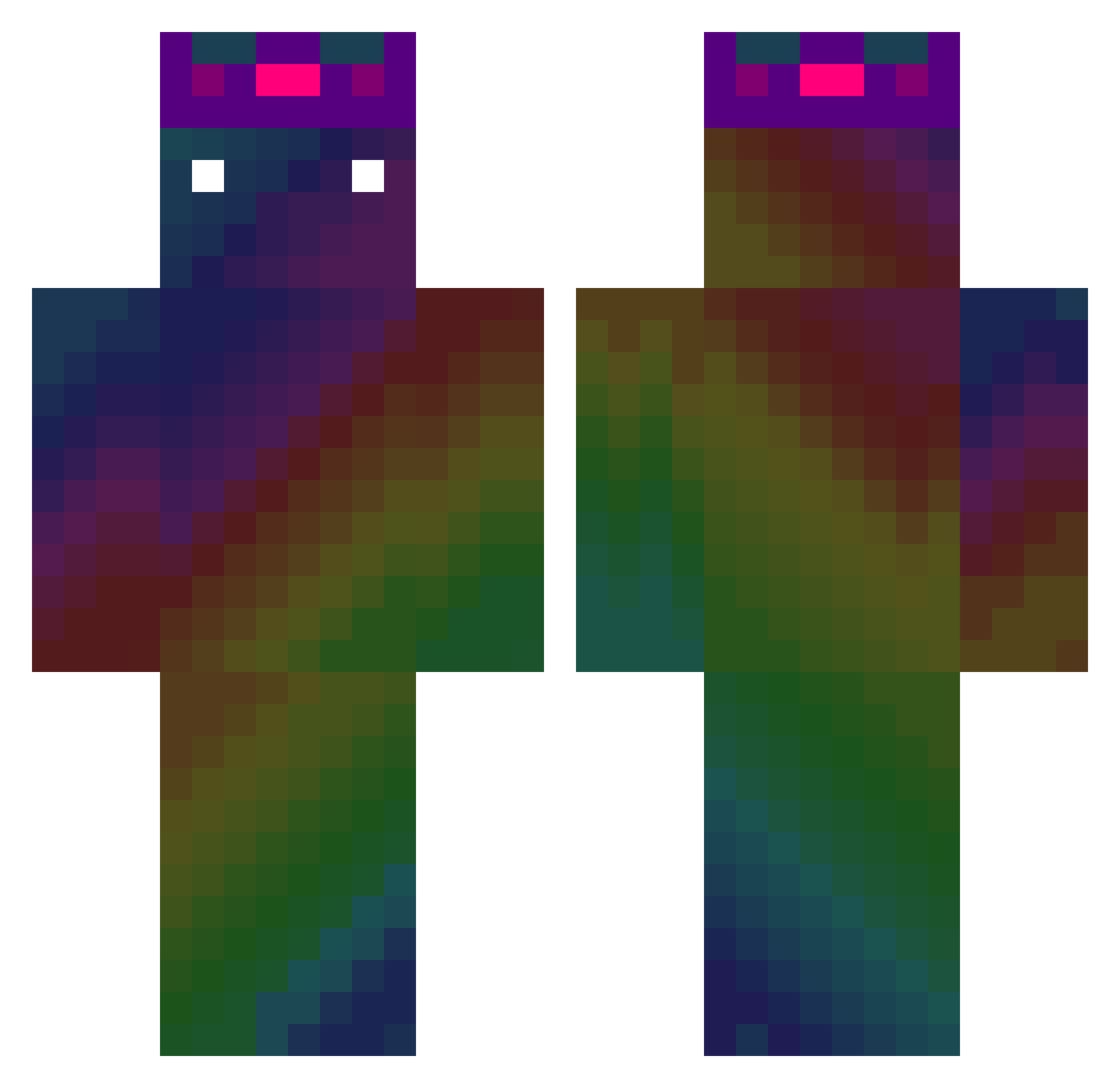
Current Minecraft skin of the player GUN_bangjung, loaded from the official Mojang API. Rotate the 3D model with your mouse or finger, then download the skin as a PNG file and use it in Minecraft: Bedrock Edition or Java Edition for free. When GUN_bangjung changes their skin, this page updates automatically and the old skin stays in the history below.
Other players with this skin (403)
GUN_bangjung was the 340th player we have seen with this skin, first spotted on 04.10.2026. The same skin was seen on these players. Open a nickname to see their current skin and skin history.
 MarkeyMark131 hazar25000 alfonso173132 dnwnrhfo kingofgaia Brezze27 KROLIK30 jeon5656 DjJosema JESRY youDA1101 zeshghi 123leeyon avivlagzi msh_por MatockSek rex4956 Kpopeiro ilpolco cherrysting GameDoughnut890 Arteche JUNE0320 deliveryeople Ionut_TheHoly XINGYAO6 xbartex _VOLN_ rlawlsgh6 tPsycho_ Tommycosti Alex_CRZ NingMP123 ohohoh034 UNKWON77 JeuxTest7636 whereisak Floh_68 KS1101 CraZyTitou cedrix59650 xoMichii Gost_pvp Ray0_7 SkillBuddies heissler0030 unknowslider519 yuua2000 Rex_950 potion2poison NTRBuff Loxice planet8679 yushanli9722 sdbnujashdadsaha lukert2000 IlDolcePazzo WEN_RUI vbrooooke Chrisjason20
How to install the GUN_bangjung skin
- Press the Download button above to save the skin as a PNG file.
- Minecraft: Bedrock Edition (PE): open the Dressing Room from the main menu (or tap your character → Edit Character), go to Classic Skins → Owned, press the + (new skin) button, choose the downloaded PNG and pick the Classic (Steve) model. Works on PC and mobile; consoles cannot import custom skins.
- Minecraft: Java Edition: open the Minecraft Launcher, go to the Skins tab, click New Skin, load the PNG, pick the Classic (Steve) model and press Save & Use. You can also upload it at minecraft.net → Profile → Change Skin.
The skin does not show up after import - what should I do?
Restart Minecraft and open the Dressing Room again - imported skins sometimes appear only after a restart. Also make sure you selected the imported skin and picked the Classic (Steve) model.
Which model should I choose, Classic or Slim?
This skin is designed for the Classic (Steve) model. If you pick the wrong model, the arms of the skin will look stretched or squeezed.
Is the skin of GUN_bangjung free to download?
Yes. Press Download, save the PNG file and use it in Minecraft: Bedrock Edition or Java Edition - no payment or registration needed. The skin also works on multiplayer servers and Realms.
More skins
Looking for more? Go back to all Minecraft skins and check the top skins of the week, month and all time, or find any player's skin by nickname.