
GUARD4930 - Minecraft Skins & Skin History
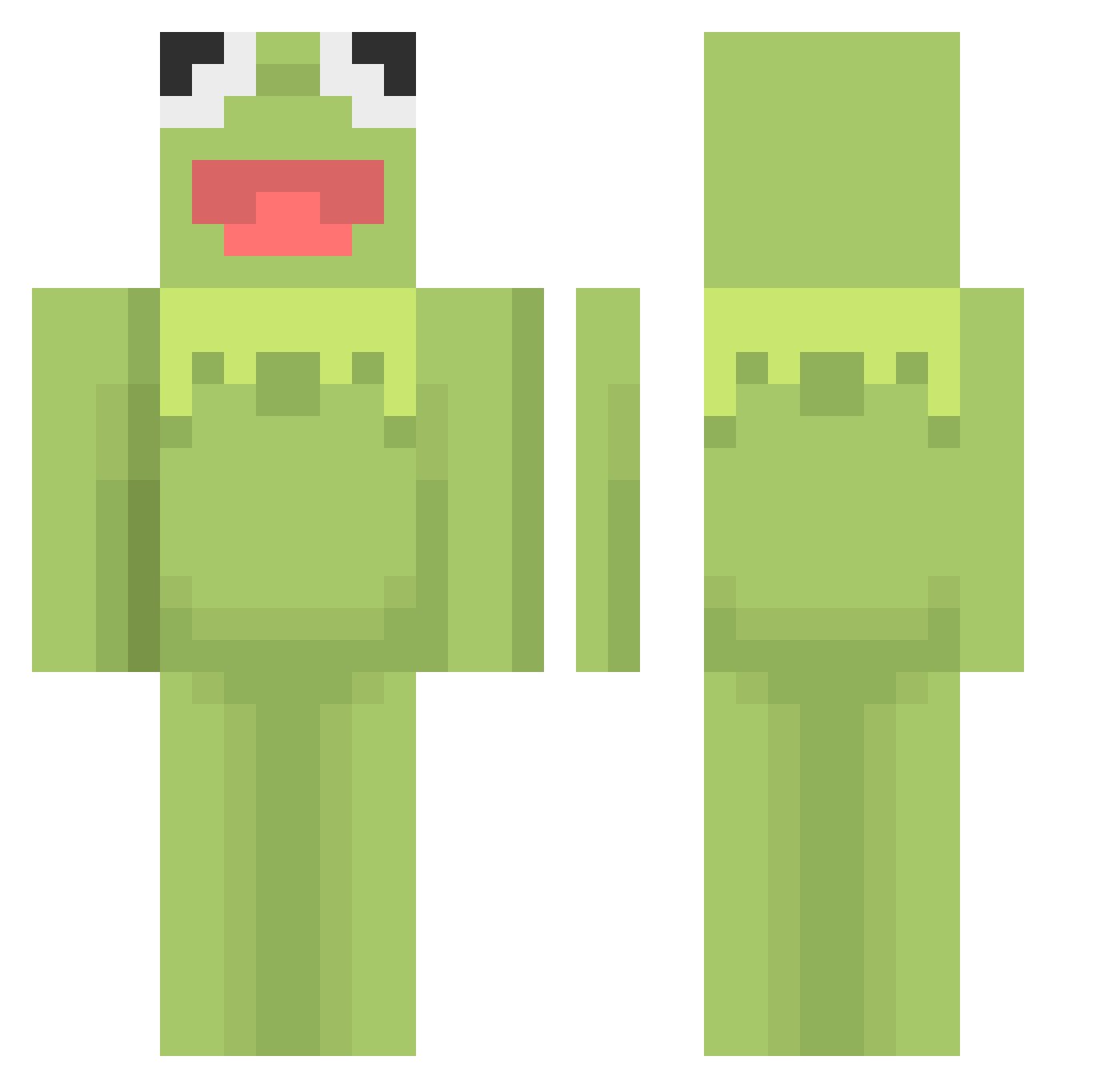
Current Minecraft skin of the player GUARD4930, loaded from the official Mojang API. Rotate the 3D model with your mouse or finger, then download the skin as a PNG file and use it in Minecraft: Bedrock Edition or Java Edition for free. When GUARD4930 changes their skin, this page updates automatically and the old skin stays in the history below.
Other players with this skin (460)
GUARD4930 was the 310th player we have seen with this skin, first spotted on 01.10.2026. The same skin was seen on these players. Open a nickname to see their current skin and skin history.
 nickthestic BigBabyBuffalo tweedzz Naughtypanini LightHacking Wakosdorf throwingchairs _PK_Hendrio_ Sardonyx1107 RougeWa1nut ahhahaxp Harperfrog KremitTheFrog01 __MrCow__ Willybeanz SushiPusheen Johnboy1610 TheBigSpeedyRock Gu1d00 Bug799 oddwave blandsoup123 bigmooo AARRSSEENN Pheonix calg01 BOGHOUND OppressedMan Ooh_Le_Math mokobelt DisabledDownyy gwei_tv axleman1011 Happy___Lama Amberkuma meena_01 caiteaaa XileDodger HapumHae hattiej yomanxz3 kolaboll Young_rich7 Impulainen andle_kovandle Kermit__9 PixiZilla _TO_A_ST_ ansero wolvyw CalWinning SamiCami romanthor Kw3ezy Expliding TheRealPeepo Ninjuhkidd cauntz 1000Seraphim BoofinAdvil
More Kermit The Frog Minecraft skins
See all 395 Kermit The Frog skins
How to install the GUARD4930 skin
- Press the Download button above to save the skin as a PNG file.
- Minecraft: Bedrock Edition (PE): open the Dressing Room from the main menu (or tap your character → Edit Character), go to Classic Skins → Owned, press the + (new skin) button, choose the downloaded PNG and pick the Classic (Steve) model. Works on PC and mobile; consoles cannot import custom skins.
- Minecraft: Java Edition: open the Minecraft Launcher, go to the Skins tab, click New Skin, load the PNG, pick the Classic (Steve) model and press Save & Use. You can also upload it at minecraft.net → Profile → Change Skin.
The skin does not show up after import - what should I do?
Restart Minecraft and open the Dressing Room again - imported skins sometimes appear only after a restart. Also make sure you selected the imported skin and picked the Classic (Steve) model.
Which model should I choose, Classic or Slim?
This skin is designed for the Classic (Steve) model. If you pick the wrong model, the arms of the skin will look stretched or squeezed.
Is the skin of GUARD4930 free to download?
Yes. Press Download, save the PNG file and use it in Minecraft: Bedrock Edition or Java Edition - no payment or registration needed. The skin also works on multiplayer servers and Realms.
More skins
Looking for more? Go back to all Minecraft skins and check the top skins of the week, month and all time, or find any player's skin by nickname.