
GSM329 - Minecraft Skins & Skin History
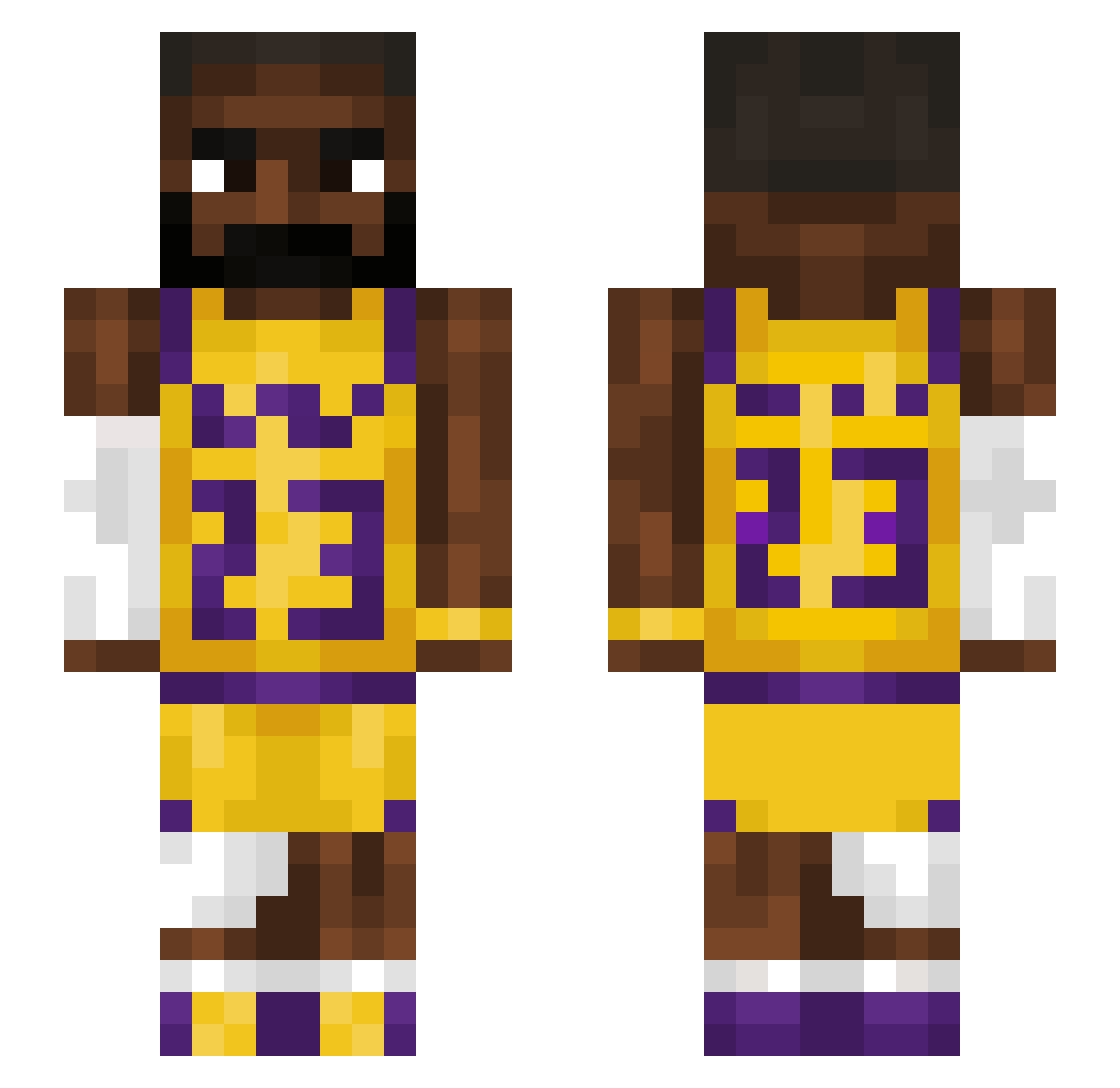
Current Minecraft skin of the player GSM329, loaded from the official Mojang API. Rotate the 3D model with your mouse or finger, then download the skin as a PNG file and use it in Minecraft: Bedrock Edition or Java Edition for free. When GSM329 changes their skin, this page updates automatically and the old skin stays in the history below.
Other players with this skin (1212)
GSM329 was the 996th player we have seen with this skin, first spotted on 08.10.2026. The same skin was seen on these players. Open a nickname to see their current skin and skin history.
 trevl1 NagyfaszuMisi llTrickzyll Lukegaa B3tterNameThanU Waltdz Sxnnxr ys6110 Vallihauta96 21_Mild kenjidl SmokingGas thurons Mazduhspeed cheesecurd9000 LeBron231 AceJoker323 RJavkTwo prodinfiniti marcocamp xCaquuu227 PimmiPommi C_Heaven mjhpark FlukaFatty KKKLAPED thyfwme BoubleDogey baltimeister ev_sk1nner JohnnyDaGoat BruceWayne1242 Martinnns SmokeyJoe69 insertcrafts BadKitty025 Bruggerator_ miniMakai _albanese_ ploofYT FishyFingers2201 corn72 KrasnalekYT KS9041 martidias PDIDDY6 iBigDan Higor677030 Theo124q DiaperDiaperDiap Beaneio rq1ver aaron6040 Riley700 Craftchoncho RobinHeimdal velvetlad avsigns sneakpeak03 BoelIntstrom
More Lakers Minecraft skins
How to install the GSM329 skin
- Press the Download button above to save the skin as a PNG file.
- Minecraft: Bedrock Edition (PE): open the Dressing Room from the main menu (or tap your character → Edit Character), go to Classic Skins → Owned, press the + (new skin) button, choose the downloaded PNG and pick the Slim (Alex) model. Works on PC and mobile; consoles cannot import custom skins.
- Minecraft: Java Edition: open the Minecraft Launcher, go to the Skins tab, click New Skin, load the PNG, pick the Slim (Alex) model and press Save & Use. You can also upload it at minecraft.net → Profile → Change Skin.
The skin does not show up after import - what should I do?
Restart Minecraft and open the Dressing Room again - imported skins sometimes appear only after a restart. Also make sure you selected the imported skin and picked the Slim (Alex) model.
Which model should I choose, Classic or Slim?
This skin is designed for the Slim (Alex) model. If you pick the wrong model, the arms of the skin will look stretched or squeezed.
Is the skin of GSM329 free to download?
Yes. Press Download, save the PNG file and use it in Minecraft: Bedrock Edition or Java Edition - no payment or registration needed. The skin also works on multiplayer servers and Realms.
More skins
Looking for more? Go back to all Minecraft skins and check the top skins of the week, month and all time, or find any player's skin by nickname.