
GMcBaine - Minecraft Skins & Skin History
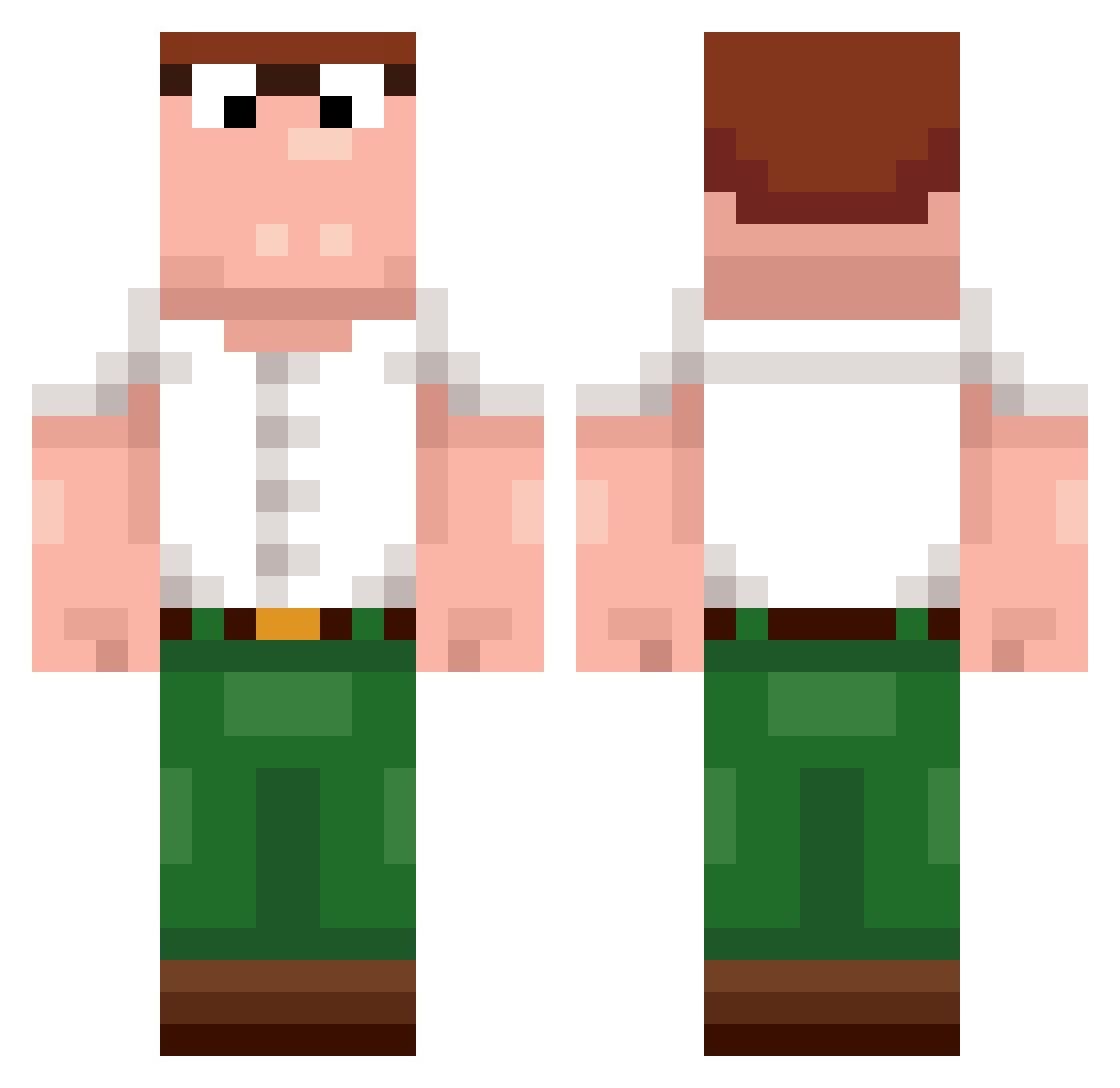
Current Minecraft skin of the player GMcBaine, loaded from the official Mojang API. Rotate the 3D model with your mouse or finger, then download the skin as a PNG file and use it in Minecraft: Bedrock Edition or Java Edition for free. When GMcBaine changes their skin, this page updates automatically and the old skin stays in the history below.
Other players with this skin (243)
GMcBaine was the 226th player we have seen with this skin, first spotted on 26.10.2026. The same skin was seen on these players. Open a nickname to see their current skin and skin history.
 MakaronMan TJ_Miles69 farbui dwkwww xaf3l Galohp TaTk111222 LostInBackyard BlackGhostFace VPEEE haibali789 HeTriedToSwim curry123555 Shackattack555 p1sskingXD Carlobert_ Astrodies harel_69 Claus420 artpe1 kaiifyVAL _Frostbitten_ 0890_ Deoxy360 Francesco_BZ versr franklinshardway GenghisCarnage TR0J4N_X DylanTheDynamic D4RK323 Deaglehunter Logan3374 Zaatje davnistar bjr_rod nero31 julianmitkatze GuestyBoy Uwu_Dewier_uwU sorastqr skintyole Quadskiii miehal_duck HiggsParticle stormsuii Shox_Guerzo lucasshh_2 PanBimbo7 Griffinpeter719 milkdash Camoflaunt XD_Sandwich C3727 ZachAttack1230 Neek_Millz DoBoss12 donalduckbeo DewierCN frolo
More Peter Griffin Minecraft skins
See all 222 Peter Griffin skins
How to install the GMcBaine skin
- Press the Download button above to save the skin as a PNG file.
- Minecraft: Bedrock Edition (PE): open the Dressing Room from the main menu (or tap your character → Edit Character), go to Classic Skins → Owned, press the + (new skin) button, choose the downloaded PNG and pick the Classic (Steve) model. Works on PC and mobile; consoles cannot import custom skins.
- Minecraft: Java Edition: open the Minecraft Launcher, go to the Skins tab, click New Skin, load the PNG, pick the Classic (Steve) model and press Save & Use. You can also upload it at minecraft.net → Profile → Change Skin.
The skin does not show up after import - what should I do?
Restart Minecraft and open the Dressing Room again - imported skins sometimes appear only after a restart. Also make sure you selected the imported skin and picked the Classic (Steve) model.
Which model should I choose, Classic or Slim?
This skin is designed for the Classic (Steve) model. If you pick the wrong model, the arms of the skin will look stretched or squeezed.
Is the skin of GMcBaine free to download?
Yes. Press Download, save the PNG file and use it in Minecraft: Bedrock Edition or Java Edition - no payment or registration needed. The skin also works on multiplayer servers and Realms.
More skins
Looking for more? Go back to all Minecraft skins and check the top skins of the week, month and all time, or find any player's skin by nickname.