
G0LD_UtaRP_02_04 - Minecraft Skins & Skin History
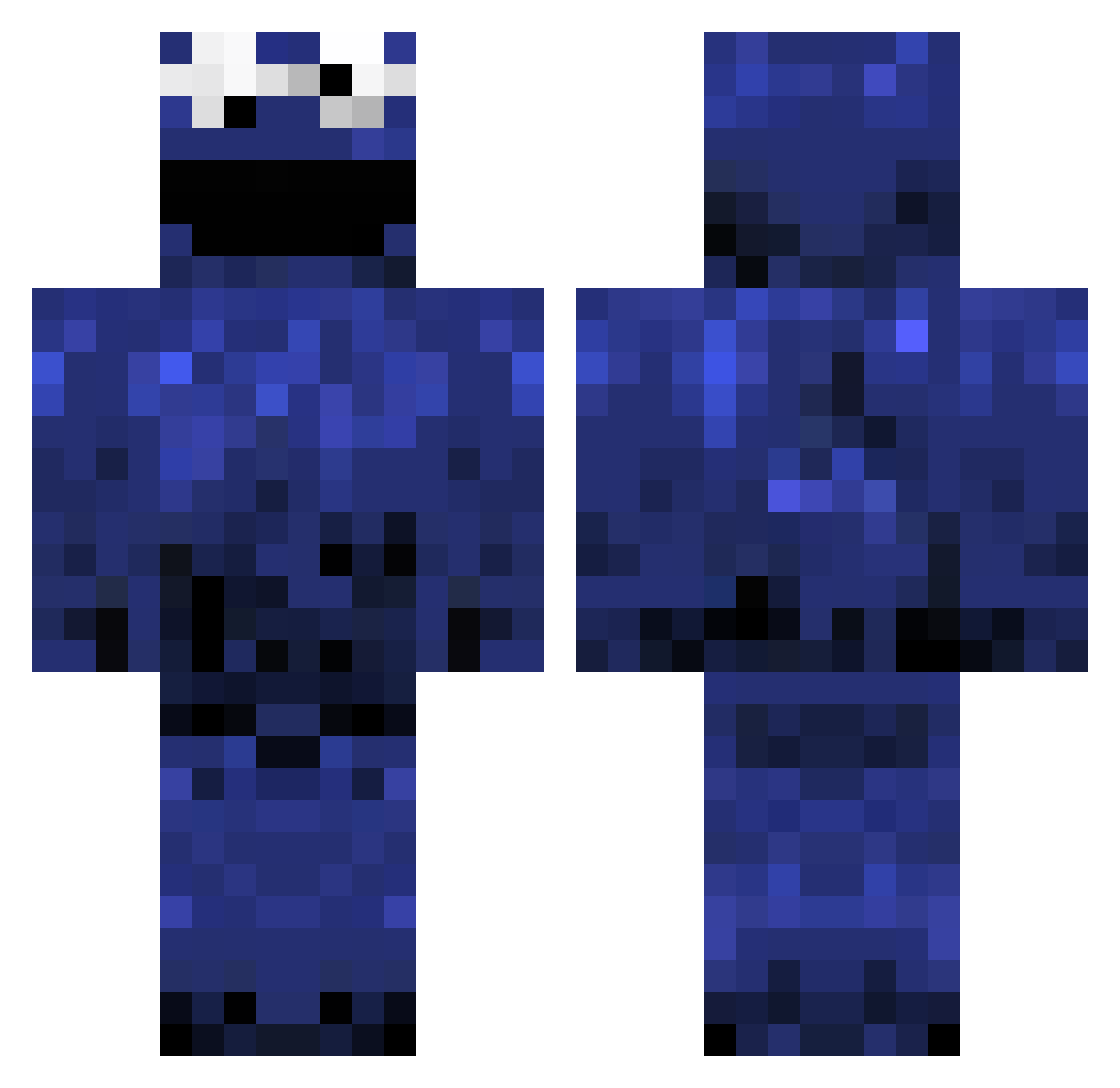
Current Minecraft skin of the player G0LD_UtaRP_02_04, loaded from the official Mojang API. Rotate the 3D model with your mouse or finger, then download the skin as a PNG file and use it in Minecraft: Bedrock Edition or Java Edition for free. When G0LD_UtaRP_02_04 changes their skin, this page updates automatically and the old skin stays in the history below.
Other players with this skin (397)
G0LD_UtaRP_02_04 was the 236th player we have seen with this skin, first spotted on 20.09.2026. The same skin was seen on these players. Open a nickname to see their current skin and skin history.
 s2005p SimonXV Accidental420 PoNpOn0404 Brother696 WrathSinn IndianaJonestown MoiSlark SloppyJesus20 CaliC0re Felixxxx96 Mr_Andrew_x DirtPoor Skrimm2201 unbreakable3838 Schmitten Virteci PINKKNEEZZ BradenAlt T0rch7478 riskyk Snugggyy VTRJ1 panteracordepink _Mamale_ wojtow86 Elmarlomon AUTNoHand Kimmyyy SamForster _weschY_ Samuellll_Y QuiteQuietQuit MoistMachine69 Bakugo0704 LiL_Steve07 TheOriginalBigZ skyy1022 DerDativ Wilham1 Balancibaba Baldhammur Kipyy Kaduro12 Tuxo D_Roo Schmidti_2008 ErenwiPvP Chancho1507 LoneWanderer143 Lord__Hellcat K1ngR1ver Celine22 OfficerGekyume frankstein13 babyDU7 Polskigrzybek123 Alb1noJaguar PrettySketchy hariaks
More Cookie Monster Minecraft skins
See all 241 Cookie Monster skins
How to install the G0LD_UtaRP_02_04 skin
- Press the Download button above to save the skin as a PNG file.
- Minecraft: Bedrock Edition (PE): open the Dressing Room from the main menu (or tap your character → Edit Character), go to Classic Skins → Owned, press the + (new skin) button, choose the downloaded PNG and pick the Classic (Steve) model. Works on PC and mobile; consoles cannot import custom skins.
- Minecraft: Java Edition: open the Minecraft Launcher, go to the Skins tab, click New Skin, load the PNG, pick the Classic (Steve) model and press Save & Use. You can also upload it at minecraft.net → Profile → Change Skin.
The skin does not show up after import - what should I do?
Restart Minecraft and open the Dressing Room again - imported skins sometimes appear only after a restart. Also make sure you selected the imported skin and picked the Classic (Steve) model.
Which model should I choose, Classic or Slim?
This skin is designed for the Classic (Steve) model. If you pick the wrong model, the arms of the skin will look stretched or squeezed.
Is the skin of G0LD_UtaRP_02_04 free to download?
Yes. Press Download, save the PNG file and use it in Minecraft: Bedrock Edition or Java Edition - no payment or registration needed. The skin also works on multiplayer servers and Realms.
More skins
Looking for more? Go back to all Minecraft skins and check the top skins of the week, month and all time, or find any player's skin by nickname.