
G00DN1NJ4 - Minecraft Skins & Skin History
Current Minecraft skin of the player G00DN1NJ4, loaded from the official Mojang API. Rotate the 3D model with your mouse or finger, then download the skin as a PNG file and use it in Minecraft: Bedrock Edition or Java Edition for free. When G00DN1NJ4 changes their skin, this page updates automatically and the old skin stays in the history below.
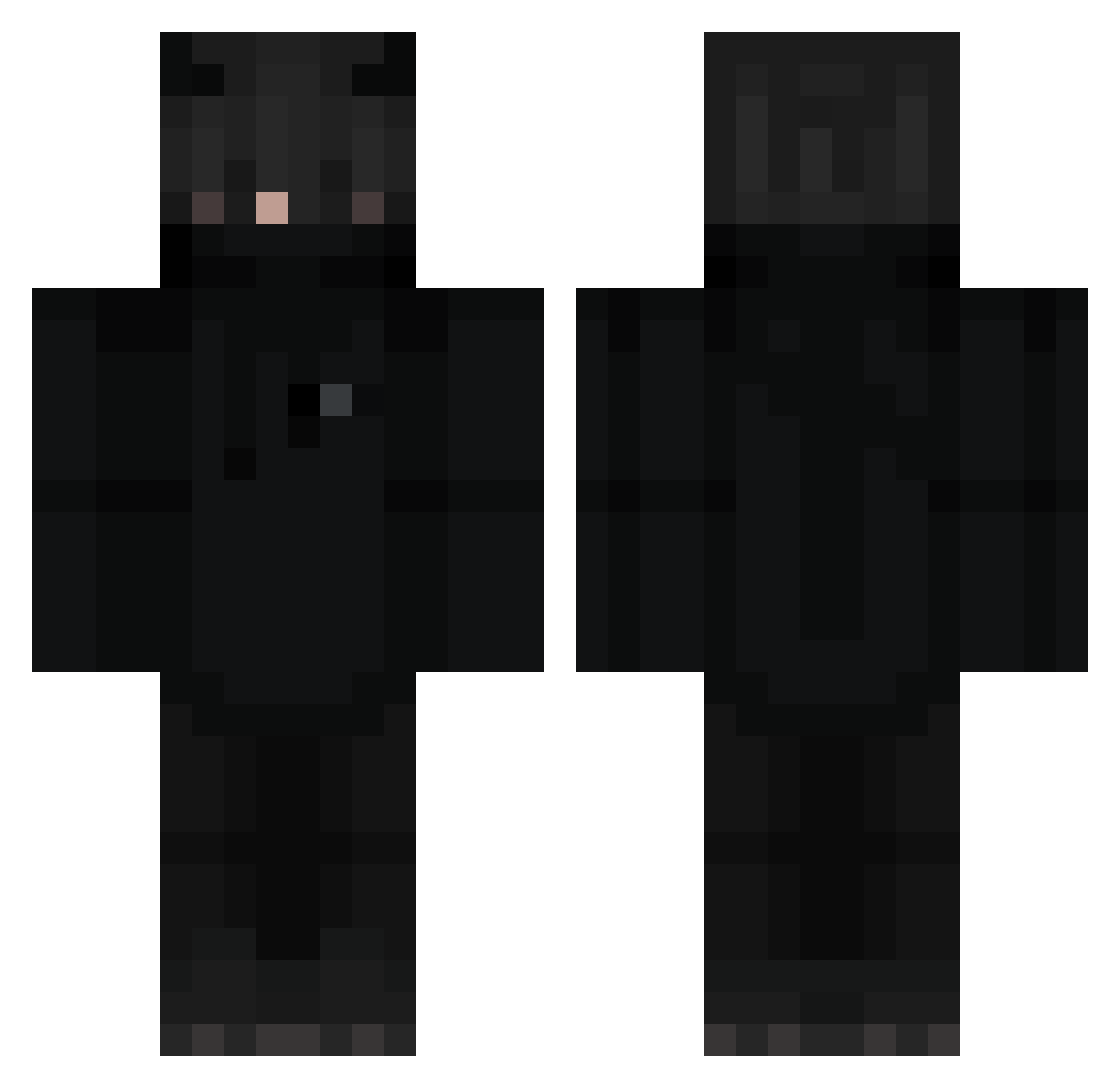
Other players with this skin (274)
G00DN1NJ4 was the 111th player we have seen with this skin, first spotted on 09.09.2026. The same skin was seen on these players. Open a nickname to see their current skin and skin history.
 Brekmeister Dark_JAZ my_alt_ Rea0001 kensinh maluverse BigPancakeBoI Sr_Nikss_Gamer Angel3330 sng2020 Dostya30 AnimLECRAM zstmechanik HydreNocturne Zamid_2115 _piterparker_ FrameTH Sigher iRange1 t0xeir PiuwPiuw PickMyNose69 MEminKLC Eonia666 xXTheKingsXx Erdberkuchen Tageslicht1 Nami_no FalikeCAMISA10 YaBroInTown Inwkaya JoshCe gsdgraal JustCallMeOni EnotWithLove Manu3l__ Mahsher SLIPPED123 G4L4XY__ MotherNoob KEVPOWER DKBanda GregHighlander mdplayo dry_citrus kyrkyma Nsdf1 Wafflesmacc hypixelrocks Cr4zyskull NoFaceGaming69 ps1x123 DronexGame yunuskaramel MP4_teufel JaydenKeanu TeddySnow_ Bonobobambus88 IXzynerI Drakonomix
More Cat Ears Minecraft skins
How to install the G00DN1NJ4 skin
- Press the Download button above to save the skin as a PNG file.
- Minecraft: Bedrock Edition (PE): open the Dressing Room from the main menu (or tap your character → Edit Character), go to Classic Skins → Owned, press the + (new skin) button, choose the downloaded PNG and pick the Classic (Steve) model. Works on PC and mobile; consoles cannot import custom skins.
- Minecraft: Java Edition: open the Minecraft Launcher, go to the Skins tab, click New Skin, load the PNG, pick the Classic (Steve) model and press Save & Use. You can also upload it at minecraft.net → Profile → Change Skin.
The skin does not show up after import - what should I do?
Restart Minecraft and open the Dressing Room again - imported skins sometimes appear only after a restart. Also make sure you selected the imported skin and picked the Classic (Steve) model.
Which model should I choose, Classic or Slim?
This skin is designed for the Classic (Steve) model. If you pick the wrong model, the arms of the skin will look stretched or squeezed.
Is the skin of G00DN1NJ4 free to download?
Yes. Press Download, save the PNG file and use it in Minecraft: Bedrock Edition or Java Edition - no payment or registration needed. The skin also works on multiplayer servers and Realms.
More skins
Looking for more? Go back to all Minecraft skins and check the top skins of the week, month and all time, or find any player's skin by nickname.