
FurkiBY - Minecraft Skins & Skin History
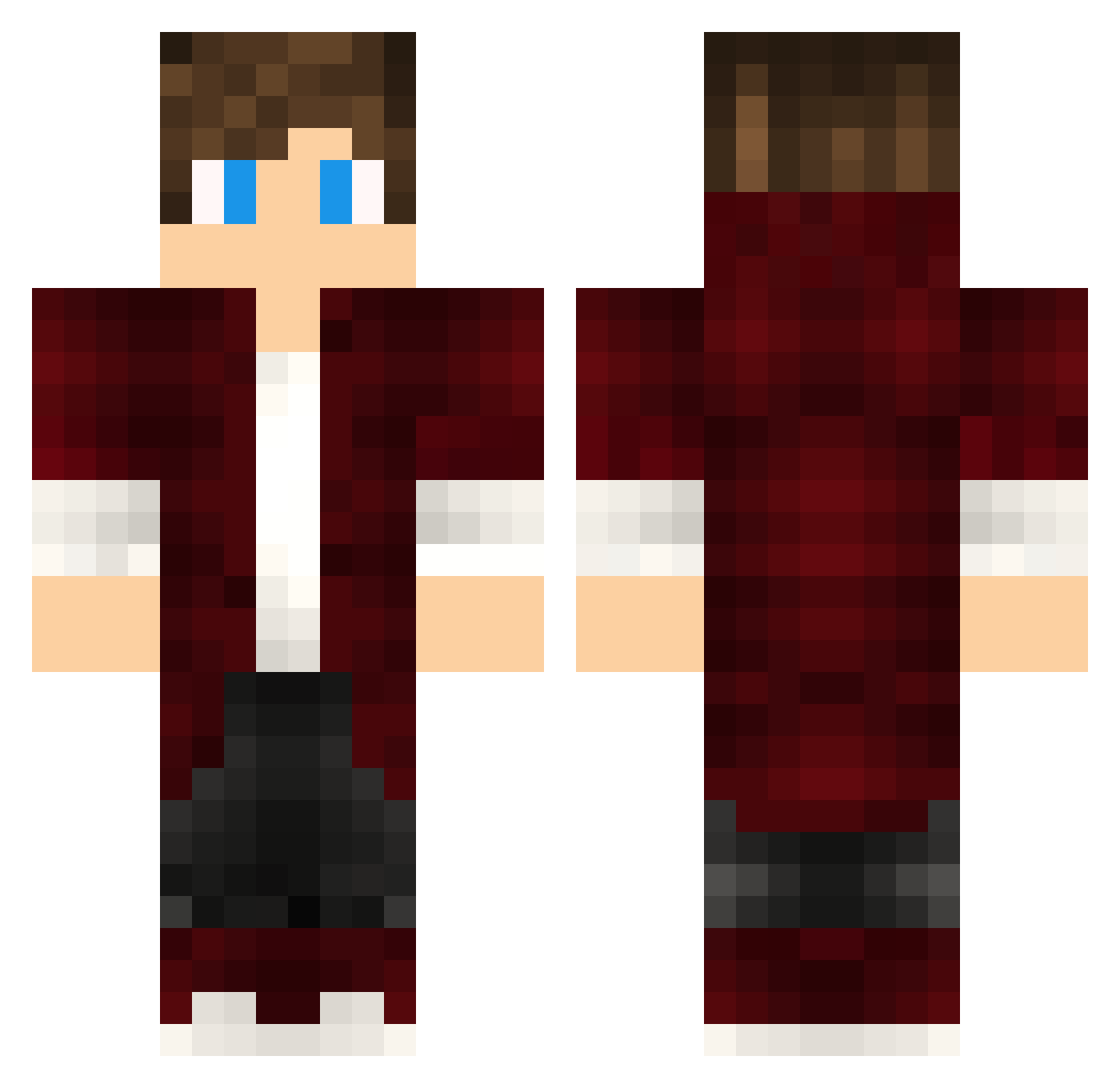
Current Minecraft skin of the player FurkiBY, loaded from the official Mojang API. Rotate the 3D model with your mouse or finger, then download the skin as a PNG file and use it in Minecraft: Bedrock Edition or Java Edition for free. When FurkiBY changes their skin, this page updates automatically and the old skin stays in the history below.
Other players with this skin (394)
FurkiBY was the 239th player we have seen with this skin, first spotted on 22.09.2026. The same skin was seen on these players. Open a nickname to see their current skin and skin history.
 June_92 Wommert JerryDe LamRK Buse85 AliasAsh _Verticus_ livhuf07 xXNeeoXx AndreReM EnzoP20 Friiipon MP__ xLuciferx98 JonesNoobson TheDoomOfBroarmy Brenoxx1 Blackword_01 Beats95 Warrox_27 Sawackey TTpoHbIpbIw Marte952006 bulldog742 vRayadon XXX1Michail1XXX theofanis92 Suavejarl Rachengift _Mrmoroz_ PLAYNIT Darkwraith_Knigh Ibumaru DreadBlast Enodle Quetzalma _KSHP_ Fizi17 jkott SeanDZ limGOMU arringoncz Poikks Daltonico_24 Bubok12 Skiperer ItzMedium Soldatenkov napier27 kazkabel Macestik Sycoul22 GENCKAPTANTVV Shyn3K rschillinger12 ojnmsl x0Gl1tch0x Julian070122 Akrono Jacopoapp
How to install the FurkiBY skin
- Press the Download button above to save the skin as a PNG file.
- Minecraft: Bedrock Edition (PE): open the Dressing Room from the main menu (or tap your character → Edit Character), go to Classic Skins → Owned, press the + (new skin) button, choose the downloaded PNG and pick the Classic (Steve) model. Works on PC and mobile; consoles cannot import custom skins.
- Minecraft: Java Edition: open the Minecraft Launcher, go to the Skins tab, click New Skin, load the PNG, pick the Classic (Steve) model and press Save & Use. You can also upload it at minecraft.net → Profile → Change Skin.
The skin does not show up after import - what should I do?
Restart Minecraft and open the Dressing Room again - imported skins sometimes appear only after a restart. Also make sure you selected the imported skin and picked the Classic (Steve) model.
Which model should I choose, Classic or Slim?
This skin is designed for the Classic (Steve) model. If you pick the wrong model, the arms of the skin will look stretched or squeezed.
Is the skin of FurkiBY free to download?
Yes. Press Download, save the PNG file and use it in Minecraft: Bedrock Edition or Java Edition - no payment or registration needed. The skin also works on multiplayer servers and Realms.
More skins
Looking for more? Go back to all Minecraft skins and check the top skins of the week, month and all time, or find any player's skin by nickname.