
FunkyChunks777 - Minecraft Skins & Skin History
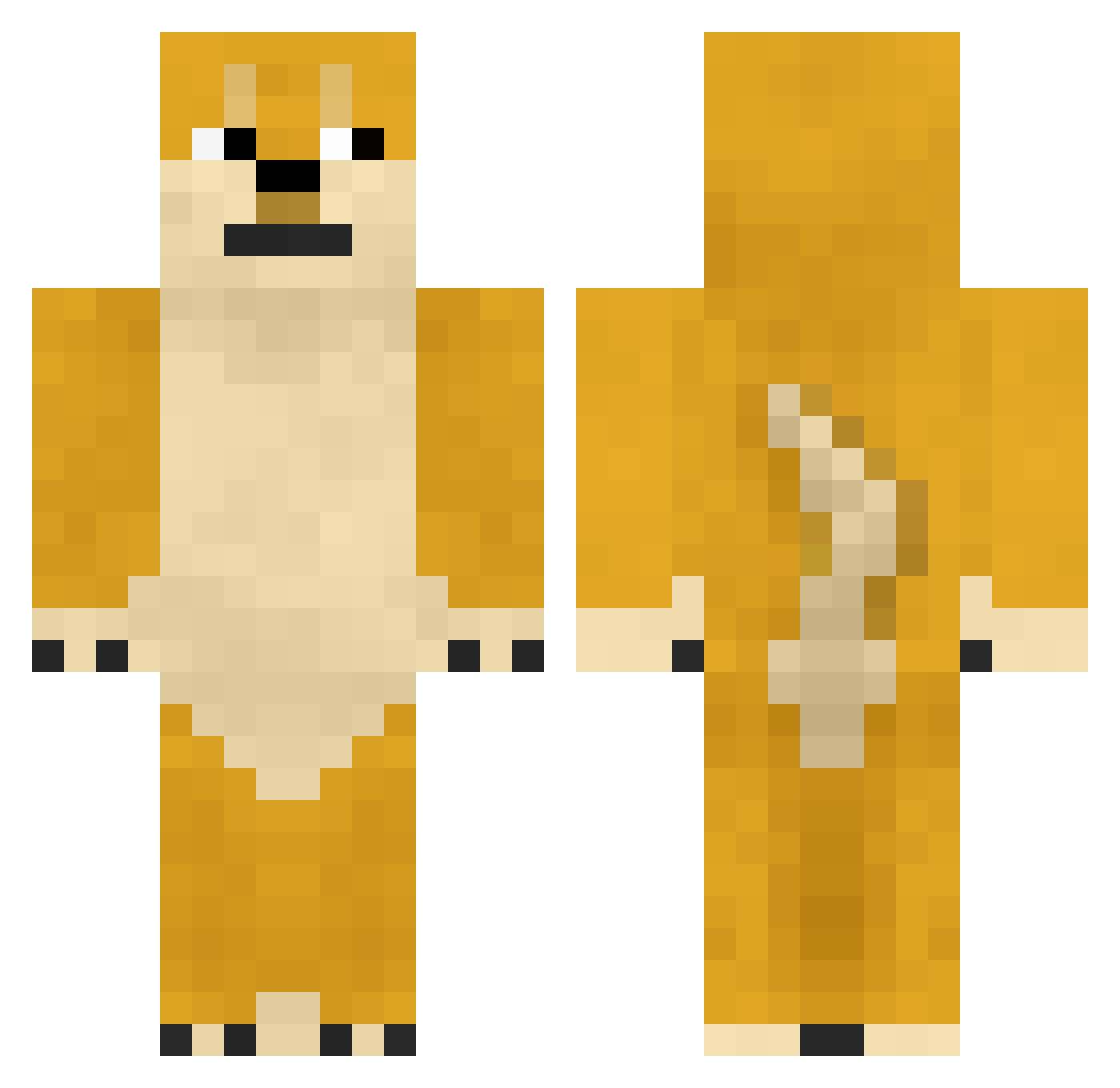
Current Minecraft skin of the player FunkyChunks777, loaded from the official Mojang API. Rotate the 3D model with your mouse or finger, then download the skin as a PNG file and use it in Minecraft: Bedrock Edition or Java Edition for free. When FunkyChunks777 changes their skin, this page updates automatically and the old skin stays in the history below.
Other players with this skin (893)
FunkyChunks777 was the 816th player we have seen with this skin, first spotted on 10.11.2026. The same skin was seen on these players. Open a nickname to see their current skin and skin history.
 YuzhiStory Seven1119 SingleDog5442 the_tarot NebulaOTF LIECEWOLF dongtiane666 dahuang__ JordanMoss sulong2 lushi777 GreedyLifee zielone_papaje Mrozny Jenifer_owo_uwu YO_CH_WO beardpappa9916 Star_Flickers Sixthwd DonSun72 Yabal_Jihun KKIZZ Agavehare mubersans wbf1234 1ao9ou Arksmost egm233 CYYBandHBBB yang9114 Loxzyve unicornlovers sub2noo DRIII_DRIII Pawel2008 Cxk77 polarlights_ ceiling_kaka hamputio xiaoxiong666 xxq123 123cyr clanixi Frost_Maple1 rookie_hk Nyngwen aorui Pocketrion mutanyann Mr_doo Loach2333 joaqe09 Konchis Bayer010 fg1314 DyuN0089 ChalknCheesy Sprookaa XiaoMiao_Anger LittleZhou
More Shiba Inu Minecraft skins
How to install the FunkyChunks777 skin
- Press the Download button above to save the skin as a PNG file.
- Minecraft: Bedrock Edition (PE): open the Dressing Room from the main menu (or tap your character → Edit Character), go to Classic Skins → Owned, press the + (new skin) button, choose the downloaded PNG and pick the Classic (Steve) model. Works on PC and mobile; consoles cannot import custom skins.
- Minecraft: Java Edition: open the Minecraft Launcher, go to the Skins tab, click New Skin, load the PNG, pick the Classic (Steve) model and press Save & Use. You can also upload it at minecraft.net → Profile → Change Skin.
The skin does not show up after import - what should I do?
Restart Minecraft and open the Dressing Room again - imported skins sometimes appear only after a restart. Also make sure you selected the imported skin and picked the Classic (Steve) model.
Which model should I choose, Classic or Slim?
This skin is designed for the Classic (Steve) model. If you pick the wrong model, the arms of the skin will look stretched or squeezed.
Is the skin of FunkyChunks777 free to download?
Yes. Press Download, save the PNG file and use it in Minecraft: Bedrock Edition or Java Edition - no payment or registration needed. The skin also works on multiplayer servers and Realms.
More skins
Looking for more? Go back to all Minecraft skins and check the top skins of the week, month and all time, or find any player's skin by nickname.