
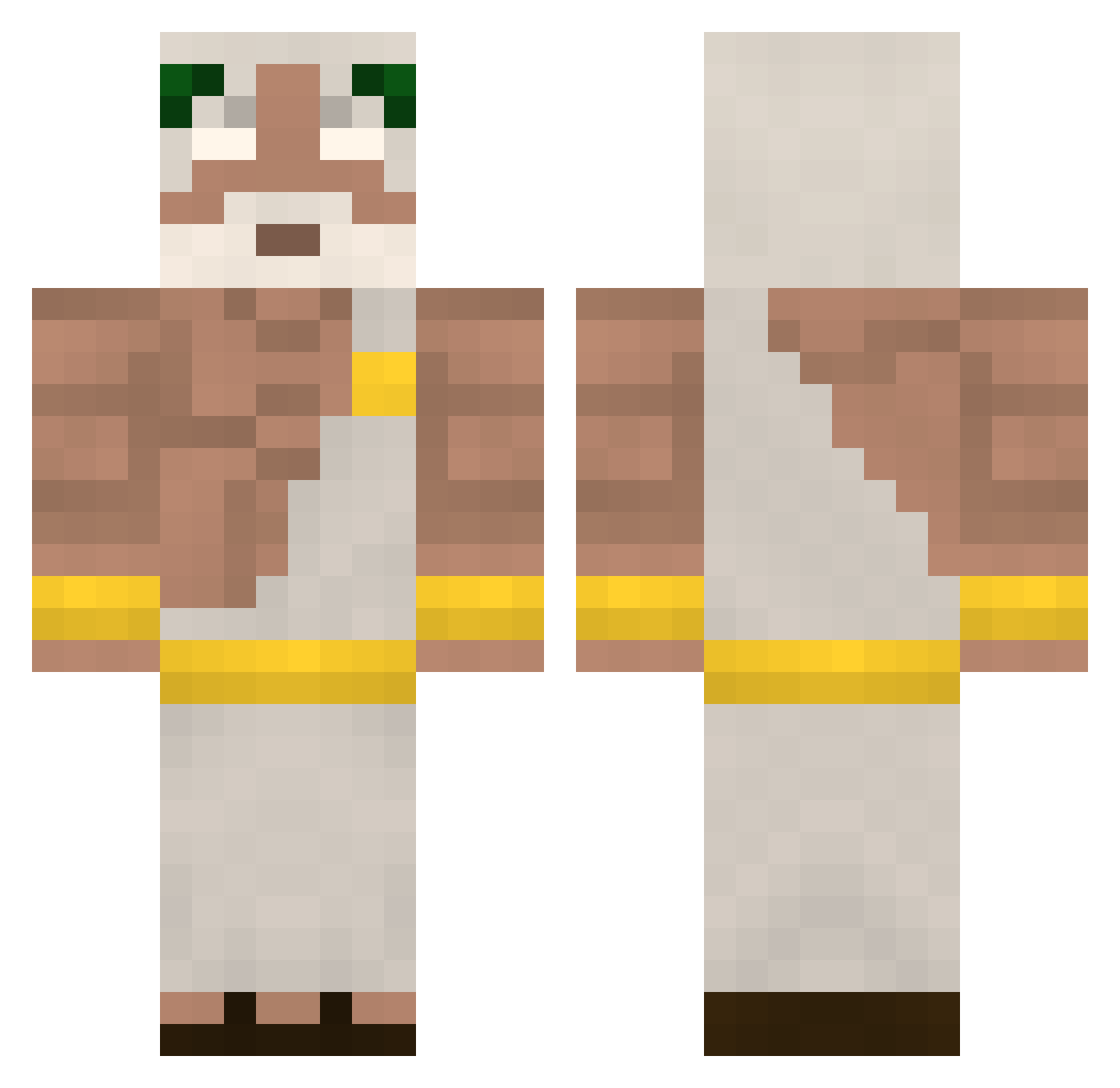
Current Minecraft skin of the player Fungull, loaded from the official Mojang API. Rotate the 3D model with your mouse or finger, then download the skin as a PNG file and use it in Minecraft: Bedrock Edition or Java Edition for free. When Fungull changes their skin, this page updates automatically and the old skin stays in the history below.
Other players with this skin (339)
Fungull was the 142nd player we have seen with this skin, first spotted on 30.08.2026. The same skin was seen on these players. Open a nickname to see their current skin and skin history.
 Sinayder Rumuski Granite729 MohktarLeDieu rajkoop BudihalaWS shlazzer KingBlazeSeven b0ysinthe gamergangster16 TopFloorBoss420 Jo3Go SAILLARD kauan_9797Gaucho Yajford LeGottheit Le_terrien Caderler WHNheaven YesImFrench2030 Mango_jpg Marvin298 Pedro_Brando G4beh AthenaPro lukasamodei Quintana_P THEpoesidon152 MaNoLouKoC Natsubaru
 Silence125 Chipeater1 paulGiroux4563 Rip_te IIDogBladeII Rebenowhit Minenfeld AS91_ turkibo Citres paulg5 Baraozinho aubayrak Cadorna Pablonu77 Lamer5610
 Voidk77 Xx_ranton_xX sekharr_ezroq RizzH GreenDoe Zagorius thijsice ___Edy___ Naate05 BRUIXERIA XxFIRExX07 KINGHemi Antony0824 HARUN1453
More Zeus Minecraft skins
How to install the Fungull skin
- Press the Download button above to save the skin as a PNG file.
- Minecraft: Bedrock Edition (PE): open the Dressing Room from the main menu (or tap your character → Edit Character), go to Classic Skins → Owned, press the + (new skin) button, choose the downloaded PNG and pick the Classic (Steve) model. Works on PC and mobile; consoles cannot import custom skins.
- Minecraft: Java Edition: open the Minecraft Launcher, go to the Skins tab, click New Skin, load the PNG, pick the Classic (Steve) model and press Save & Use. You can also upload it at minecraft.net → Profile → Change Skin.
The skin does not show up after import - what should I do?
Restart Minecraft and open the Dressing Room again - imported skins sometimes appear only after a restart. Also make sure you selected the imported skin and picked the Classic (Steve) model.
Which model should I choose, Classic or Slim?
This skin is designed for the Classic (Steve) model. If you pick the wrong model, the arms of the skin will look stretched or squeezed.
Is the skin of Fungull free to download?
Yes. Press Download, save the PNG file and use it in Minecraft: Bedrock Edition or Java Edition - no payment or registration needed. The skin also works on multiplayer servers and Realms.
More skins
Looking for more? Go back to all Minecraft skins and check the top skins of the week, month and all time, or find any player's skin by nickname.