
FudiDestroyer - Minecraft Skins & Skin History
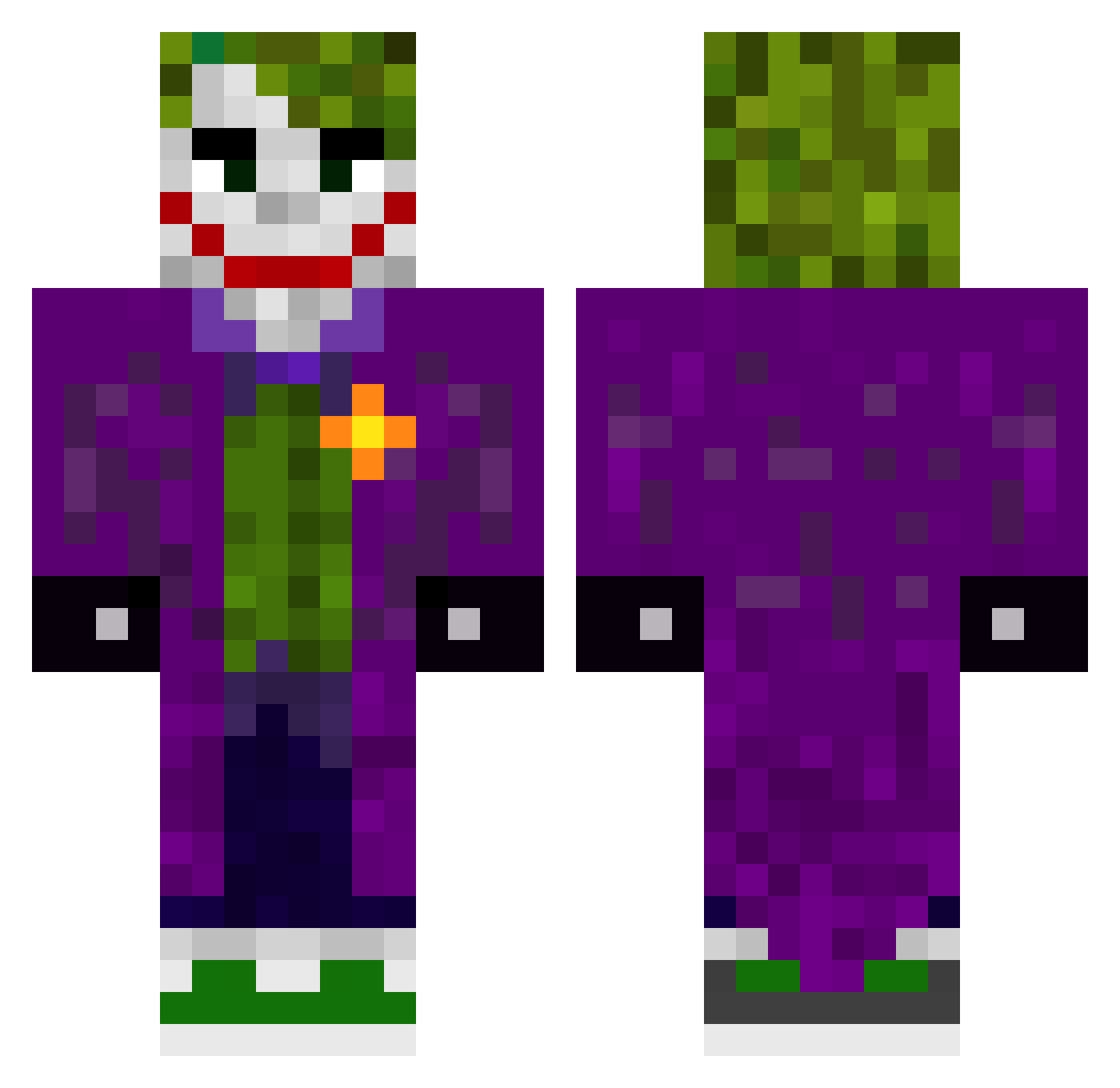
Current Minecraft skin of the player FudiDestroyer, loaded from the official Mojang API. Rotate the 3D model with your mouse or finger, then download the skin as a PNG file and use it in Minecraft: Bedrock Edition or Java Edition for free. When FudiDestroyer changes their skin, this page updates automatically and the old skin stays in the history below.
Other players with this skin (619)
FudiDestroyer was the 520th player we have seen with this skin, first spotted on 02.11.2026. The same skin was seen on these players. Open a nickname to see their current skin and skin history.
 Gorblood LankyDankyEthan5 Kilixn16 Vicso1 DonTonino_ Trigans ilal2077 Morgur superfinn07 Rising_God RVSZN Kenan_123 YaNe110 ELRISAS twrgsy Nizaro9 alexxxwastaken Sanshessone Tikka306 WasGoodBro X_posed qGingSeng ZxRO_0 Seiyaxt4 jbc2002 PurpleRain3121 HINGOR the_joker00 TommyBruv juanmmaslo ForXel EbanatCalciya JokerVI SlayerYT123 IntelJere keremmll Stitches1990 dildakanet DCR_2003 neekdead RockyMX_02 ThiccusRaccon B00TYLicker Hyp4 batinw Rooster07 BRUNOGUIMA ykblaise Faberrj ProHornet2025 Glassbilar xnoobmaster69_x Leexch Anonimus00 Mayoshower Leebro1234 G_Gh0sT Manes1911 DaanHeinen justdanny69
More The Joker Minecraft skins
How to install the FudiDestroyer skin
- Press the Download button above to save the skin as a PNG file.
- Minecraft: Bedrock Edition (PE): open the Dressing Room from the main menu (or tap your character → Edit Character), go to Classic Skins → Owned, press the + (new skin) button, choose the downloaded PNG and pick the Classic (Steve) model. Works on PC and mobile; consoles cannot import custom skins.
- Minecraft: Java Edition: open the Minecraft Launcher, go to the Skins tab, click New Skin, load the PNG, pick the Classic (Steve) model and press Save & Use. You can also upload it at minecraft.net → Profile → Change Skin.
The skin does not show up after import - what should I do?
Restart Minecraft and open the Dressing Room again - imported skins sometimes appear only after a restart. Also make sure you selected the imported skin and picked the Classic (Steve) model.
Which model should I choose, Classic or Slim?
This skin is designed for the Classic (Steve) model. If you pick the wrong model, the arms of the skin will look stretched or squeezed.
Is the skin of FudiDestroyer free to download?
Yes. Press Download, save the PNG file and use it in Minecraft: Bedrock Edition or Java Edition - no payment or registration needed. The skin also works on multiplayer servers and Realms.
More skins
Looking for more? Go back to all Minecraft skins and check the top skins of the week, month and all time, or find any player's skin by nickname.