
Fuchsunity - Minecraft Skins & Skin History
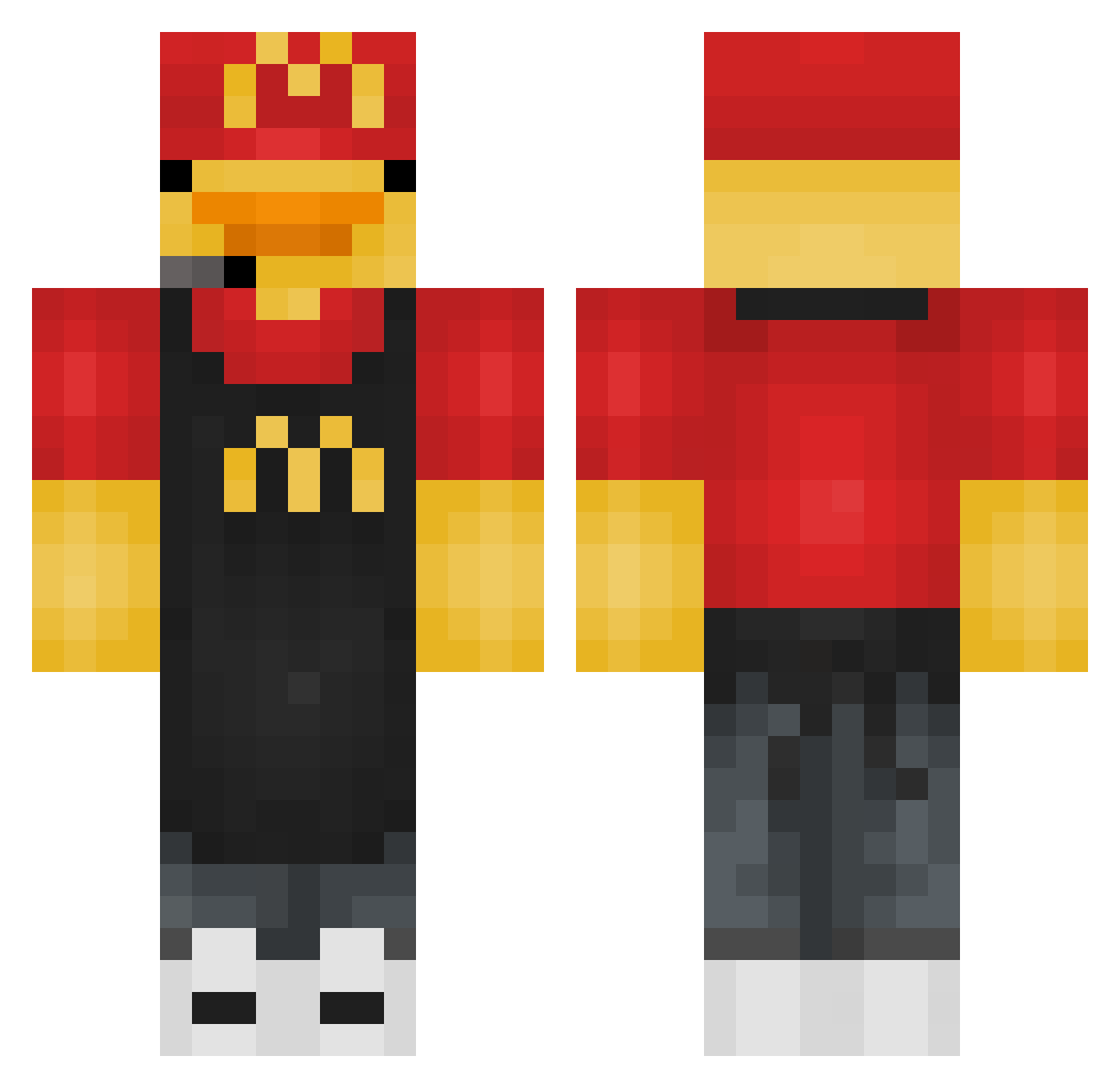
Current Minecraft skin of the player Fuchsunity, loaded from the official Mojang API. Rotate the 3D model with your mouse or finger, then download the skin as a PNG file and use it in Minecraft: Bedrock Edition or Java Edition for free. When Fuchsunity changes their skin, this page updates automatically and the old skin stays in the history below.
Other players with this skin (276)
Fuchsunity was the 179th player we have seen with this skin, first spotted on 22.09.2026. The same skin was seen on these players. Open a nickname to see their current skin and skin history.
 MotteBrutalo54 Find_Holger10 Shoro_snm Bas20113209 Roboxuss SoyDaeki TheMonke1503 Albertmeh831 Bigboi0212 Geo2764 Valen1913 LordEiscreme NATEKAMIS ccygaming16 Muni_love akagamie justfly1442 Jason__king Moryato BabyChair MacMichae1 karyn1011 shunsuke12 PhantomCoffee Kimmy26k raf_slg Wuis71 pirinola32 Coconuss44 SOWWind Sasha20009 Ym1m1x marblesloth8631 SKbaron ssrttt Flopa10 LexusPR Clown_pisu Lallaaaa MrSnackss Jetboy30 Quazi75 neria0508 Kacper220915 Purple_Lemur EngleNZA killemson 2GOOD4AlL Pizzaball14 Sammy2604 Delta8676 Bielzinho_777 xinliangxi TruNenbra JuiceBoxx27 Abrakadavra nicollemo arno26cp BundaBig69 Envixs
More Headset Minecraft skins
How to install the Fuchsunity skin
- Press the Download button above to save the skin as a PNG file.
- Minecraft: Bedrock Edition (PE): open the Dressing Room from the main menu (or tap your character → Edit Character), go to Classic Skins → Owned, press the + (new skin) button, choose the downloaded PNG and pick the Classic (Steve) model. Works on PC and mobile; consoles cannot import custom skins.
- Minecraft: Java Edition: open the Minecraft Launcher, go to the Skins tab, click New Skin, load the PNG, pick the Classic (Steve) model and press Save & Use. You can also upload it at minecraft.net → Profile → Change Skin.
The skin does not show up after import - what should I do?
Restart Minecraft and open the Dressing Room again - imported skins sometimes appear only after a restart. Also make sure you selected the imported skin and picked the Classic (Steve) model.
Which model should I choose, Classic or Slim?
This skin is designed for the Classic (Steve) model. If you pick the wrong model, the arms of the skin will look stretched or squeezed.
Is the skin of Fuchsunity free to download?
Yes. Press Download, save the PNG file and use it in Minecraft: Bedrock Edition or Java Edition - no payment or registration needed. The skin also works on multiplayer servers and Realms.
More skins
Looking for more? Go back to all Minecraft skins and check the top skins of the week, month and all time, or find any player's skin by nickname.