
FrozenYoghurt23 - Minecraft Skins & Skin History
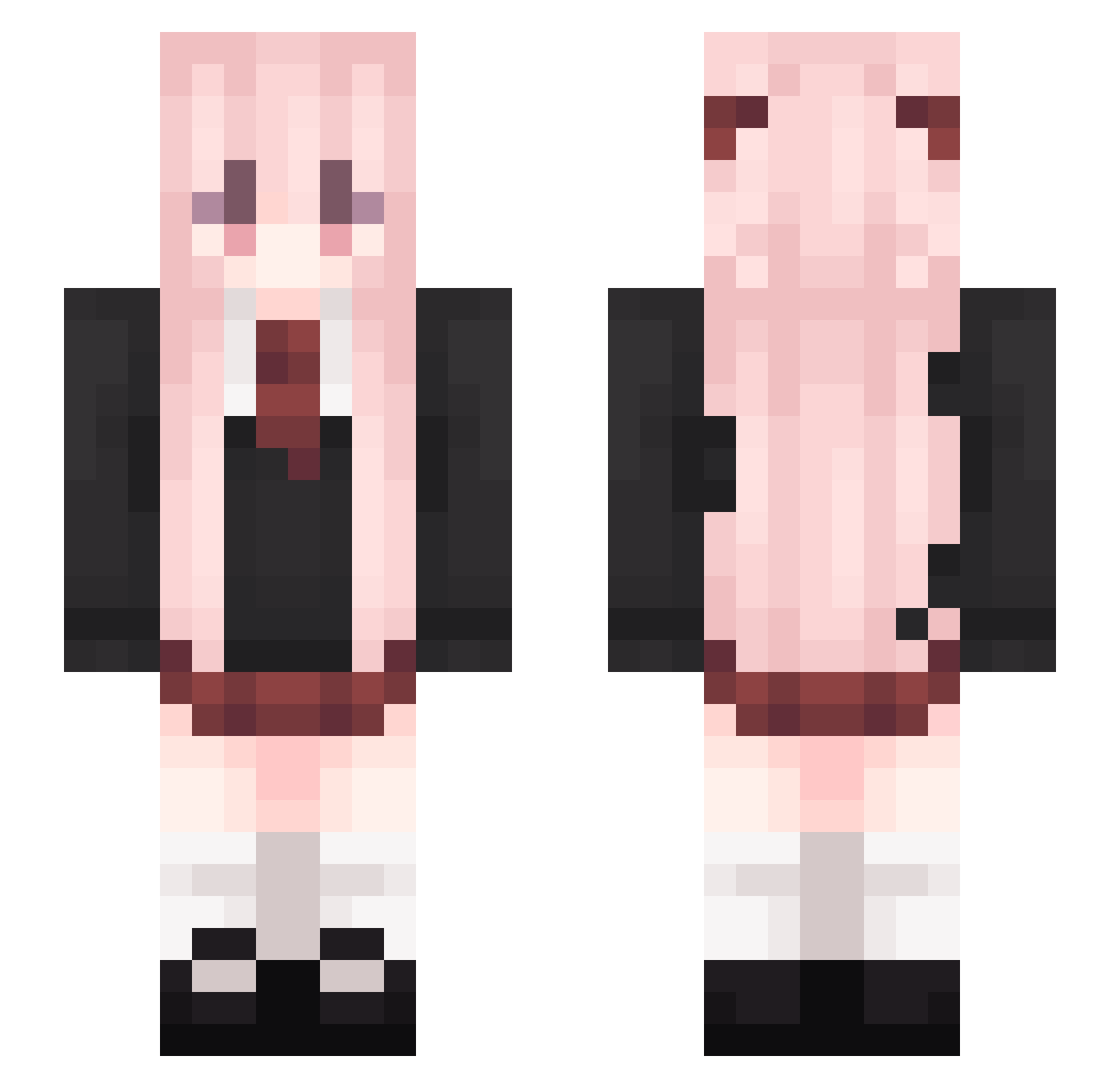
Current Minecraft skin of the player FrozenYoghurt23, loaded from the official Mojang API. Rotate the 3D model with your mouse or finger, then download the skin as a PNG file and use it in Minecraft: Bedrock Edition or Java Edition for free. When FrozenYoghurt23 changes their skin, this page updates automatically and the old skin stays in the history below.
Other players with this skin (625)
FrozenYoghurt23 was the 580th player we have seen with this skin, first spotted on 12.11.2026. The same skin was seen on these players. Open a nickname to see their current skin and skin history.
 Tangerine0301 ImDerid Nahida17 jaket1133 MichelLudwig seven6662 gpyzn Speryg jdhs__ WeiJieo SaraNnnnnn Ttang007 ZQiS Dimren Supershiwu annaoooo xbw114514 Haru_Voice muyuyyds SouvenirL Aburde NAGUA eyemeow sj668 YezNie L_Q7 BANANA_D nidaba001 ldquo27 mingzhanzzz520 Yhx0906 purecolour664 konghou22 PLif_zip Aespa2020 x_teng1 wei_wei21812 spicystick66 Qihai_ LingSkyZ 030x elunariia smy857857 Kevin0350_2009 Aircraft_Cloud xianzao ChocolateCoffee_ lufei_HFARMI Autusm CongYu2222 guowenjing TheKillerRabbit_ Sintagulp VoidDoll V1rt0e Tang0911 Arduster cha_cc niuren2 ritong
More School Uniform Minecraft skins
See all 7628 School Uniform skins
How to install the FrozenYoghurt23 skin
- Press the Download button above to save the skin as a PNG file.
- Minecraft: Bedrock Edition (PE): open the Dressing Room from the main menu (or tap your character → Edit Character), go to Classic Skins → Owned, press the + (new skin) button, choose the downloaded PNG and pick the Slim (Alex) model. Works on PC and mobile; consoles cannot import custom skins.
- Minecraft: Java Edition: open the Minecraft Launcher, go to the Skins tab, click New Skin, load the PNG, pick the Slim (Alex) model and press Save & Use. You can also upload it at minecraft.net → Profile → Change Skin.
The skin does not show up after import - what should I do?
Restart Minecraft and open the Dressing Room again - imported skins sometimes appear only after a restart. Also make sure you selected the imported skin and picked the Slim (Alex) model.
Which model should I choose, Classic or Slim?
This skin is designed for the Slim (Alex) model. If you pick the wrong model, the arms of the skin will look stretched or squeezed.
Is the skin of FrozenYoghurt23 free to download?
Yes. Press Download, save the PNG file and use it in Minecraft: Bedrock Edition or Java Edition - no payment or registration needed. The skin also works on multiplayer servers and Realms.
More skins
Looking for more? Go back to all Minecraft skins and check the top skins of the week, month and all time, or find any player's skin by nickname.