
Frostbirne - Minecraft Skins & Skin History
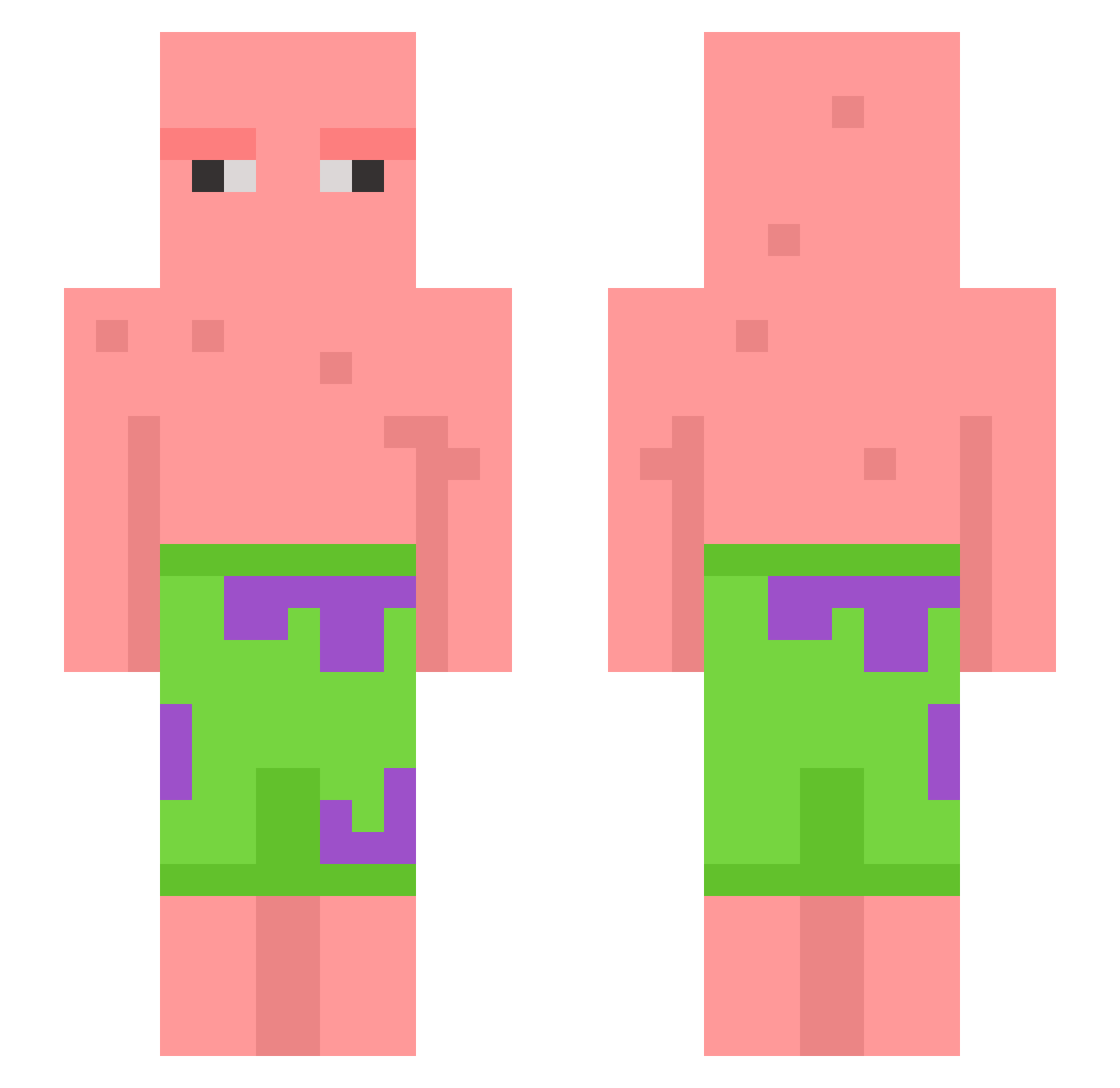
Current Minecraft skin of the player Frostbirne, loaded from the official Mojang API. Rotate the 3D model with your mouse or finger, then download the skin as a PNG file and use it in Minecraft: Bedrock Edition or Java Edition for free. When Frostbirne changes their skin, this page updates automatically and the old skin stays in the history below.
Other players with this skin (603)
Frostbirne was the 141st player we have seen with this skin, first spotted on 21.08.2026. The same skin was seen on these players. Open a nickname to see their current skin and skin history.
 rbxo1203 McKraken94 BargainDetergent DeividFromNaples JIHHH_1 _Kaczynski NemoPuffle TheBlockRoom TTVGamerparadis Jesronn1 NordicCheese brock814 ELMARONDELAS BabyPatriick Ithinghe SqJsh AzwepsA HosseCraft Truckrobber SupaRed21 pk_ponacki LazeyChips colin_kob ItisSki M4RKMCB InvictusWB scaredofcats AssGass98 xXCodestarXx lilbunda WAAFFULZZ Shimoga GoatedGalaxy616 ryaboom frankthetank039 Jcbsgn LukaML Esnqz Partition fuSG SneakyNib Huy_LP69 Dummmybear X_Aqualous toots_mugoots jaeho0_0 ln4tel NNoodleSSoup SaltyNuts21 JeroenDoetHD katdaddy7900 Trashboat156 maxOnRR52 Jinseop7588 lovenineteen Negger6969 johnsas deepfriedbm DEINOMAUNDOPA AnAverageBean
More Patrick Star Minecraft skins
See all 612 Patrick Star skins
How to install the Frostbirne skin
- Press the Download button above to save the skin as a PNG file.
- Minecraft: Bedrock Edition (PE): open the Dressing Room from the main menu (or tap your character → Edit Character), go to Classic Skins → Owned, press the + (new skin) button, choose the downloaded PNG and pick the Slim (Alex) model. Works on PC and mobile; consoles cannot import custom skins.
- Minecraft: Java Edition: open the Minecraft Launcher, go to the Skins tab, click New Skin, load the PNG, pick the Slim (Alex) model and press Save & Use. You can also upload it at minecraft.net → Profile → Change Skin.
The skin does not show up after import - what should I do?
Restart Minecraft and open the Dressing Room again - imported skins sometimes appear only after a restart. Also make sure you selected the imported skin and picked the Slim (Alex) model.
Which model should I choose, Classic or Slim?
This skin is designed for the Slim (Alex) model. If you pick the wrong model, the arms of the skin will look stretched or squeezed.
Is the skin of Frostbirne free to download?
Yes. Press Download, save the PNG file and use it in Minecraft: Bedrock Edition or Java Edition - no payment or registration needed. The skin also works on multiplayer servers and Realms.
More skins
Looking for more? Go back to all Minecraft skins and check the top skins of the week, month and all time, or find any player's skin by nickname.