
Fourohonek - Minecraft Skins & Skin History
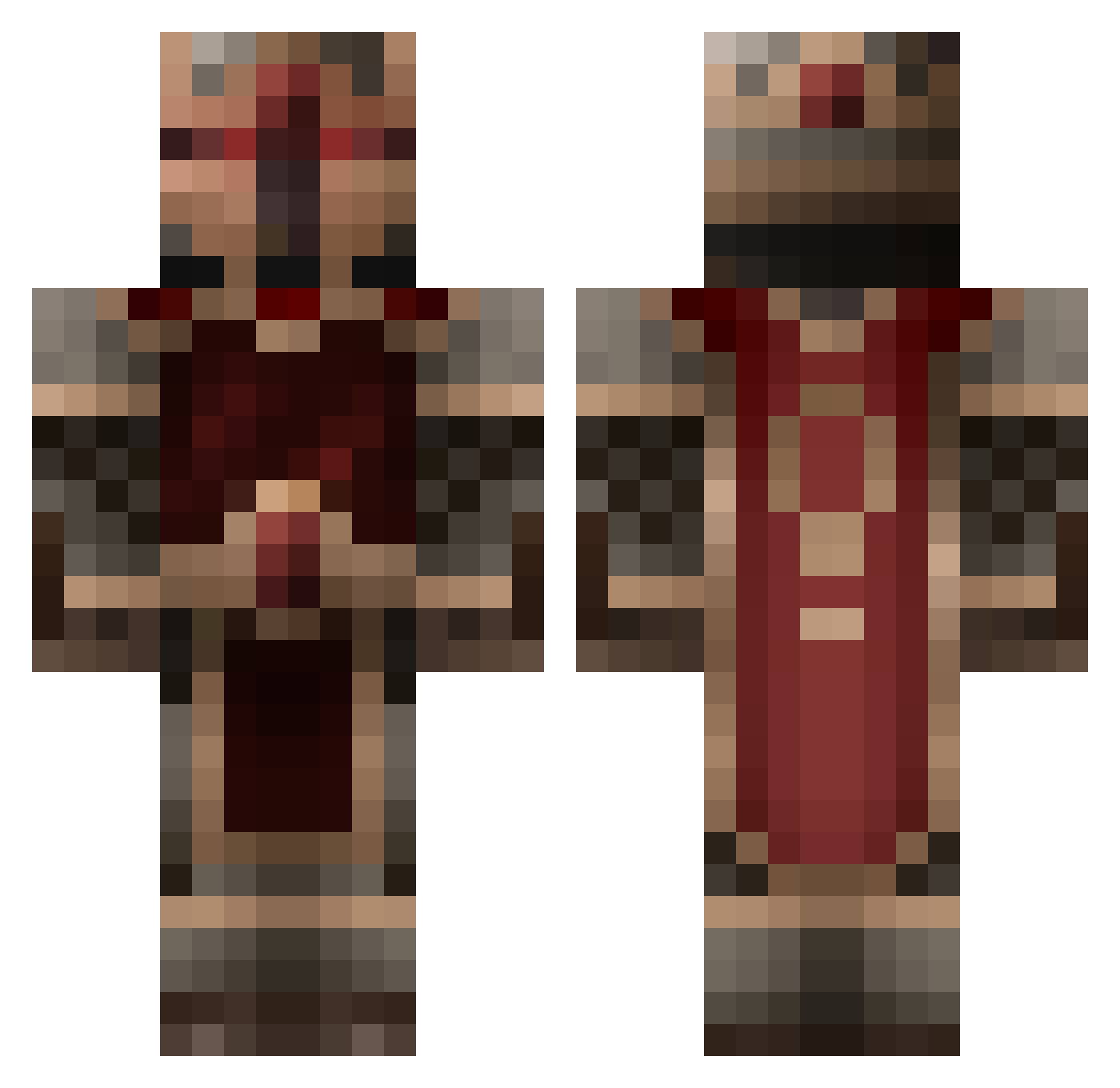
Current Minecraft skin of the player Fourohonek, loaded from the official Mojang API. Rotate the 3D model with your mouse or finger, then download the skin as a PNG file and use it in Minecraft: Bedrock Edition or Java Edition for free. When Fourohonek changes their skin, this page updates automatically and the old skin stays in the history below.
Other players with this skin (855)
Fourohonek was the 482nd player we have seen with this skin, first spotted on 02.10.2026. The same skin was seen on these players. Open a nickname to see their current skin and skin history.
 shoii Dumybone magnaboss qinglin87 herokeng RedHeadedWarlock PhatPirate Zithrax MonSignore Woq Mrgaamer BlackNL toolguy12 YourPastFailure iDupeNotReally Shadowfears HeroCason Captainbtk sonsu95 svxbro04 manboy101 Vanjingle aegypticus pecos1004 uncorkedblock Wavad Anoymuss thesandman122 ArchAngel0138 Acht4991 KryptonOxid connar1997 jaylee1 BoogieManRyan Galadon fixit16 Peek_ Tarrembeau xXxGingerSnap919 ursoass topken899 TheFallenerMC Zephon_Zero thee_pro devildasher AdvanceBOT12 Pizzadegen Gogollol MegamanSSC Agent48 Kryoburn Effluvian Csyndrome DerUngare RedFoxGame jackson1680 bened1 Phumblez Kreugel kanegoku
More Knight Minecraft skins
How to install the Fourohonek skin
- Press the Download button above to save the skin as a PNG file.
- Minecraft: Bedrock Edition (PE): open the Dressing Room from the main menu (or tap your character → Edit Character), go to Classic Skins → Owned, press the + (new skin) button, choose the downloaded PNG and pick the Classic (Steve) model. Works on PC and mobile; consoles cannot import custom skins.
- Minecraft: Java Edition: open the Minecraft Launcher, go to the Skins tab, click New Skin, load the PNG, pick the Classic (Steve) model and press Save & Use. You can also upload it at minecraft.net → Profile → Change Skin.
The skin does not show up after import - what should I do?
Restart Minecraft and open the Dressing Room again - imported skins sometimes appear only after a restart. Also make sure you selected the imported skin and picked the Classic (Steve) model.
Which model should I choose, Classic or Slim?
This skin is designed for the Classic (Steve) model. If you pick the wrong model, the arms of the skin will look stretched or squeezed.
Is the skin of Fourohonek free to download?
Yes. Press Download, save the PNG file and use it in Minecraft: Bedrock Edition or Java Edition - no payment or registration needed. The skin also works on multiplayer servers and Realms.
More skins
Looking for more? Go back to all Minecraft skins and check the top skins of the week, month and all time, or find any player's skin by nickname.