
Fordhawk - Minecraft Skins & Skin History
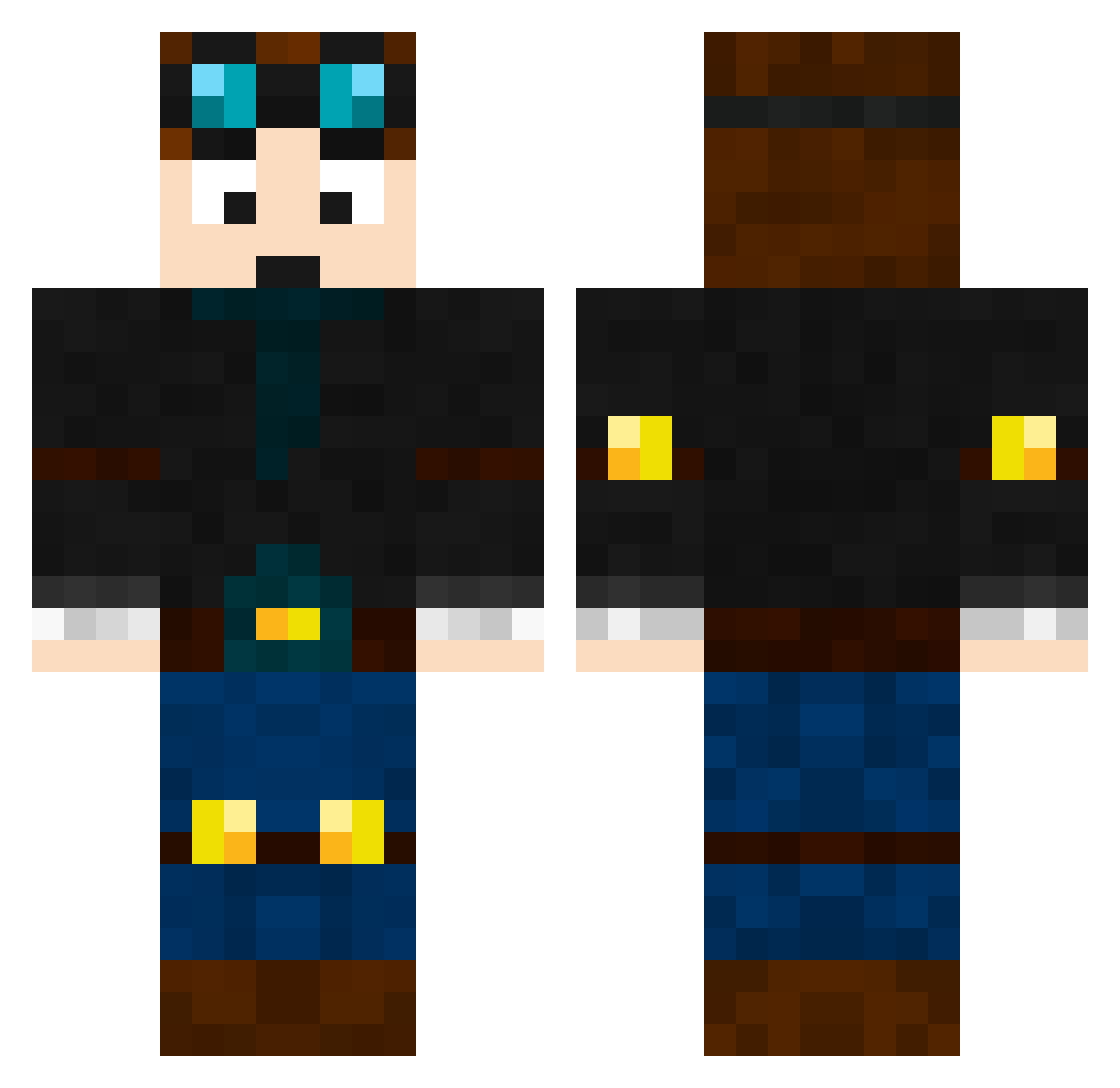
Current Minecraft skin of the player Fordhawk, loaded from the official Mojang API. Rotate the 3D model with your mouse or finger, then download the skin as a PNG file and use it in Minecraft: Bedrock Edition or Java Edition for free. When Fordhawk changes their skin, this page updates automatically and the old skin stays in the history below.
Other players with this skin (669)
Fordhawk was the 576th player we have seen with this skin, first spotted on 05.11.2026. The same skin was seen on these players. Open a nickname to see their current skin and skin history.
 Sir_Lancelot_08 SuperPiggyMax MrFlash3HD IsaacIian Dancefloor lowgie1 Epiclewisboys callofdutyrules7 erikaseiridas DanTDM_FAN12345 Sinuxx Kulans electroman2005 KasonRules rhodex moma123456 YaBoiDanHamFam MakiToby lilkiller IzyBoy1 wweman74 DaStinker oliell djwishbone trinbug5 X_MiniMenmuir_X rascal3456 d4nn3 Logan_Woods Fillerillen XxLeoGamingXx MegaMinerALF luketowell2004 button49 Jackieboy256 casechallenger Jogvan10 fluffyunicorns19 EpicBrosGaming boogstar09 Zhazzam Emarci16 hawkrod leland09 Danielguns8 SPLeeson cutiewooty HLC123 andrew_gew ormskirk05 Supert0m ahead246 teamcreeper14 sgtblagger kaicharles2004 TeamLouish88 SpeedZockerHD123 nartsh Gamer_nati bartman277
More Engineer Minecraft skins
How to install the Fordhawk skin
- Press the Download button above to save the skin as a PNG file.
- Minecraft: Bedrock Edition (PE): open the Dressing Room from the main menu (or tap your character → Edit Character), go to Classic Skins → Owned, press the + (new skin) button, choose the downloaded PNG and pick the Classic (Steve) model. Works on PC and mobile; consoles cannot import custom skins.
- Minecraft: Java Edition: open the Minecraft Launcher, go to the Skins tab, click New Skin, load the PNG, pick the Classic (Steve) model and press Save & Use. You can also upload it at minecraft.net → Profile → Change Skin.
The skin does not show up after import - what should I do?
Restart Minecraft and open the Dressing Room again - imported skins sometimes appear only after a restart. Also make sure you selected the imported skin and picked the Classic (Steve) model.
Which model should I choose, Classic or Slim?
This skin is designed for the Classic (Steve) model. If you pick the wrong model, the arms of the skin will look stretched or squeezed.
Is the skin of Fordhawk free to download?
Yes. Press Download, save the PNG file and use it in Minecraft: Bedrock Edition or Java Edition - no payment or registration needed. The skin also works on multiplayer servers and Realms.
More skins
Looking for more? Go back to all Minecraft skins and check the top skins of the week, month and all time, or find any player's skin by nickname.