
FordPrfct - Minecraft Skins & Skin History
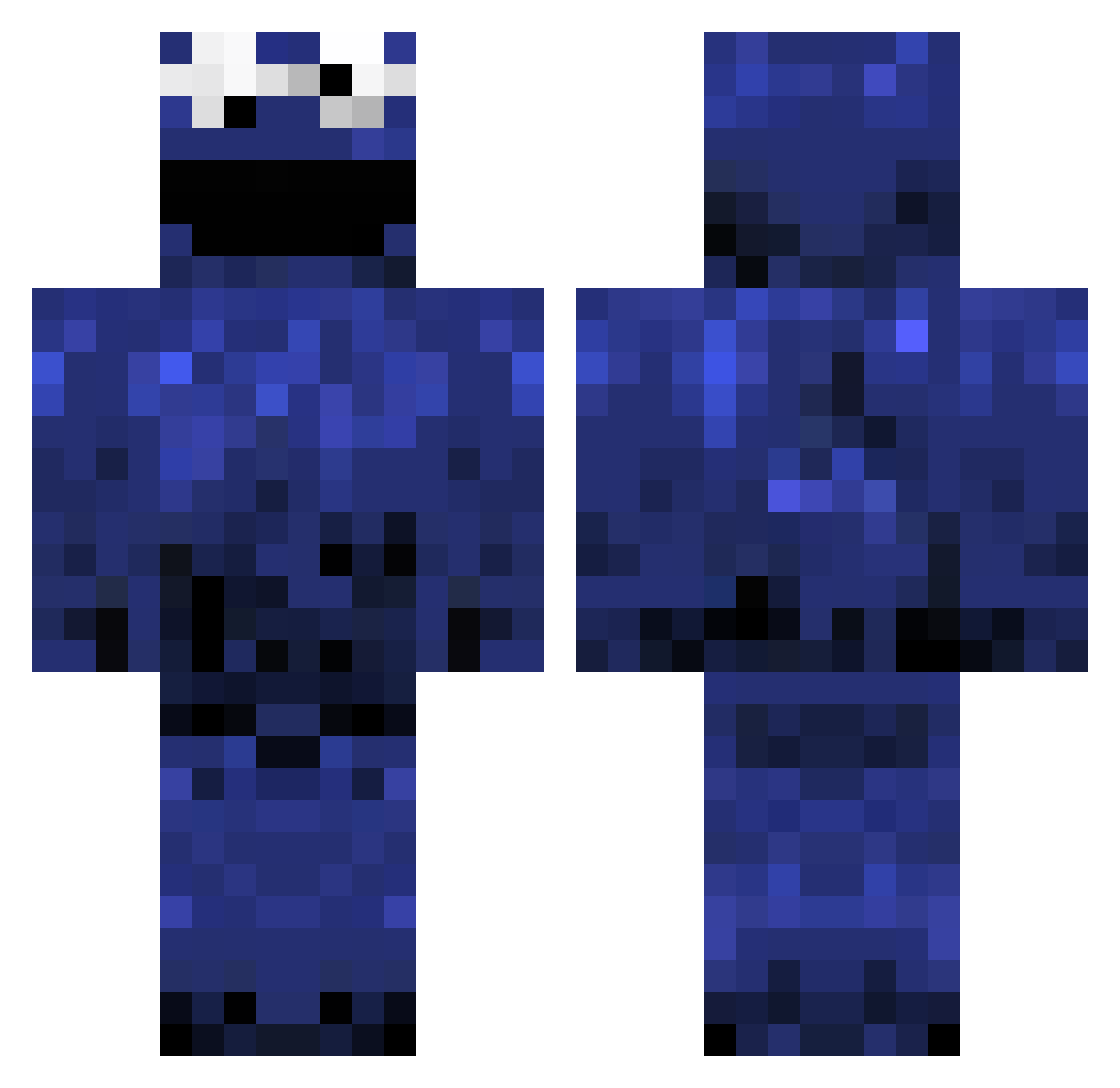
Current Minecraft skin of the player FordPrfct, loaded from the official Mojang API. Rotate the 3D model with your mouse or finger, then download the skin as a PNG file and use it in Minecraft: Bedrock Edition or Java Edition for free. When FordPrfct changes their skin, this page updates automatically and the old skin stays in the history below.
Other players with this skin (396)
FordPrfct was the 367th player we have seen with this skin, first spotted on 17.10.2026. The same skin was seen on these players. Open a nickname to see their current skin and skin history.
 BentleyMaul moax umidako_1 FxWeevil xBobcat pqrstuvw Genderrun Sevoya aslaughterzombie pdOwO BigDollaz Tsneed24 syassasa onanawhatsmyname ItSlippedIn Fisherking1997 frankstevm Remarkable_Steak JasonxCR Kommando117 SpecklePeckle DrCookiesPogHam ScoFusion Ejja Cheesefart98 notimjc agent0061 BeforeItWas micatwo Sky_Dancerx _Kuzon_ michlmd DWorldie diegonaldo sebbe0408 MON5T3RCH3N msg999 ZppH ciapciak123 gappai999 BlowPop67 harambelol TehFluffy Siilviia13 HereComesBaton _OldPs PhatRhino halliba Temp0st d_hui2 aproven SmooshCakez Lyshine61 yakii111 whosMummy nuGONZOgen Pro_Moloney art_will2 PTP78 alexbjork
More Cookie Monster Minecraft skins
See all 241 Cookie Monster skins
How to install the FordPrfct skin
- Press the Download button above to save the skin as a PNG file.
- Minecraft: Bedrock Edition (PE): open the Dressing Room from the main menu (or tap your character → Edit Character), go to Classic Skins → Owned, press the + (new skin) button, choose the downloaded PNG and pick the Classic (Steve) model. Works on PC and mobile; consoles cannot import custom skins.
- Minecraft: Java Edition: open the Minecraft Launcher, go to the Skins tab, click New Skin, load the PNG, pick the Classic (Steve) model and press Save & Use. You can also upload it at minecraft.net → Profile → Change Skin.
The skin does not show up after import - what should I do?
Restart Minecraft and open the Dressing Room again - imported skins sometimes appear only after a restart. Also make sure you selected the imported skin and picked the Classic (Steve) model.
Which model should I choose, Classic or Slim?
This skin is designed for the Classic (Steve) model. If you pick the wrong model, the arms of the skin will look stretched or squeezed.
Is the skin of FordPrfct free to download?
Yes. Press Download, save the PNG file and use it in Minecraft: Bedrock Edition or Java Edition - no payment or registration needed. The skin also works on multiplayer servers and Realms.
More skins
Looking for more? Go back to all Minecraft skins and check the top skins of the week, month and all time, or find any player's skin by nickname.