
ForTuna_xyz - Minecraft Skins & Skin History
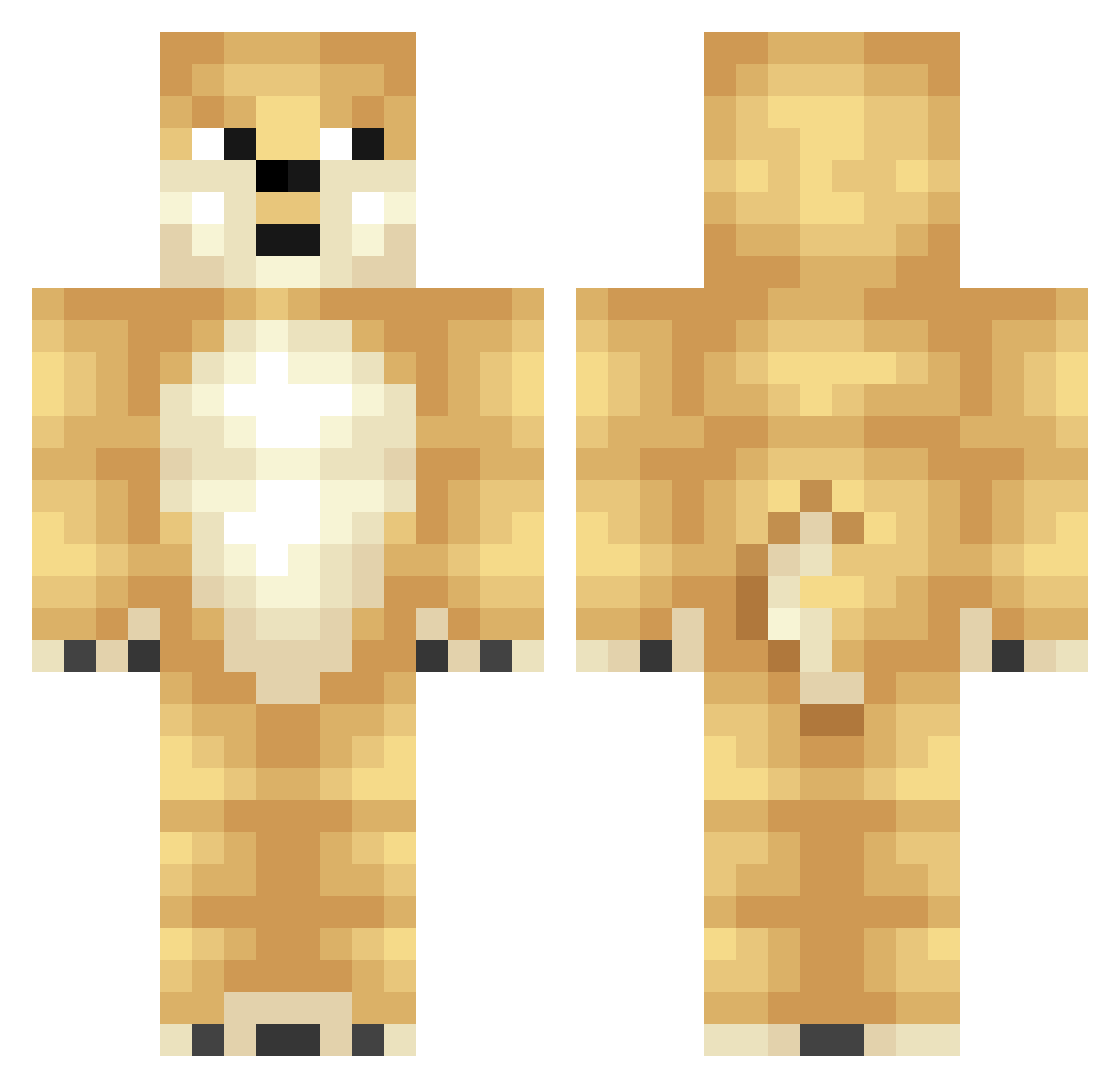
Current Minecraft skin of the player ForTuna_xyz, loaded from the official Mojang API. Rotate the 3D model with your mouse or finger, then download the skin as a PNG file and use it in Minecraft: Bedrock Edition or Java Edition for free. When ForTuna_xyz changes their skin, this page updates automatically and the old skin stays in the history below.
Other players with this skin (286)
ForTuna_xyz was the 181st player we have seen with this skin, first spotted on 23.09.2026. The same skin was seen on these players. Open a nickname to see their current skin and skin history.
 yoon_00 Youd0 Dubedaris GiveEmTheLove wariuzz ASAPICEE _bsk_ uki1234 KaneoMT wax_q Adalwolf_ JuicyyyKoi PJ877 JollinGom2 xiemiao Enyhang BillyTheKid7670 blackwhiteblock Gusteru62 MemeOfKos Ericurb11 dogdong3223 bozick Teaftc Kuczynez ccmoxy Pow_Papa holygeneralbruh ZEPYYY Darhan ZombieOats GIcolor Doge_6969 fengxin1 Gangwans mshirk2 burgerman3001 HoYeONJeOn Zyunel BighornRICE qwer5637 DogeJPG ZhiXingGuan LeSlavCheems TheJupperSon xcorzero Thenittanylion _CatSnap_ Rotkus Tdryyizthegoat waterpig134 Gomguk_ Barbababapata Muggwump DogeMemes19 The__Hunter_77 qO___Op Serriogga12K CristianCreig Crowley1812
More Shiba Inu Minecraft skins
How to install the ForTuna_xyz skin
- Press the Download button above to save the skin as a PNG file.
- Minecraft: Bedrock Edition (PE): open the Dressing Room from the main menu (or tap your character → Edit Character), go to Classic Skins → Owned, press the + (new skin) button, choose the downloaded PNG and pick the Classic (Steve) model. Works on PC and mobile; consoles cannot import custom skins.
- Minecraft: Java Edition: open the Minecraft Launcher, go to the Skins tab, click New Skin, load the PNG, pick the Classic (Steve) model and press Save & Use. You can also upload it at minecraft.net → Profile → Change Skin.
The skin does not show up after import - what should I do?
Restart Minecraft and open the Dressing Room again - imported skins sometimes appear only after a restart. Also make sure you selected the imported skin and picked the Classic (Steve) model.
Which model should I choose, Classic or Slim?
This skin is designed for the Classic (Steve) model. If you pick the wrong model, the arms of the skin will look stretched or squeezed.
Is the skin of ForTuna_xyz free to download?
Yes. Press Download, save the PNG file and use it in Minecraft: Bedrock Edition or Java Edition - no payment or registration needed. The skin also works on multiplayer servers and Realms.
More skins
Looking for more? Go back to all Minecraft skins and check the top skins of the week, month and all time, or find any player's skin by nickname.