
Folxky - Minecraft Skins & Skin History
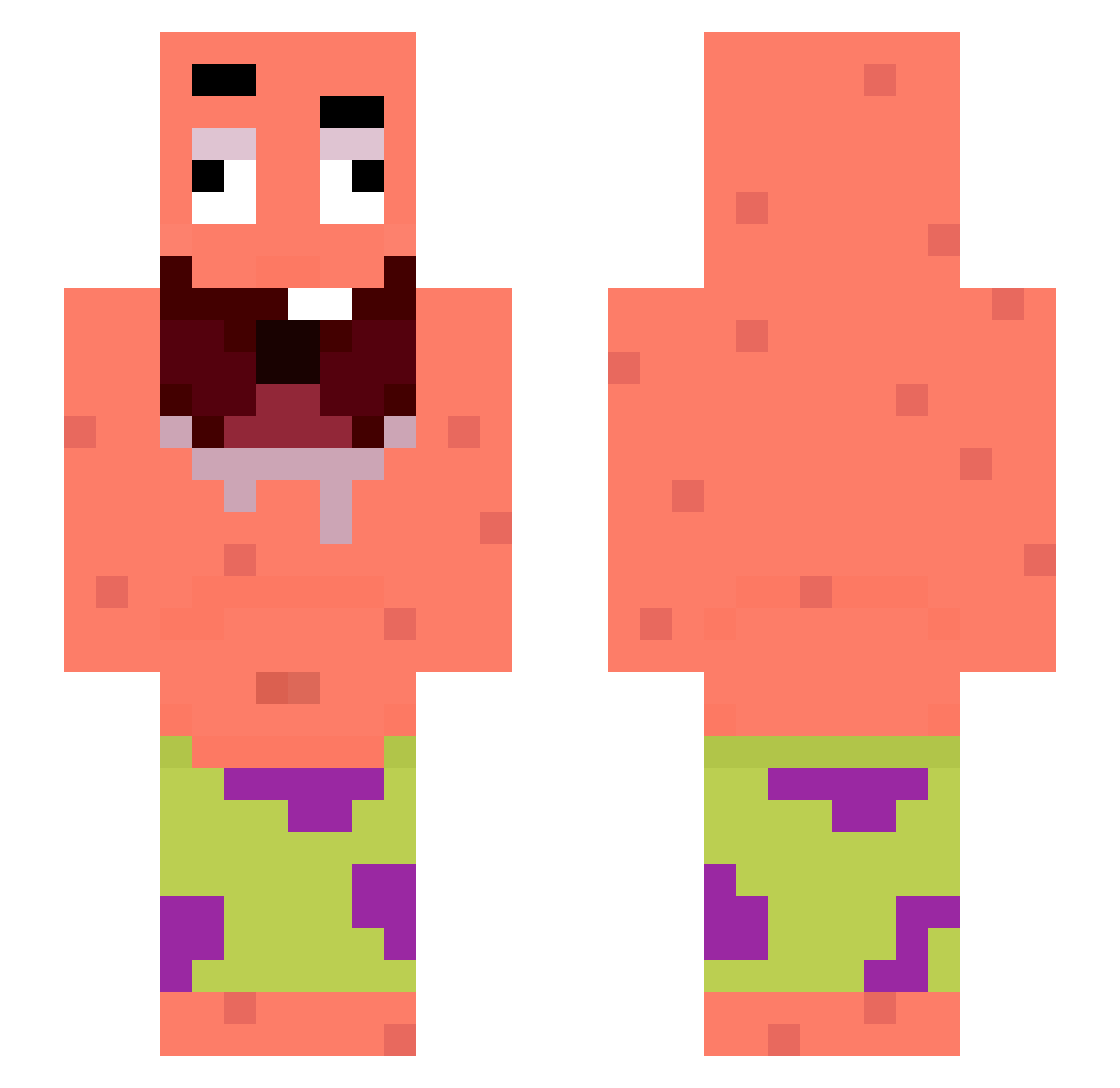
Current Minecraft skin of the player Folxky, loaded from the official Mojang API. Rotate the 3D model with your mouse or finger, then download the skin as a PNG file and use it in Minecraft: Bedrock Edition or Java Edition for free. When Folxky changes their skin, this page updates automatically and the old skin stays in the history below.
Other players with this skin (334)
Folxky was the 262nd player we have seen with this skin, first spotted on 29.10.2026. The same skin was seen on these players. Open a nickname to see their current skin and skin history.
 JHS1204 rickc9090 MGP_RAMEZ anthony2608 DenVol Azo_ DeepReaper TM_Bastian LawdiYT abmola burky53 Teeith Eiking2 YURQDUBRAZIL Zenoxram gab_67 ExpertNewb19 zercek Wjw1888 ShapiroOnTylenol Yangzhourice ElTilau CHAN33333 top1ggg00 SooToox_ ninja1brgamer kayroxx sy1les Piing_ piwo67 hanbit123 eqeh Zviada Drip_Mango PAPIEROS190 ouloucoupter15 FelipeAz_ 7ales calucolgate hailsto BlueOrphanFt bililou Chevalde3_67 Sycho_nop LandmarkMango10 minimessi2620 __Esmar_ HandsomeGuyL Okupaoooo talicove sponge_godx ketchupistbesser 6FSH roler12637 Stylzerr ItsLuca12 Bornorne chibron2 Kaneki310 OverLordOfTheDay
More Patrick Star Minecraft skins
See all 712 Patrick Star skins
How to install the Folxky skin
- Press the Download button above to save the skin as a PNG file.
- Minecraft: Bedrock Edition (PE): open the Dressing Room from the main menu (or tap your character → Edit Character), go to Classic Skins → Owned, press the + (new skin) button, choose the downloaded PNG and pick the Slim (Alex) model. Works on PC and mobile; consoles cannot import custom skins.
- Minecraft: Java Edition: open the Minecraft Launcher, go to the Skins tab, click New Skin, load the PNG, pick the Slim (Alex) model and press Save & Use. You can also upload it at minecraft.net → Profile → Change Skin.
The skin does not show up after import - what should I do?
Restart Minecraft and open the Dressing Room again - imported skins sometimes appear only after a restart. Also make sure you selected the imported skin and picked the Slim (Alex) model.
Which model should I choose, Classic or Slim?
This skin is designed for the Slim (Alex) model. If you pick the wrong model, the arms of the skin will look stretched or squeezed.
Is the skin of Folxky free to download?
Yes. Press Download, save the PNG file and use it in Minecraft: Bedrock Edition or Java Edition - no payment or registration needed. The skin also works on multiplayer servers and Realms.
More skins
Looking for more? Go back to all Minecraft skins and check the top skins of the week, month and all time, or find any player's skin by nickname.