
FlorencePughFan - Minecraft Skins & Skin History
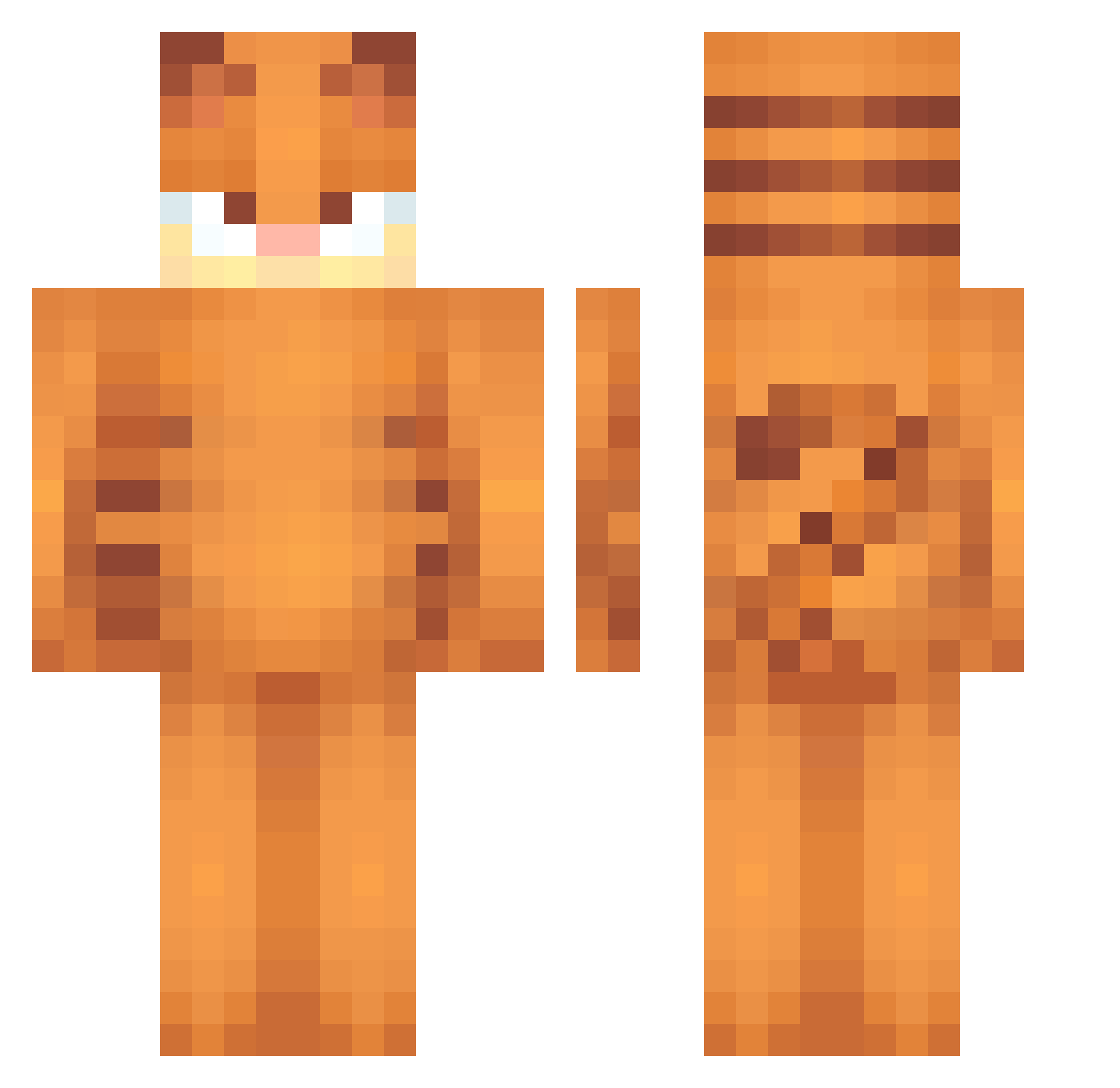
Current Minecraft skin of the player FlorencePughFan, loaded from the official Mojang API. Rotate the 3D model with your mouse or finger, then download the skin as a PNG file and use it in Minecraft: Bedrock Edition or Java Edition for free. When FlorencePughFan changes their skin, this page updates automatically and the old skin stays in the history below.
Other players with this skin (584)
FlorencePughFan was the 220th player we have seen with this skin, first spotted on 05.09.2026. The same skin was seen on these players. Open a nickname to see their current skin and skin history.
 BardenBella massi222 Toastsi Ambr0xo mitchbiggs028 WestWilk Bbraybray FamosoDirtos WeisseKobra lalaluv SmelltheLilacs brtascm jayson123456 adrii_07 SpicyDoritos999 Bartjuniorrr_ zuzia236 toastyy24 IamHotDogCat Catiktak deznuts71 fuanzama TTxxxTT NXTH_30 FredTheMoist XerBerus14 garfeild_ Katzian_ matmat041281 sta4kitty Billythechicken2 Gato_sospechoso Soobunnie Twitch_King56 MaiDucHung IceeSpiceeMunch Grandpeakers Acuever trillkozy kladdkakan2300 Beau_620 emma_raiponce N0VA1405 JohnGutter RATSHAKER69 Cachitomio223 Tabac12
 Maksim4321 wcx527 Morxism HenkHenk 927211 M1rozz MinecraftOnline1 adjhs
 hardwood_floor fact0r_ PointyKnight510 SaucySugna LazySaku
More Garfield Minecraft skins
How to install the FlorencePughFan skin
- Press the Download button above to save the skin as a PNG file.
- Minecraft: Bedrock Edition (PE): open the Dressing Room from the main menu (or tap your character → Edit Character), go to Classic Skins → Owned, press the + (new skin) button, choose the downloaded PNG and pick the Classic (Steve) model. Works on PC and mobile; consoles cannot import custom skins.
- Minecraft: Java Edition: open the Minecraft Launcher, go to the Skins tab, click New Skin, load the PNG, pick the Classic (Steve) model and press Save & Use. You can also upload it at minecraft.net → Profile → Change Skin.
The skin does not show up after import - what should I do?
Restart Minecraft and open the Dressing Room again - imported skins sometimes appear only after a restart. Also make sure you selected the imported skin and picked the Classic (Steve) model.
Which model should I choose, Classic or Slim?
This skin is designed for the Classic (Steve) model. If you pick the wrong model, the arms of the skin will look stretched or squeezed.
Is the skin of FlorencePughFan free to download?
Yes. Press Download, save the PNG file and use it in Minecraft: Bedrock Edition or Java Edition - no payment or registration needed. The skin also works on multiplayer servers and Realms.
More skins
Looking for more? Go back to all Minecraft skins and check the top skins of the week, month and all time, or find any player's skin by nickname.