
Flintstone505 - Minecraft Skins & Skin History
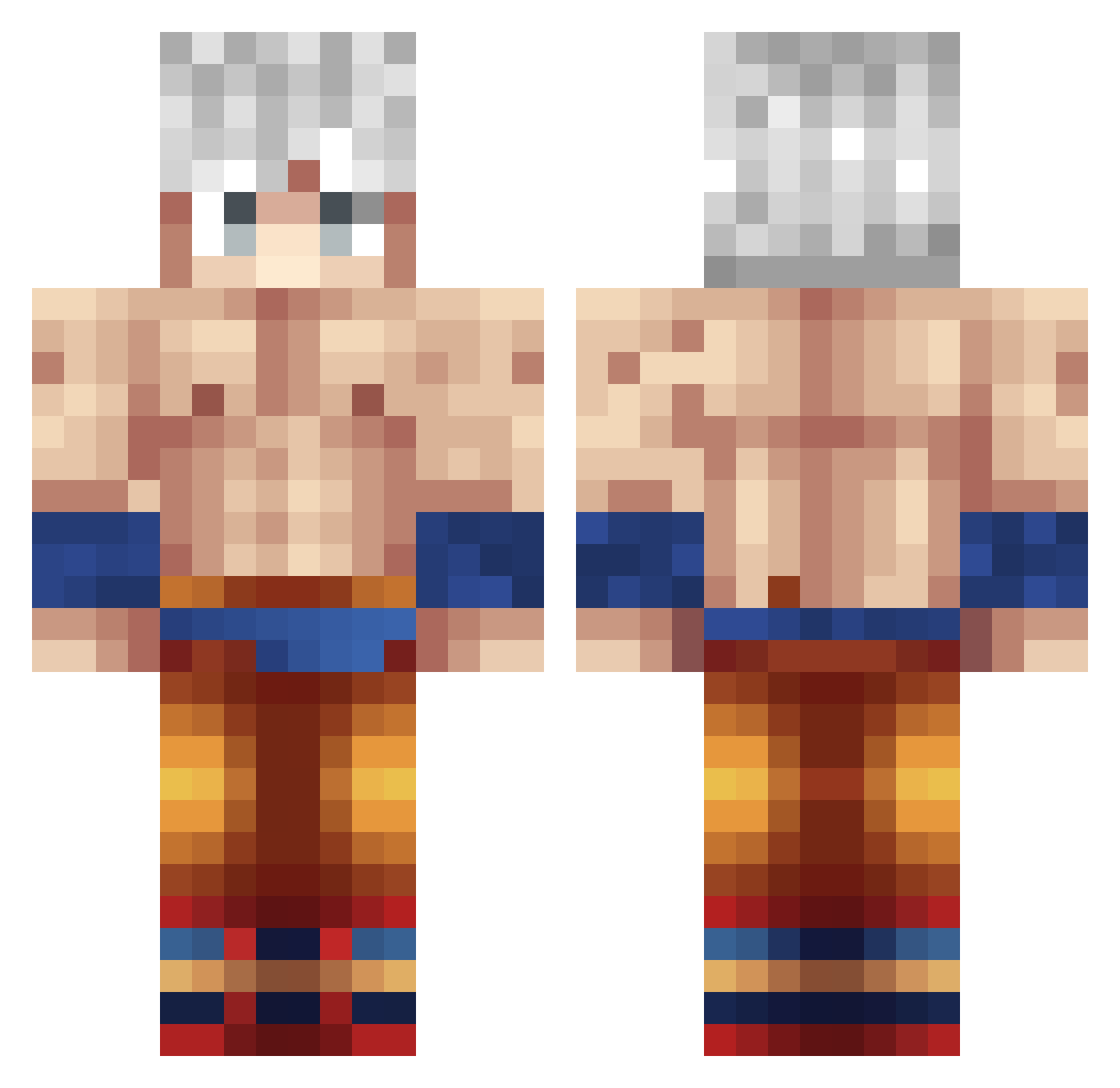
Current Minecraft skin of the player Flintstone505, loaded from the official Mojang API. Rotate the 3D model with your mouse or finger, then download the skin as a PNG file and use it in Minecraft: Bedrock Edition or Java Edition for free. When Flintstone505 changes their skin, this page updates automatically and the old skin stays in the history below.
Other players with this skin (376)
Flintstone505 was the 122nd player we have seen with this skin, first spotted on 30.08.2026. The same skin was seen on these players. Open a nickname to see their current skin and skin history.
 Death_Reaper1010 Sarfraz08 grim_slayer2411 shairyaar comeTAKA_ TrenAbuser101 13th_Huntsman ricca8 Adjoindre JonXyz HawkMaster2008 Pill__Cosby_ SirFloW_TheThird Juice5000 Jwets48 GenosseSanja DrDabAura black_ruben andre_ske Prangus_Khan miky1987 chet247 MJ99911 Seebaneitor PrinceMatt8 Barmosz Pie4528 S0N__G0KU Zukaze CesarDasPratas01 I_Lick_Cheese latomatodu93 Frosty1125 kiki2a Inclusion IlMarce29 Dark_Wolf03 Ubitnik JoshyBoi5501 adam_dl Rason95 Olibear2010 Hashbrown16 faded_gavriel_47 ElEspartano__ Salmaozao songoku_187 tschoely exiledslavs Tiro_T Bluut8310 _OtakuGaming_ YamiBitsugah HytaChiBzH shenrox__ SDND4 captaindea smossjr himadaiki RadasX
More Goku Minecraft skins
How to install the Flintstone505 skin
- Press the Download button above to save the skin as a PNG file.
- Minecraft: Bedrock Edition (PE): open the Dressing Room from the main menu (or tap your character → Edit Character), go to Classic Skins → Owned, press the + (new skin) button, choose the downloaded PNG and pick the Classic (Steve) model. Works on PC and mobile; consoles cannot import custom skins.
- Minecraft: Java Edition: open the Minecraft Launcher, go to the Skins tab, click New Skin, load the PNG, pick the Classic (Steve) model and press Save & Use. You can also upload it at minecraft.net → Profile → Change Skin.
The skin does not show up after import - what should I do?
Restart Minecraft and open the Dressing Room again - imported skins sometimes appear only after a restart. Also make sure you selected the imported skin and picked the Classic (Steve) model.
Which model should I choose, Classic or Slim?
This skin is designed for the Classic (Steve) model. If you pick the wrong model, the arms of the skin will look stretched or squeezed.
Is the skin of Flintstone505 free to download?
Yes. Press Download, save the PNG file and use it in Minecraft: Bedrock Edition or Java Edition - no payment or registration needed. The skin also works on multiplayer servers and Realms.
More skins
Looking for more? Go back to all Minecraft skins and check the top skins of the week, month and all time, or find any player's skin by nickname.