
Flames0fDeath - Minecraft Skins & Skin History
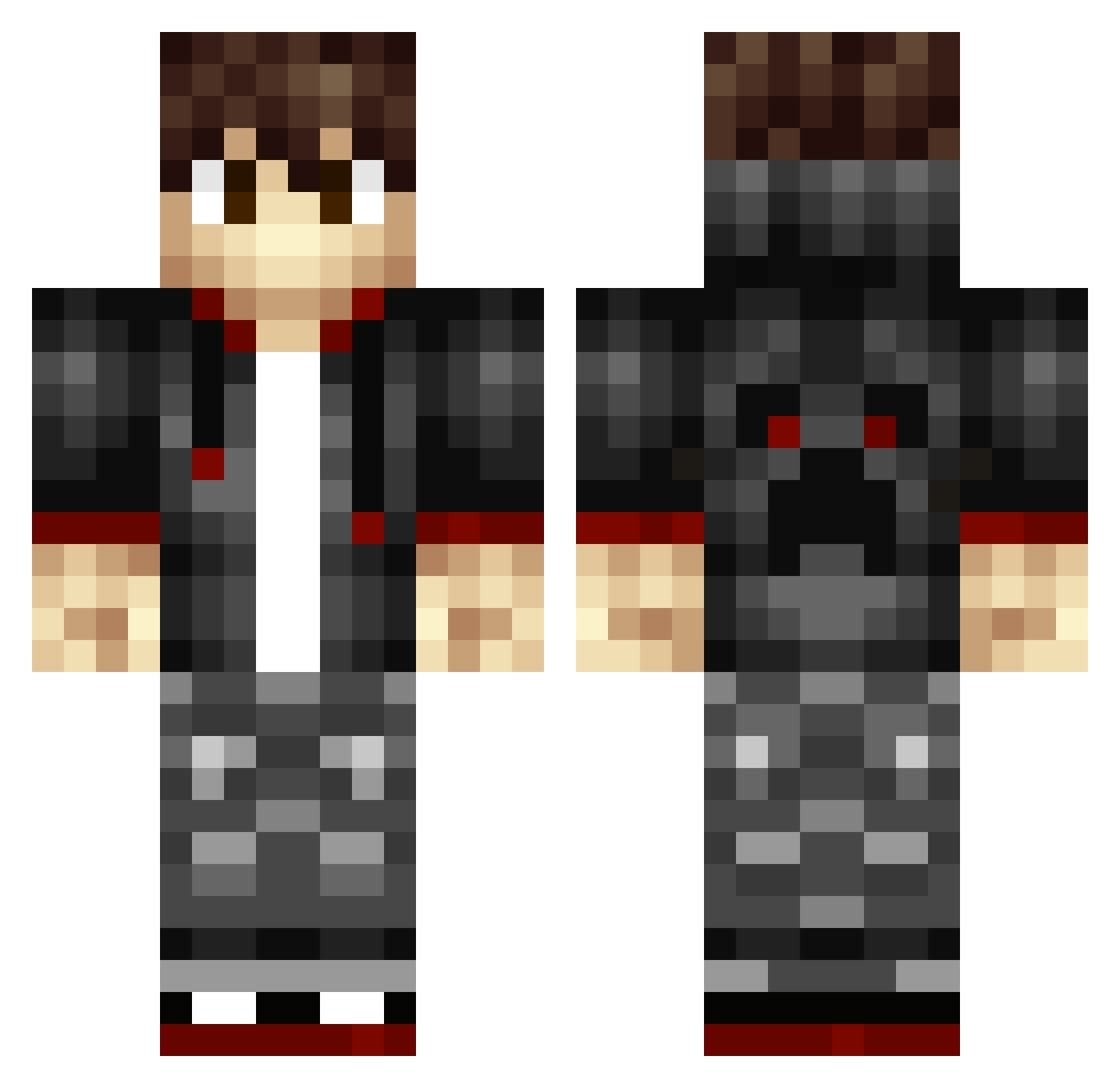
Current Minecraft skin of the player Flames0fDeath, loaded from the official Mojang API. Rotate the 3D model with your mouse or finger, then download the skin as a PNG file and use it in Minecraft: Bedrock Edition or Java Edition for free. When Flames0fDeath changes their skin, this page updates automatically and the old skin stays in the history below.
Other players with this skin (344)
Flames0fDeath was the 176th player we have seen with this skin, first spotted on 23.09.2026. The same skin was seen on these players. Open a nickname to see their current skin and skin history.
 LeCaptain02 GOLFNUT123 zBruxio AnthonyR11 djattack123 LittleSpelar VegarHH Havefun12 OmegaNight Dakactusgod Eurotico Goggles8 black_thunder95 Sword_ninja33 Sivert01 agurczuk TanzerFTW renigadecrew ciejay DxR_Karma Mrtumor XXXEisbrecherXXX ATOMIXDANGER Idkbnn RealCoffeeBean evanch majorsv Mekyi Druppen Bauti500 Sondre_ne Andrew750 cross9901 VictorGlerup devroot ChronicBoss278 Roti_China Ramzy120 KGBlastalive CSlatte RoyBoyPrime extreme285 beardie220 daiking331 DragonSlayer015 jonraycal aaron_0416 Raeden2203 SarGes1 HolyZerstoerer tobba21 jmandarino ICED_freEZe nostril1 EnderProo Xriel cubies151 extreme_dragon21 dragonfire53 Bankish
How to install the Flames0fDeath skin
- Press the Download button above to save the skin as a PNG file.
- Minecraft: Bedrock Edition (PE): open the Dressing Room from the main menu (or tap your character → Edit Character), go to Classic Skins → Owned, press the + (new skin) button, choose the downloaded PNG and pick the Classic (Steve) model. Works on PC and mobile; consoles cannot import custom skins.
- Minecraft: Java Edition: open the Minecraft Launcher, go to the Skins tab, click New Skin, load the PNG, pick the Classic (Steve) model and press Save & Use. You can also upload it at minecraft.net → Profile → Change Skin.
The skin does not show up after import - what should I do?
Restart Minecraft and open the Dressing Room again - imported skins sometimes appear only after a restart. Also make sure you selected the imported skin and picked the Classic (Steve) model.
Which model should I choose, Classic or Slim?
This skin is designed for the Classic (Steve) model. If you pick the wrong model, the arms of the skin will look stretched or squeezed.
Is the skin of Flames0fDeath free to download?
Yes. Press Download, save the PNG file and use it in Minecraft: Bedrock Edition or Java Edition - no payment or registration needed. The skin also works on multiplayer servers and Realms.
More skins
Looking for more? Go back to all Minecraft skins and check the top skins of the week, month and all time, or find any player's skin by nickname.