
Fizque - Minecraft Skins & Skin History
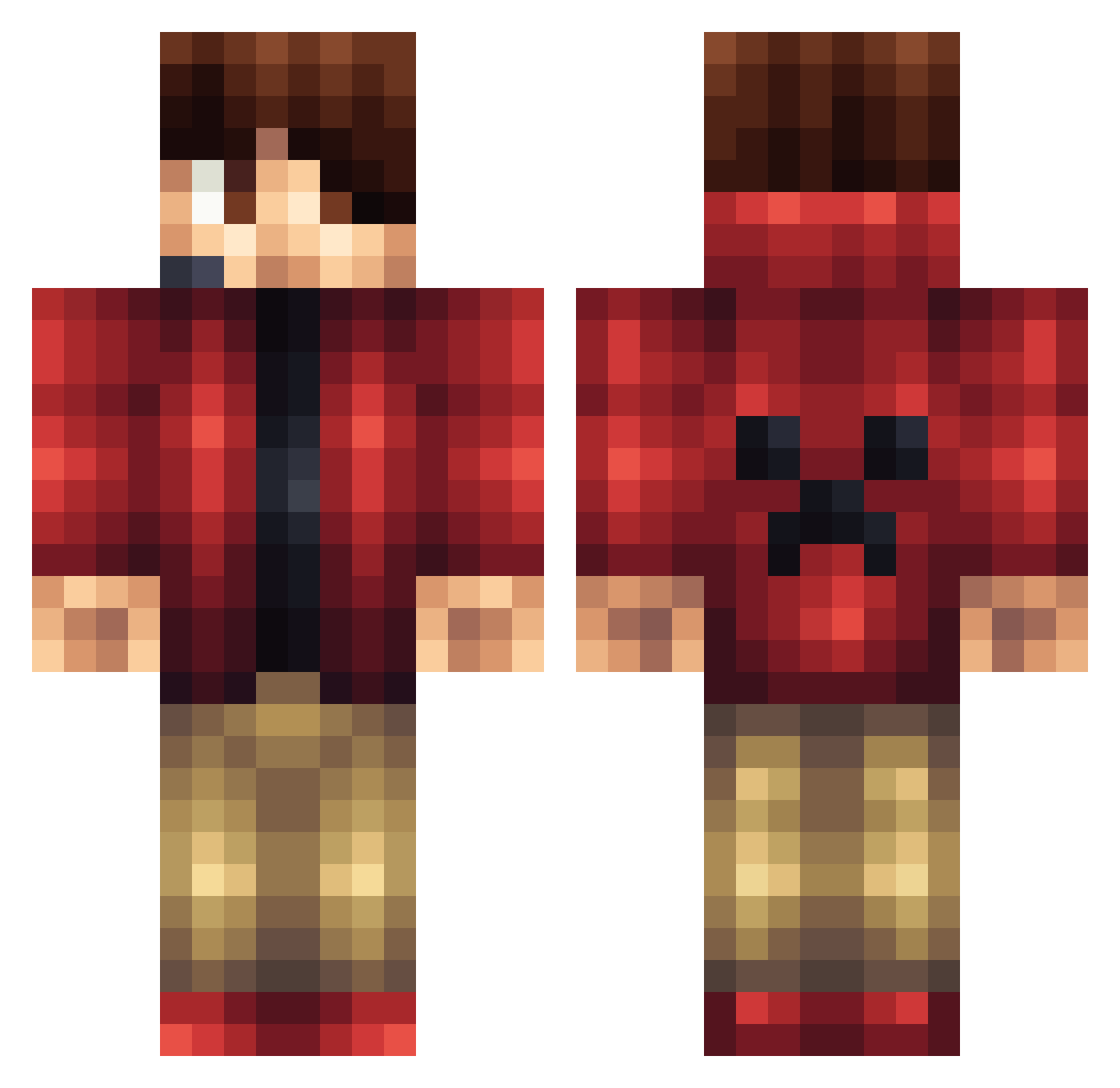
Current Minecraft skin of the player Fizque, loaded from the official Mojang API. Rotate the 3D model with your mouse or finger, then download the skin as a PNG file and use it in Minecraft: Bedrock Edition or Java Edition for free. When Fizque changes their skin, this page updates automatically and the old skin stays in the history below.
Other players with this skin (1165)
Fizque was the 410th player we have seen with this skin, first spotted on 02.09.2026. The same skin was seen on these players. Open a nickname to see their current skin and skin history.
 SuperPooper03 WyboTheCrafter verneri04 OPGladiator13 tristanbehrmann PhanthomPile liamtrainmaster IceCube_Gouda EtanReach cubchoo0205 xxbrothers Schechinger nameloc_leinad that_dude_ZaRay Skylocker 2410Tobias codex2233 extrememiner55 RollTheTape Squid_zjp Diamondmonster15 sethzilla23 jinyung3010 Basher421 Catchphrasu electromyte soccermasterliam antdog808 Conner3652 elitehunter21 NoahRaphael2004 Jaggii sebbej1 Yaqoub_ MathiasFJ10 Telcrafter kentster009 Damlamm EinSpannier Stexxcraft JerryBarryLarry deathspark123 polarana hawkeyebaxter Dinomite525 Ajax1207 dc_awsome Icebreale Jordey_321 coolman1236 huskymudkip9923 Pigman1025 pizza3323 Urial_Raagiosl shadow4O44 tony19415 turkey_7787 cjd04 popshop99 afair04
More Headset Minecraft skins
How to install the Fizque skin
- Press the Download button above to save the skin as a PNG file.
- Minecraft: Bedrock Edition (PE): open the Dressing Room from the main menu (or tap your character → Edit Character), go to Classic Skins → Owned, press the + (new skin) button, choose the downloaded PNG and pick the Classic (Steve) model. Works on PC and mobile; consoles cannot import custom skins.
- Minecraft: Java Edition: open the Minecraft Launcher, go to the Skins tab, click New Skin, load the PNG, pick the Classic (Steve) model and press Save & Use. You can also upload it at minecraft.net → Profile → Change Skin.
The skin does not show up after import - what should I do?
Restart Minecraft and open the Dressing Room again - imported skins sometimes appear only after a restart. Also make sure you selected the imported skin and picked the Classic (Steve) model.
Which model should I choose, Classic or Slim?
This skin is designed for the Classic (Steve) model. If you pick the wrong model, the arms of the skin will look stretched or squeezed.
Is the skin of Fizque free to download?
Yes. Press Download, save the PNG file and use it in Minecraft: Bedrock Edition or Java Edition - no payment or registration needed. The skin also works on multiplayer servers and Realms.
More skins
Looking for more? Go back to all Minecraft skins and check the top skins of the week, month and all time, or find any player's skin by nickname.