
FishLvYuRiii - Minecraft Skins & Skin History
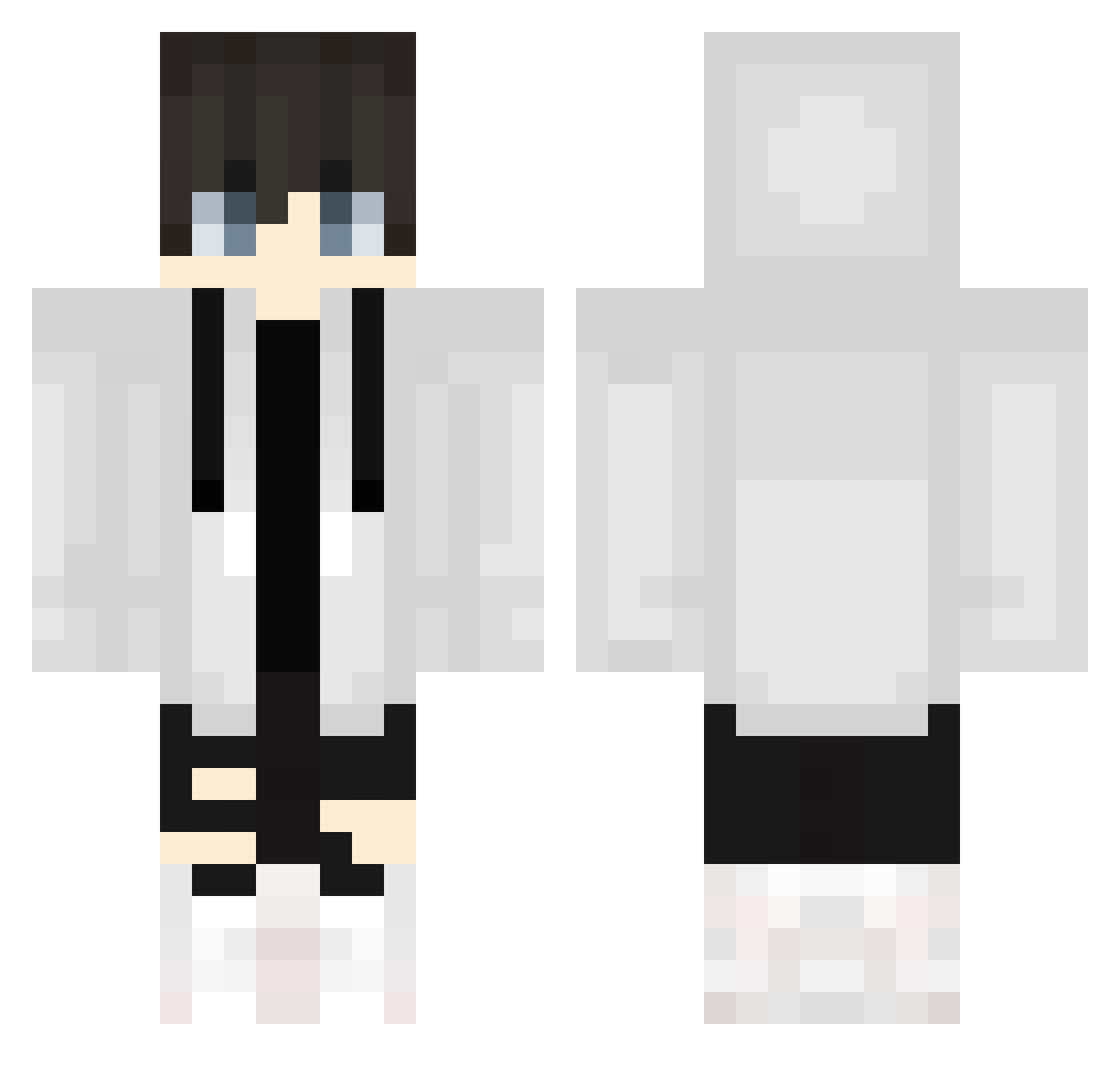
Current Minecraft skin of the player FishLvYuRiii, loaded from the official Mojang API. Rotate the 3D model with your mouse or finger, then download the skin as a PNG file and use it in Minecraft: Bedrock Edition or Java Edition for free. When FishLvYuRiii changes their skin, this page updates automatically and the old skin stays in the history below.
Other players with this skin (618)
FishLvYuRiii was the 56th player we have seen with this skin, first spotted on 01.08.2026. The same skin was seen on these players. Open a nickname to see their current skin and skin history.
 kimm9487 BeniPlays_yt Fuji3N mushihakase1 Staturn_ _KRYuna_ Ninjablade2 KohlMart ceoacmin HANZOby Mick_Kuo wdtm02 izumi_sao VitorNew14 Halliday0926 Takurni0207 Brandon_Stockler Sv2RG_72 Yoshi_Riku poaro0449 Piter_23 timothyoswaldian XiaoHuaiBi POM210 ituki_1220 LittleXiaoXiao Rgraytea LUISGamer122 oguzaga354 TAKE1931 _feiyu_nb666 L_Ruuui Lusqal
 Axeldrift1 NinjaKiwiGamer7 slyv1 phudvy siromaryuu azalyn_ eesteeban425 Bane060 SqdNoises NitrixEmpires kurohuro GeKaGD bibi1624 CrazySteel56 Brentt7709 Jinxed148 hayasora_29 KILD974 _fra4nek_ Samdaham1 mateusz9253 Phenoox umutakkas0 nazuto238 StiffStick xhxstar Kuroto_Shiro46
More Streetwear Minecraft skins
How to install the FishLvYuRiii skin
- Press the Download button above to save the skin as a PNG file.
- Minecraft: Bedrock Edition (PE): open the Dressing Room from the main menu (or tap your character → Edit Character), go to Classic Skins → Owned, press the + (new skin) button, choose the downloaded PNG and pick the Classic (Steve) model. Works on PC and mobile; consoles cannot import custom skins.
- Minecraft: Java Edition: open the Minecraft Launcher, go to the Skins tab, click New Skin, load the PNG, pick the Classic (Steve) model and press Save & Use. You can also upload it at minecraft.net → Profile → Change Skin.
The skin does not show up after import - what should I do?
Restart Minecraft and open the Dressing Room again - imported skins sometimes appear only after a restart. Also make sure you selected the imported skin and picked the Classic (Steve) model.
Which model should I choose, Classic or Slim?
This skin is designed for the Classic (Steve) model. If you pick the wrong model, the arms of the skin will look stretched or squeezed.
Is the skin of FishLvYuRiii free to download?
Yes. Press Download, save the PNG file and use it in Minecraft: Bedrock Edition or Java Edition - no payment or registration needed. The skin also works on multiplayer servers and Realms.
More skins
Looking for more? Go back to all Minecraft skins and check the top skins of the week, month and all time, or find any player's skin by nickname.