
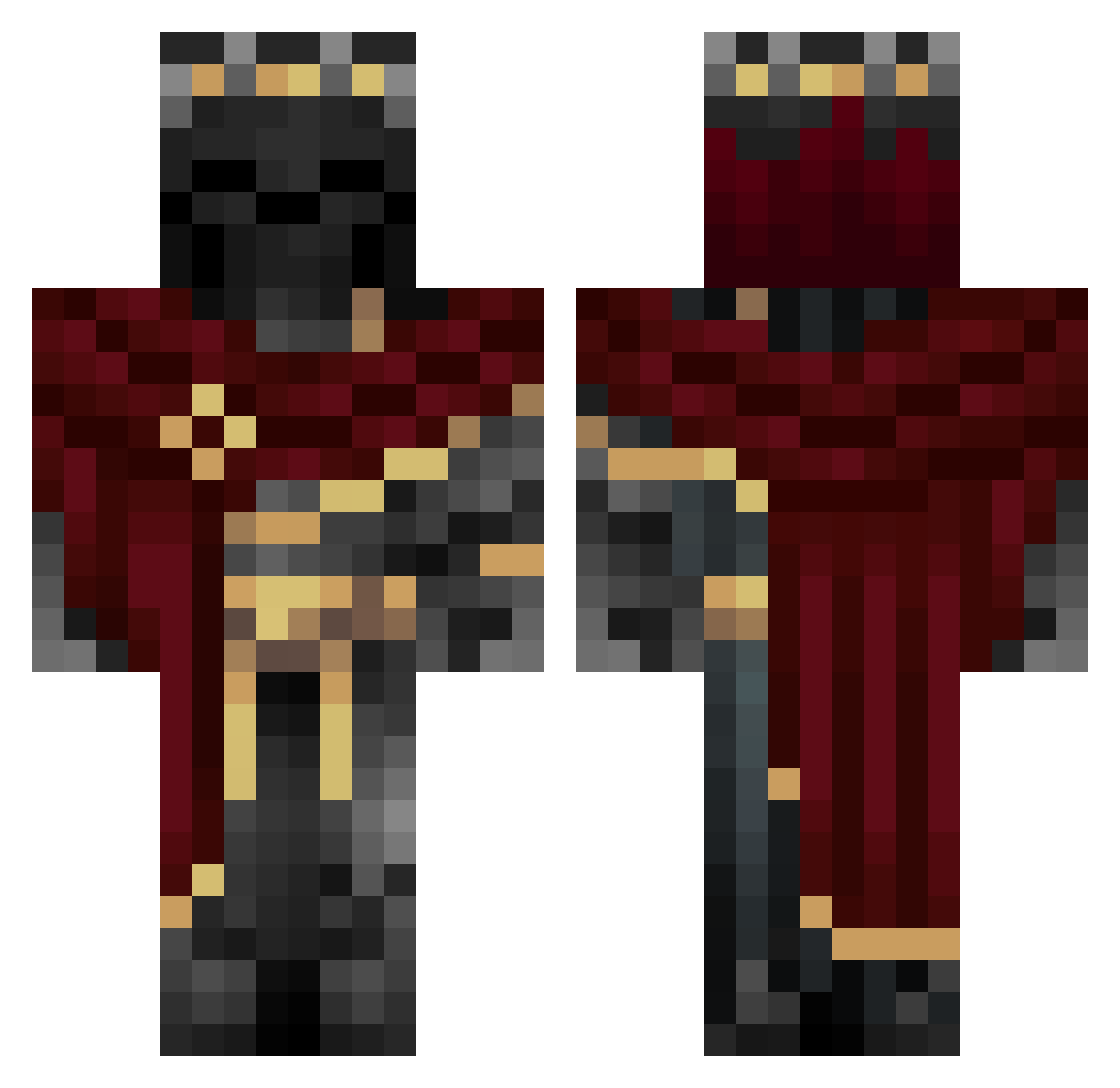
Current Minecraft skin of the player Fireknight52, loaded from the official Mojang API. Rotate the 3D model with your mouse or finger, then download the skin as a PNG file and use it in Minecraft: Bedrock Edition or Java Edition for free. When Fireknight52 changes their skin, this page updates automatically and the old skin stays in the history below.
Other players with this skin (807)
Fireknight52 was the 408th player we have seen with this skin, first spotted on 05.09.2026. The same skin was seen on these players. Open a nickname to see their current skin and skin history.
 realvortx AnimosityX revenz027 Yriderko23 SKimonA GoldenPhonix HHu_sh MINECAFTMAN11 Noimmalk Huetler blackerzinhoo Sun_Sparkle MOZ3R joyafgty Kiyaars Guitarzan7007 Vavy119 Nightz_Fated Parzifalmc IvenMC Bandit676 CemCorpse Broken52 muhamega Aybek55 JhMontes MasterLK3 r6raskyro paketik97 RubySea90629532 VoidzY_42 Legacy434 LaKbra3644 for_fun StellaQQ __code__tv mincraftsucks420 Borbocl_at ANTH0R
 Circleds ToastyCoasty1 BunnyLM Dieg0zxs_ TopThom ItzReaLMasked Lord_Testificant jg0909g Collineo24 CESAR67503 Shutdog mamama3103 _Elron_ FinGermyus Zakkerman abeman12345 Xilthfr Ignis_Umbra ShaKinGolem Prince061 KRIS_04
More King Minecraft skins
How to install the Fireknight52 skin
- Press the Download button above to save the skin as a PNG file.
- Minecraft: Bedrock Edition (PE): open the Dressing Room from the main menu (or tap your character → Edit Character), go to Classic Skins → Owned, press the + (new skin) button, choose the downloaded PNG and pick the Classic (Steve) model. Works on PC and mobile; consoles cannot import custom skins.
- Minecraft: Java Edition: open the Minecraft Launcher, go to the Skins tab, click New Skin, load the PNG, pick the Classic (Steve) model and press Save & Use. You can also upload it at minecraft.net → Profile → Change Skin.
The skin does not show up after import - what should I do?
Restart Minecraft and open the Dressing Room again - imported skins sometimes appear only after a restart. Also make sure you selected the imported skin and picked the Classic (Steve) model.
Which model should I choose, Classic or Slim?
This skin is designed for the Classic (Steve) model. If you pick the wrong model, the arms of the skin will look stretched or squeezed.
Is the skin of Fireknight52 free to download?
Yes. Press Download, save the PNG file and use it in Minecraft: Bedrock Edition or Java Edition - no payment or registration needed. The skin also works on multiplayer servers and Realms.
More skins
Looking for more? Go back to all Minecraft skins and check the top skins of the week, month and all time, or find any player's skin by nickname.