
FireHorse32 - Minecraft Skins & Skin History
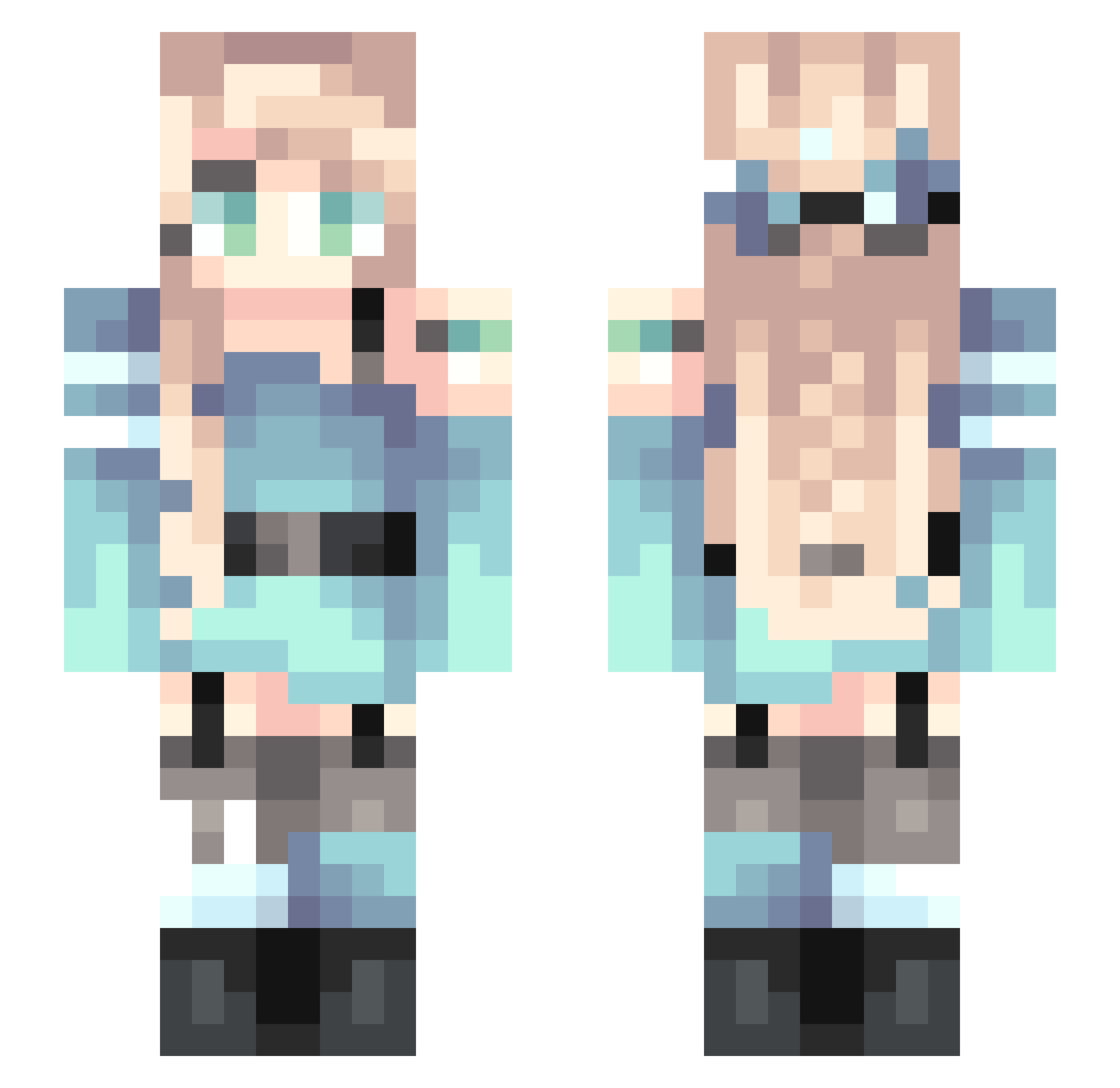
Current Minecraft skin of the player FireHorse32, loaded from the official Mojang API. Rotate the 3D model with your mouse or finger, then download the skin as a PNG file and use it in Minecraft: Bedrock Edition or Java Edition for free. When FireHorse32 changes their skin, this page updates automatically and the old skin stays in the history below.
Other players with this skin (255)
FireHorse32 was the 164th player we have seen with this skin, first spotted on 04.10.2026. The same skin was seen on these players. Open a nickname to see their current skin and skin history.
 qYp0219 ArturiaLili Artion2784 Zerberus13 CaitsDeer77 DiamondWolf437 Amayasa Luminous_E Ezio221 zansaig krussha MMMiziki gtvmee xuehaoran Pineappleii N_Emma Ikaryuga WorkTable BK_Sirius Badbigas Yeziis RinkleLinkle millieirelands12 SSu_bin Bluazh _Cringetin_ DevilWoman994 Cucumber411 Siconfic xie_lang siunosuke Aaliyah37 Plable SamBirb833 zhang_de ManaXDDD PogGirl PeiPei_z Visa_Credit jiangpan77 candiinka Kay_2002 zjsxx SXFDusbound Ti4N1023 LI_CHE_ remeng PZpegasus keep_strong_ XY_JR Ji_star NC2020 CnYanXi111 PoopFlinger_ qwqcloud_cat Ssaega DetectiveCorgi Hamilun kenS23 ES2147
More Braid Minecraft skins
How to install the FireHorse32 skin
- Press the Download button above to save the skin as a PNG file.
- Minecraft: Bedrock Edition (PE): open the Dressing Room from the main menu (or tap your character → Edit Character), go to Classic Skins → Owned, press the + (new skin) button, choose the downloaded PNG and pick the Slim (Alex) model. Works on PC and mobile; consoles cannot import custom skins.
- Minecraft: Java Edition: open the Minecraft Launcher, go to the Skins tab, click New Skin, load the PNG, pick the Slim (Alex) model and press Save & Use. You can also upload it at minecraft.net → Profile → Change Skin.
The skin does not show up after import - what should I do?
Restart Minecraft and open the Dressing Room again - imported skins sometimes appear only after a restart. Also make sure you selected the imported skin and picked the Slim (Alex) model.
Which model should I choose, Classic or Slim?
This skin is designed for the Slim (Alex) model. If you pick the wrong model, the arms of the skin will look stretched or squeezed.
Is the skin of FireHorse32 free to download?
Yes. Press Download, save the PNG file and use it in Minecraft: Bedrock Edition or Java Edition - no payment or registration needed. The skin also works on multiplayer servers and Realms.
More skins
Looking for more? Go back to all Minecraft skins and check the top skins of the week, month and all time, or find any player's skin by nickname.