
Fire1Sharp3Drag - Minecraft Skins & Skin History
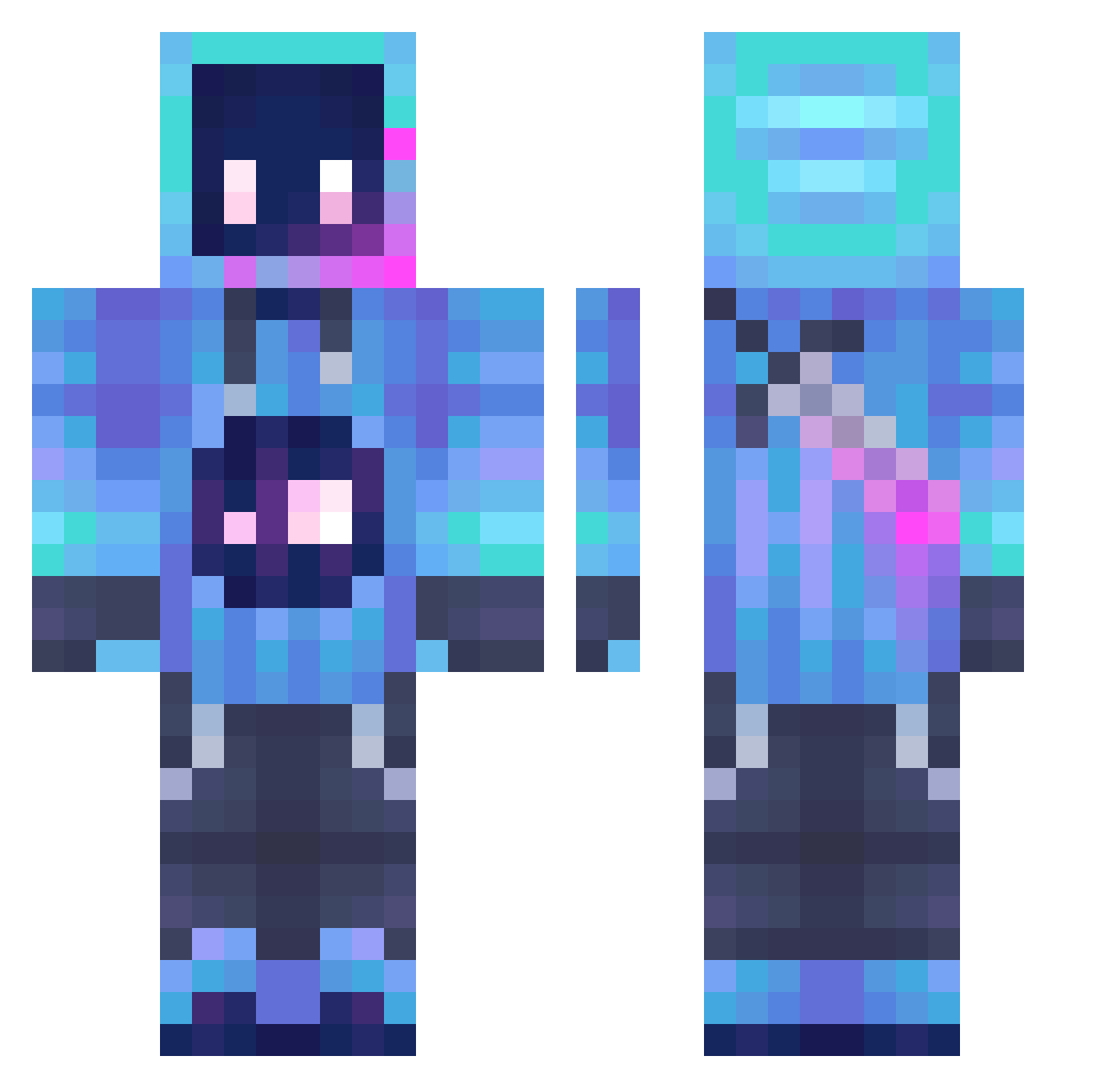
Current Minecraft skin of the player Fire1Sharp3Drag, loaded from the official Mojang API. Rotate the 3D model with your mouse or finger, then download the skin as a PNG file and use it in Minecraft: Bedrock Edition or Java Edition for free. When Fire1Sharp3Drag changes their skin, this page updates automatically and the old skin stays in the history below.
Other players with this skin (1212)
Fire1Sharp3Drag was the 510th player we have seen with this skin, first spotted on 06.09.2026. The same skin was seen on these players. Open a nickname to see their current skin and skin history.
 FrancoGamer579 AerobicArc22111 CalumHendy98 Fibonacci_S1 Bishbosh54 Lych3ee wbonew Suvd tong5549 BOX3148 rijkesnuiter FlippyFlippo CosmicBloodReign chingho xiaohuoban Tholl22 KingShadow5597 Jaozin04 Niichts985 ThEdOoMsOnG2 rwhuang UwU_Ponczus_UwU Betsyo_0 IamYungYi TorraoPlay Drunk0ne Mouseman987 ThDrizzy wtf29 MC527 _Gh0stly0_0 TatsuyaFujiwara St1227 chi_xue xieyijie777 granmagisterio Xorome kauboy9816 Mydiman945 Toothles19 Felichpok Jakob_bln MadnessLord Zenitsu0728 Sim_Tom hdyujtm R1gPoincar Eddezinho Casper187 L0REC RavenAk3 NaidrA19 Julio7733 UnderTheSea_ marfusha Aiden_lz CLUL
 mxs0596 DikkePeer05 Datascientst
More Sword Minecraft skins
How to install the Fire1Sharp3Drag skin
- Press the Download button above to save the skin as a PNG file.
- Minecraft: Bedrock Edition (PE): open the Dressing Room from the main menu (or tap your character → Edit Character), go to Classic Skins → Owned, press the + (new skin) button, choose the downloaded PNG and pick the Classic (Steve) model. Works on PC and mobile; consoles cannot import custom skins.
- Minecraft: Java Edition: open the Minecraft Launcher, go to the Skins tab, click New Skin, load the PNG, pick the Classic (Steve) model and press Save & Use. You can also upload it at minecraft.net → Profile → Change Skin.
The skin does not show up after import - what should I do?
Restart Minecraft and open the Dressing Room again - imported skins sometimes appear only after a restart. Also make sure you selected the imported skin and picked the Classic (Steve) model.
Which model should I choose, Classic or Slim?
This skin is designed for the Classic (Steve) model. If you pick the wrong model, the arms of the skin will look stretched or squeezed.
Is the skin of Fire1Sharp3Drag free to download?
Yes. Press Download, save the PNG file and use it in Minecraft: Bedrock Edition or Java Edition - no payment or registration needed. The skin also works on multiplayer servers and Realms.
More skins
Looking for more? Go back to all Minecraft skins and check the top skins of the week, month and all time, or find any player's skin by nickname.