
FelixAmigoGHG - Minecraft Skins & Skin History
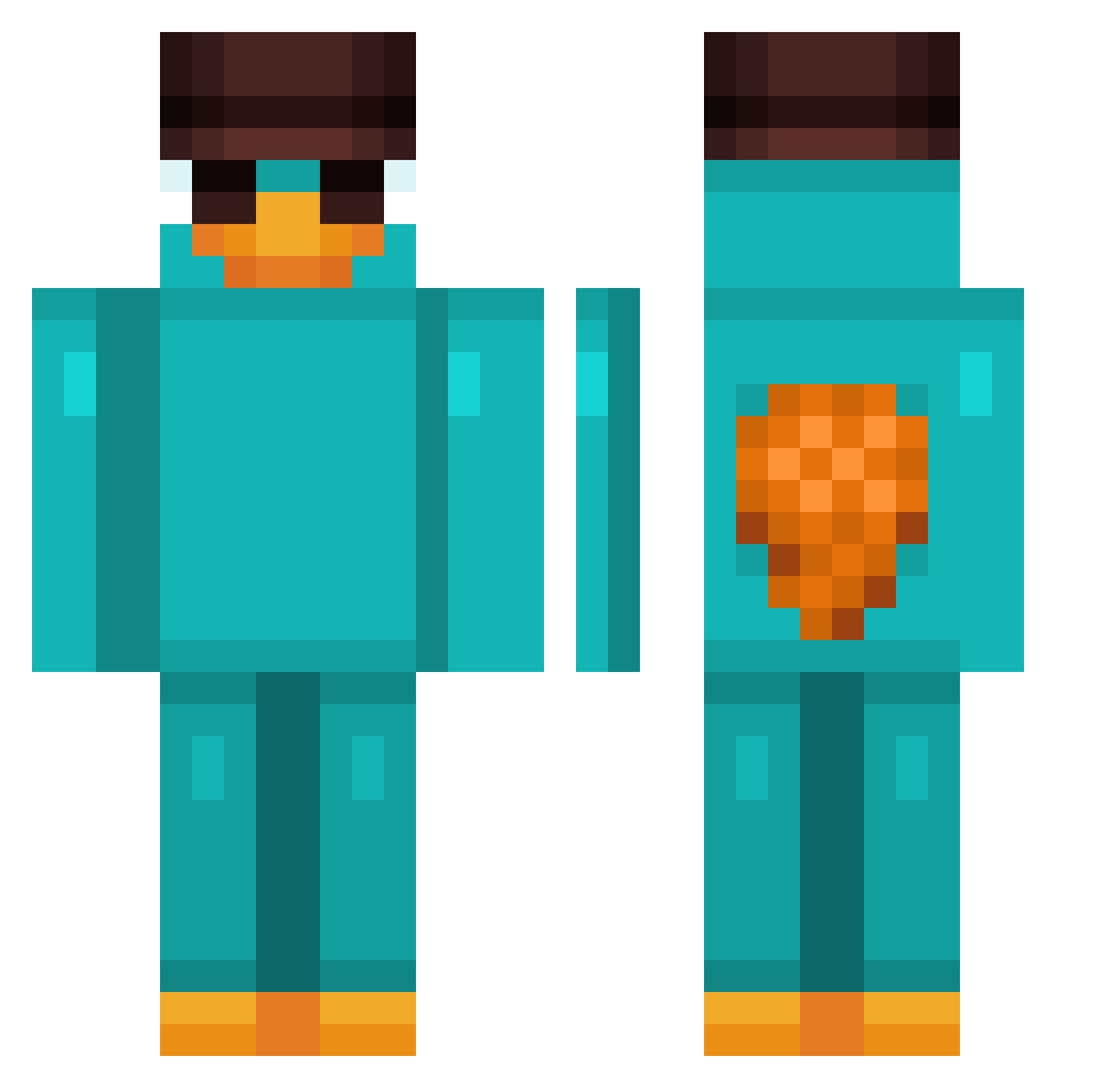
Current Minecraft skin of the player FelixAmigoGHG, loaded from the official Mojang API. Rotate the 3D model with your mouse or finger, then download the skin as a PNG file and use it in Minecraft: Bedrock Edition or Java Edition for free. When FelixAmigoGHG changes their skin, this page updates automatically and the old skin stays in the history below.
Other players with this skin (1145)
FelixAmigoGHG was the 1092nd player we have seen with this skin, first spotted on 14.11.2026. The same skin was seen on these players. Open a nickname to see their current skin and skin history.
 gabilats SlideRightt P4BL02 JAHLIMRABEY Rinocreed08 Mellasaurio louisks Othaliun LiquidCore CaulkSparrow Backys18 CalledShingShang benaflac facast0508 JackBomba hffrI GameWiz1232 Icestaff46 Zero_Kush Jelly097 plushyreid123456 Rendox KiFaeer nele_monique Cerealiser Dexisto JRKito1 Muiaaa MagnusAurelius JamalMarquita Frogussy ummtasty17 elramdon andyreisfarmer69 Qyzee_ JanHN13 puuch4n Thiesen0807 _OrnitorenkPerry Lord_Sebselot LordWasser Meluffi Logie201122 hangyeol777 polill4ssj d7ane xucyo Dark_Waves AmyJ2564 vikipoo0 _dksuper_ Jannsi_080 Krajzz Lincolnzz Forbox_05 liel1983 Neladnooo Ganchos_Locos Zamielle KalleKung87
More Platypus Minecraft skins
How to install the FelixAmigoGHG skin
- Press the Download button above to save the skin as a PNG file.
- Minecraft: Bedrock Edition (PE): open the Dressing Room from the main menu (or tap your character → Edit Character), go to Classic Skins → Owned, press the + (new skin) button, choose the downloaded PNG and pick the Classic (Steve) model. Works on PC and mobile; consoles cannot import custom skins.
- Minecraft: Java Edition: open the Minecraft Launcher, go to the Skins tab, click New Skin, load the PNG, pick the Classic (Steve) model and press Save & Use. You can also upload it at minecraft.net → Profile → Change Skin.
The skin does not show up after import - what should I do?
Restart Minecraft and open the Dressing Room again - imported skins sometimes appear only after a restart. Also make sure you selected the imported skin and picked the Classic (Steve) model.
Which model should I choose, Classic or Slim?
This skin is designed for the Classic (Steve) model. If you pick the wrong model, the arms of the skin will look stretched or squeezed.
Is the skin of FelixAmigoGHG free to download?
Yes. Press Download, save the PNG file and use it in Minecraft: Bedrock Edition or Java Edition - no payment or registration needed. The skin also works on multiplayer servers and Realms.
More skins
Looking for more? Go back to all Minecraft skins and check the top skins of the week, month and all time, or find any player's skin by nickname.