
FeCristalde - Minecraft Skins & Skin History
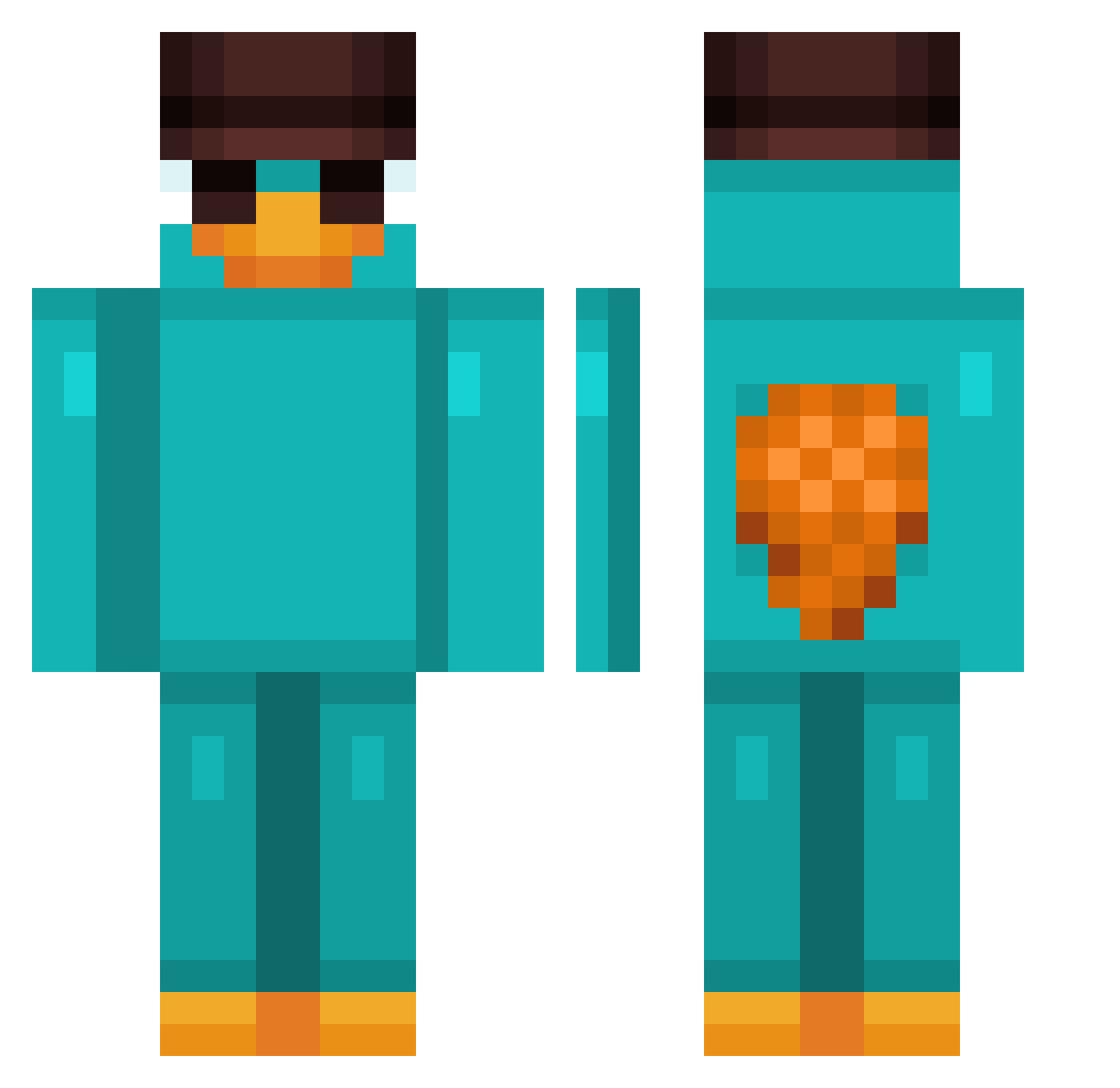
Current Minecraft skin of the player FeCristalde, loaded from the official Mojang API. Rotate the 3D model with your mouse or finger, then download the skin as a PNG file and use it in Minecraft: Bedrock Edition or Java Edition for free. When FeCristalde changes their skin, this page updates automatically and the old skin stays in the history below.
Other players with this skin (911)
FeCristalde was the 863rd player we have seen with this skin, first spotted on 25.10.2026. The same skin was seen on these players. Open a nickname to see their current skin and skin history.
 madmikkel DRDEAD145 maartiii324 AidelosDavid7 Shalowe AxtecIsHere ZOUZOUNIS Losnovs Sorlas Marrloonn Leeemick Jp_______ Felps227 Ford_Fiesta joax_gamer steqian LoxtLux NougatBitNiko Coba04 luigi590 SumoRinger69 beyotita strangebeing23 Skazal79 J1000K lordemusic vvop TomoDab magmty Negaoo Kabakov09 DuuzBW__ Rufuel cookiecoook IBorgeSz Da_Boi2 enzovalente2010 Maragatta _fln_ MertFFxxrr16 Mister1212 Lakcz12 lazfn6 Frostdemon66 PaguixSSJ k00ga_ Gunslingaa KnackigerAbbel IStealYourDaddy 1LNA Kgh_27 kilonomeLPF Cerbero__ HS81 Pot2Mayonnaise kkaju08 JordanPic Atop12 GGOMANG222 Dufort
More Platypus Minecraft skins
How to install the FeCristalde skin
- Press the Download button above to save the skin as a PNG file.
- Minecraft: Bedrock Edition (PE): open the Dressing Room from the main menu (or tap your character → Edit Character), go to Classic Skins → Owned, press the + (new skin) button, choose the downloaded PNG and pick the Classic (Steve) model. Works on PC and mobile; consoles cannot import custom skins.
- Minecraft: Java Edition: open the Minecraft Launcher, go to the Skins tab, click New Skin, load the PNG, pick the Classic (Steve) model and press Save & Use. You can also upload it at minecraft.net → Profile → Change Skin.
The skin does not show up after import - what should I do?
Restart Minecraft and open the Dressing Room again - imported skins sometimes appear only after a restart. Also make sure you selected the imported skin and picked the Classic (Steve) model.
Which model should I choose, Classic or Slim?
This skin is designed for the Classic (Steve) model. If you pick the wrong model, the arms of the skin will look stretched or squeezed.
Is the skin of FeCristalde free to download?
Yes. Press Download, save the PNG file and use it in Minecraft: Bedrock Edition or Java Edition - no payment or registration needed. The skin also works on multiplayer servers and Realms.
More skins
Looking for more? Go back to all Minecraft skins and check the top skins of the week, month and all time, or find any player's skin by nickname.