
Fazesimo11111 - Minecraft Skins & Skin History
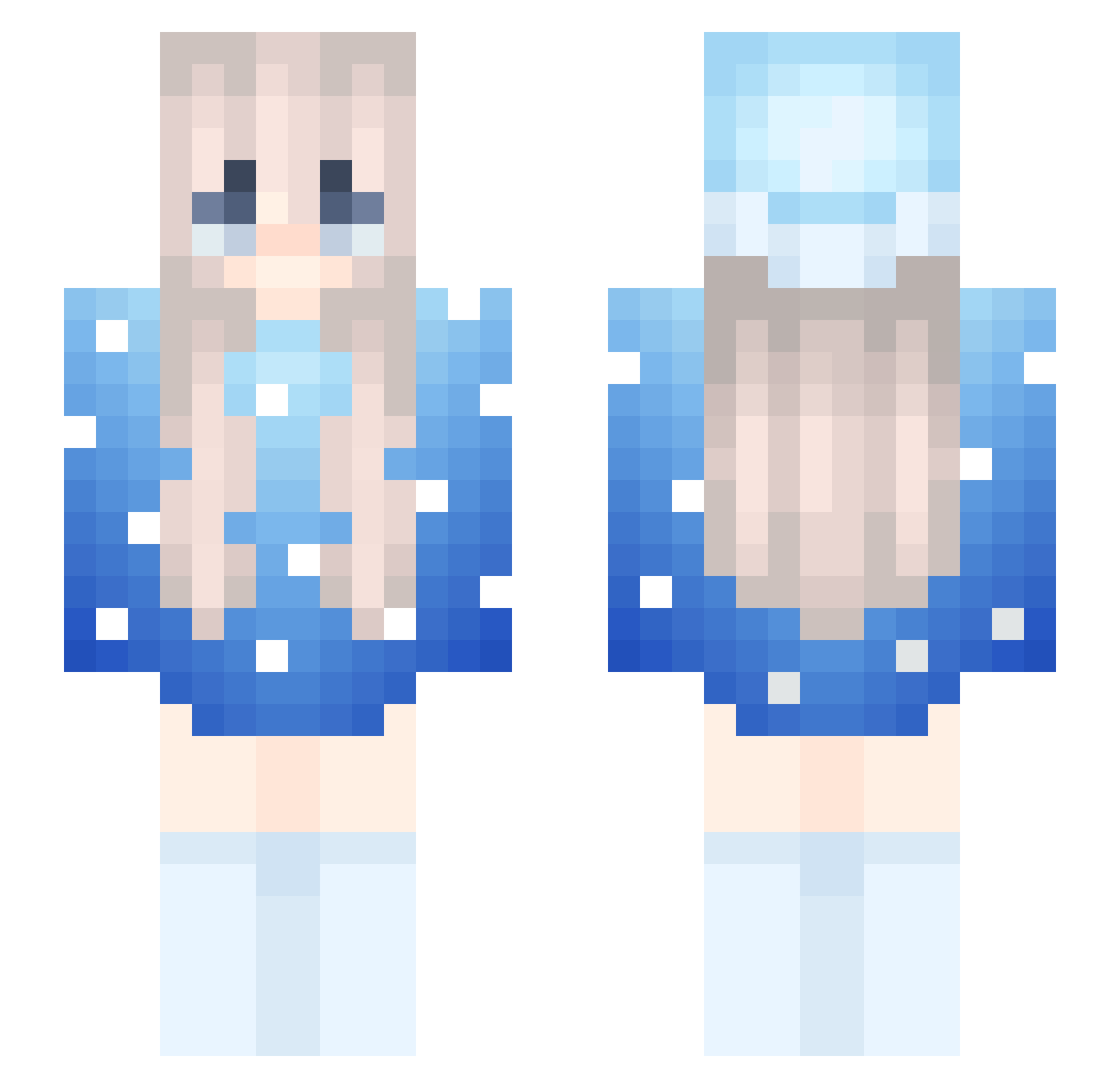
Current Minecraft skin of the player Fazesimo11111, loaded from the official Mojang API. Rotate the 3D model with your mouse or finger, then download the skin as a PNG file and use it in Minecraft: Bedrock Edition or Java Edition for free. When Fazesimo11111 changes their skin, this page updates automatically and the old skin stays in the history below.
Other players with this skin (254)
Fazesimo11111 was the 168th player we have seen with this skin, first spotted on 02.10.2026. The same skin was seen on these players. Open a nickname to see their current skin and skin history.
 Malugames14 SoulNotPrime th3ifed FloppersFipply Unpenetreble grab_dz GamawKaiDernw hi_hello19 WolfClaw0513 Malrowwww Local260k_ _ITzMonxjz_ Insolvenzzz qu33nluna18 DrDinguz critical_mob Madziuniaa 3CH1DN4_Mommy TheTrueSource Vammp_kw MAL_KxEOdZ StarX0 Finn_xx runwa MarlowwwFan12 empik66 therealdeal717 zixzymc paco66 mr_epic14 serinate FP_sul B0T8OY2013 AozeOnMacros RogothGaming Tilveran FrostJcBoy6 EdgeStreaks ANEKO07 ItsNyraaa ChickenBoi778 wojtuss12 jaesang_ umuisgamer_ SinisterMarloww JeffreyEpstein0X raveEsMG4WwF ToastAnnt jaswasz EspOccean34 NXDVictor gragoullon annrizuna xlunatic4794 PalantirOFFICIAL SONgSon4321 flamesinhut1 starmistsss Leiciel cassiiopeia_
More Snow Minecraft skins
How to install the Fazesimo11111 skin
- Press the Download button above to save the skin as a PNG file.
- Minecraft: Bedrock Edition (PE): open the Dressing Room from the main menu (or tap your character → Edit Character), go to Classic Skins → Owned, press the + (new skin) button, choose the downloaded PNG and pick the Slim (Alex) model. Works on PC and mobile; consoles cannot import custom skins.
- Minecraft: Java Edition: open the Minecraft Launcher, go to the Skins tab, click New Skin, load the PNG, pick the Slim (Alex) model and press Save & Use. You can also upload it at minecraft.net → Profile → Change Skin.
The skin does not show up after import - what should I do?
Restart Minecraft and open the Dressing Room again - imported skins sometimes appear only after a restart. Also make sure you selected the imported skin and picked the Slim (Alex) model.
Which model should I choose, Classic or Slim?
This skin is designed for the Slim (Alex) model. If you pick the wrong model, the arms of the skin will look stretched or squeezed.
Is the skin of Fazesimo11111 free to download?
Yes. Press Download, save the PNG file and use it in Minecraft: Bedrock Edition or Java Edition - no payment or registration needed. The skin also works on multiplayer servers and Realms.
More skins
Looking for more? Go back to all Minecraft skins and check the top skins of the week, month and all time, or find any player's skin by nickname.