
Farest - Minecraft Skins & Skin History
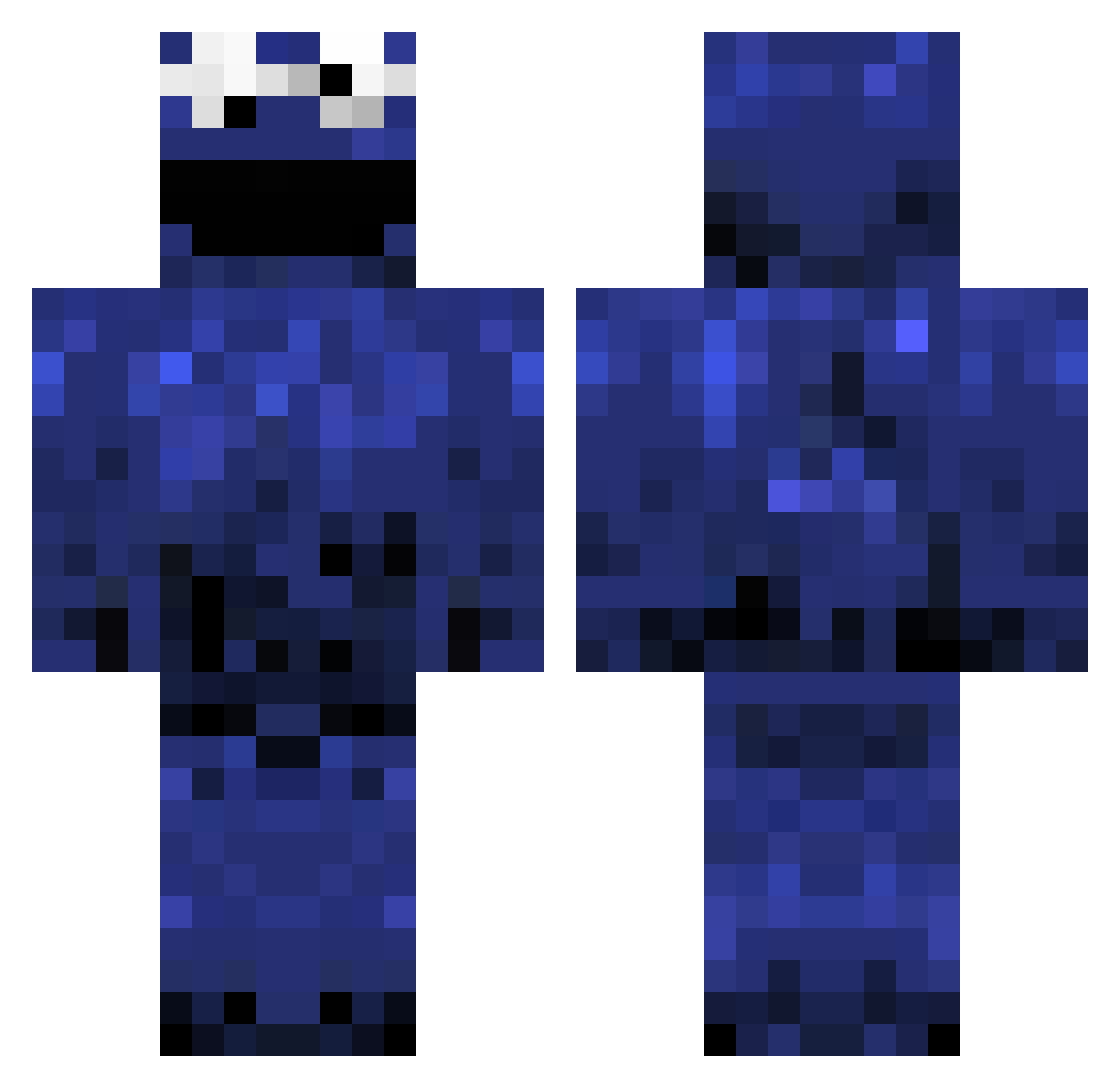
Current Minecraft skin of the player Farest, loaded from the official Mojang API. Rotate the 3D model with your mouse or finger, then download the skin as a PNG file and use it in Minecraft: Bedrock Edition or Java Edition for free. When Farest changes their skin, this page updates automatically and the old skin stays in the history below.
Other players with this skin (982)
Farest was the 775th player we have seen with this skin, first spotted on 07.10.2026. The same skin was seen on these players. Open a nickname to see their current skin and skin history.
 jander22 Daniel_Pang diaotyp MartinIsWin RiffRaff03 Hkenshin01 toonah ReedMonster Untubu DaNinZor GRANDSLAMMER03 Tanman9109 Grim_Reepa20 lilmoc0 Tautis ecwolf01 skystar55 SmollCookie TydoGaming reloadedxjx mango18 NovaNovaNova CitizenKane Lasso88 JayMoBlud Lefordham aka_Tom johnnyboy4432 crackerpipe FingoFalcon IzzzR benminecraft10 critz95 AnthoxRG Brotbaum PoopGrenade88 Androoskie bgray75998 xJ03Yx Vatical cavacava178 Aryphia powpowshyanne IrishChris96 doodlebobby RoryMcPherson96 greg450 SheLovesMechie deanbrou jessefu57 cripplej Warzooo werdenat cmhorton marta_malina Skyhigh755 Blu3M0nster TehLoCo jumpingjeremy SnickersBoy23
More Cookie Monster Minecraft skins
See all 241 Cookie Monster skins
How to install the Farest skin
- Press the Download button above to save the skin as a PNG file.
- Minecraft: Bedrock Edition (PE): open the Dressing Room from the main menu (or tap your character → Edit Character), go to Classic Skins → Owned, press the + (new skin) button, choose the downloaded PNG and pick the Classic (Steve) model. Works on PC and mobile; consoles cannot import custom skins.
- Minecraft: Java Edition: open the Minecraft Launcher, go to the Skins tab, click New Skin, load the PNG, pick the Classic (Steve) model and press Save & Use. You can also upload it at minecraft.net → Profile → Change Skin.
The skin does not show up after import - what should I do?
Restart Minecraft and open the Dressing Room again - imported skins sometimes appear only after a restart. Also make sure you selected the imported skin and picked the Classic (Steve) model.
Which model should I choose, Classic or Slim?
This skin is designed for the Classic (Steve) model. If you pick the wrong model, the arms of the skin will look stretched or squeezed.
Is the skin of Farest free to download?
Yes. Press Download, save the PNG file and use it in Minecraft: Bedrock Edition or Java Edition - no payment or registration needed. The skin also works on multiplayer servers and Realms.
More skins
Looking for more? Go back to all Minecraft skins and check the top skins of the week, month and all time, or find any player's skin by nickname.