
Fajlipos - Minecraft Skins & Skin History
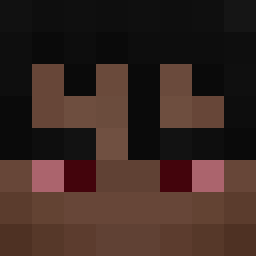
Current Minecraft skin of the player Fajlipos, loaded from the official Mojang API. Rotate the 3D model with your mouse or finger, then download the skin as a PNG file and use it in Minecraft: Bedrock Edition or Java Edition for free. When Fajlipos changes their skin, this page updates automatically and the old skin stays in the history below.

Other players with this skin (447)
Fajlipos was the 199th player we have seen with this skin, first spotted on 12.09.2026. The same skin was seen on these players. Open a nickname to see their current skin and skin history.
 Olc_167 marcelx12345 Mistel_Drutel gregorad Benkura boss006 pepsiolo DortHit_faj0fbn9 ignator15 rybka670 PoSm33
 Jasiu32c kotzrekoksika16 Danio659 kuban0303 KingHaribo240 TrippleX_OG Alekstheboss sarlosek GiantKillerDuck tobiasz_gaming_2 itzzananasik_ kam1357653 Kapitano2115 Marcelllo338 Alo70 Piterszaf misuuPL E__S_WANDZEL2115 Zackpot OLUSIEK123456789 cacccca Bartek121012 berbelek8 e____sz kunkfu9429 Serfero_ e__s roboXiCK kacper9550 failpopek XzoiN_ RafiXxALM ESIK__OSKAREK e__zk yarasha232 Aurixel Kelored14 pokora115 Rikosx011k Matikt Zdziechu1234 e__smulti Maoedroid ChickenNagets Wojti116 Dragonit1992 monka123321
 Xsimens7ren samiXBOX
How to install the Fajlipos skin
- Press the Download button above to save the skin as a PNG file.
- Minecraft: Bedrock Edition (PE): open the Dressing Room from the main menu (or tap your character → Edit Character), go to Classic Skins → Owned, press the + (new skin) button, choose the downloaded PNG and pick the Classic (Steve) model. Works on PC and mobile; consoles cannot import custom skins.
- Minecraft: Java Edition: open the Minecraft Launcher, go to the Skins tab, click New Skin, load the PNG, pick the Classic (Steve) model and press Save & Use. You can also upload it at minecraft.net → Profile → Change Skin.
The skin does not show up after import - what should I do?
Restart Minecraft and open the Dressing Room again - imported skins sometimes appear only after a restart. Also make sure you selected the imported skin and picked the Classic (Steve) model.
Which model should I choose, Classic or Slim?
This skin is designed for the Classic (Steve) model. If you pick the wrong model, the arms of the skin will look stretched or squeezed.
Is the skin of Fajlipos free to download?
Yes. Press Download, save the PNG file and use it in Minecraft: Bedrock Edition or Java Edition - no payment or registration needed. The skin also works on multiplayer servers and Realms.
More skins
Looking for more? Go back to all Minecraft skins and check the top skins of the week, month and all time, or find any player's skin by nickname.