
Current Minecraft skin of the player Fajerbomba, loaded from the official Mojang API. Rotate the 3D model with your mouse or finger, then download the skin as a PNG file and use it in Minecraft: Bedrock Edition or Java Edition for free. When Fajerbomba changes their skin, this page updates automatically and the old skin stays in the history below.
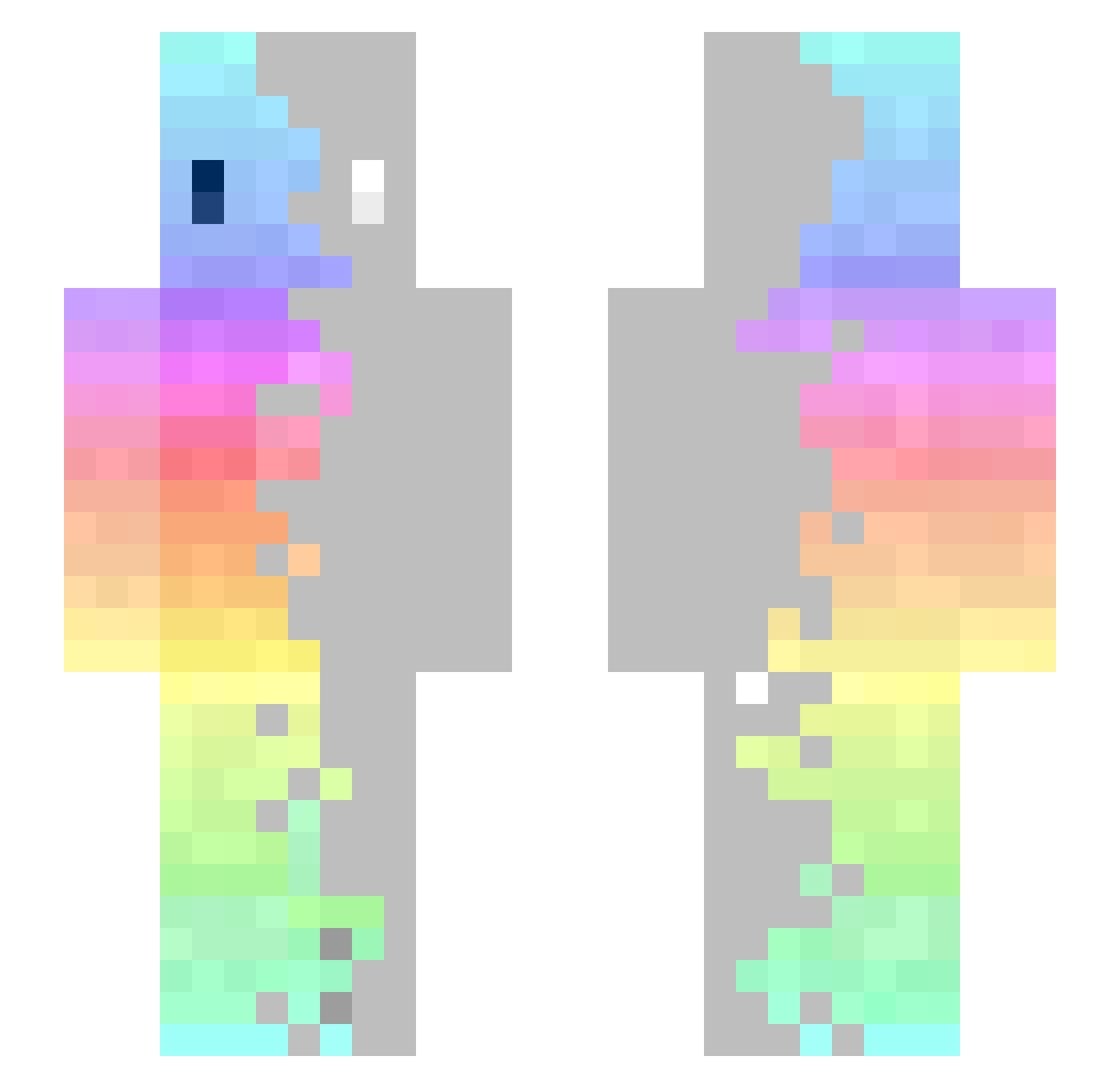
Other players with this skin (135)
The same skin was seen on these players. Open a nickname to see their current skin and skin history.
 Anestom Pack326 Aykros KroLart Always_smile_ Hnakasan Izi_Pipka kriiisza LicEs0311 PVPmoratrBR ingenious_orange Rinne_Tensei Masvan leozeto Al3theia dead_zy surumen Alex_Xanoca CelestialSeele imuyuyolunana xZiicK Agamemnon1 Fireknight__1 Aidenclo hammermclaren BusinessSloth_ kokorokei Pasan1us TheFisherprice cico06 Cha_ma jstoeber NeuTaL Marcfrank Misuqie Itss_Marco amobdk cKrissZ1 reqsik1105 yaooooos frozt13 quinny_flute KrazyJocky987 Lenaindejard1 ARI00CH NanoMach1ne MistyGryphon sakage1230 Suzzhh Daimisa Mortifiedstreak NotifieDed Jung2 707Mods HiphopKa lepetitaspi _Nyam Skalvetti U00u0 Aoki373
How to install the Fajerbomba skin
- Press the Download button above to save the skin as a PNG file.
- Minecraft: Bedrock Edition (PE): open the Dressing Room from the main menu (or tap your character → Edit Character), go to Classic Skins → Owned, press the + (new skin) button, choose the downloaded PNG and pick the Slim (Alex) model. Works on PC and mobile; consoles cannot import custom skins.
- Minecraft: Java Edition: open the Minecraft Launcher, go to the Skins tab, click New Skin, load the PNG, pick the Slim (Alex) model and press Save & Use. You can also upload it at minecraft.net → Profile → Change Skin.
The skin does not show up after import - what should I do?
Restart Minecraft and open the Dressing Room again - imported skins sometimes appear only after a restart. Also make sure you selected the imported skin and picked the Slim (Alex) model.
Which model should I choose, Classic or Slim?
This skin is designed for the Slim (Alex) model. If you pick the wrong model, the arms of the skin will look stretched or squeezed.
Is the skin of Fajerbomba free to download?
Yes. Press Download, save the PNG file and use it in Minecraft: Bedrock Edition or Java Edition - no payment or registration needed. The skin also works on multiplayer servers and Realms.
More skins
Looking for more? Go back to all Minecraft skins and check the top skins of the week, month and all time, or find any player's skin by nickname.