
Fabonatum - Minecraft Skins & Skin History
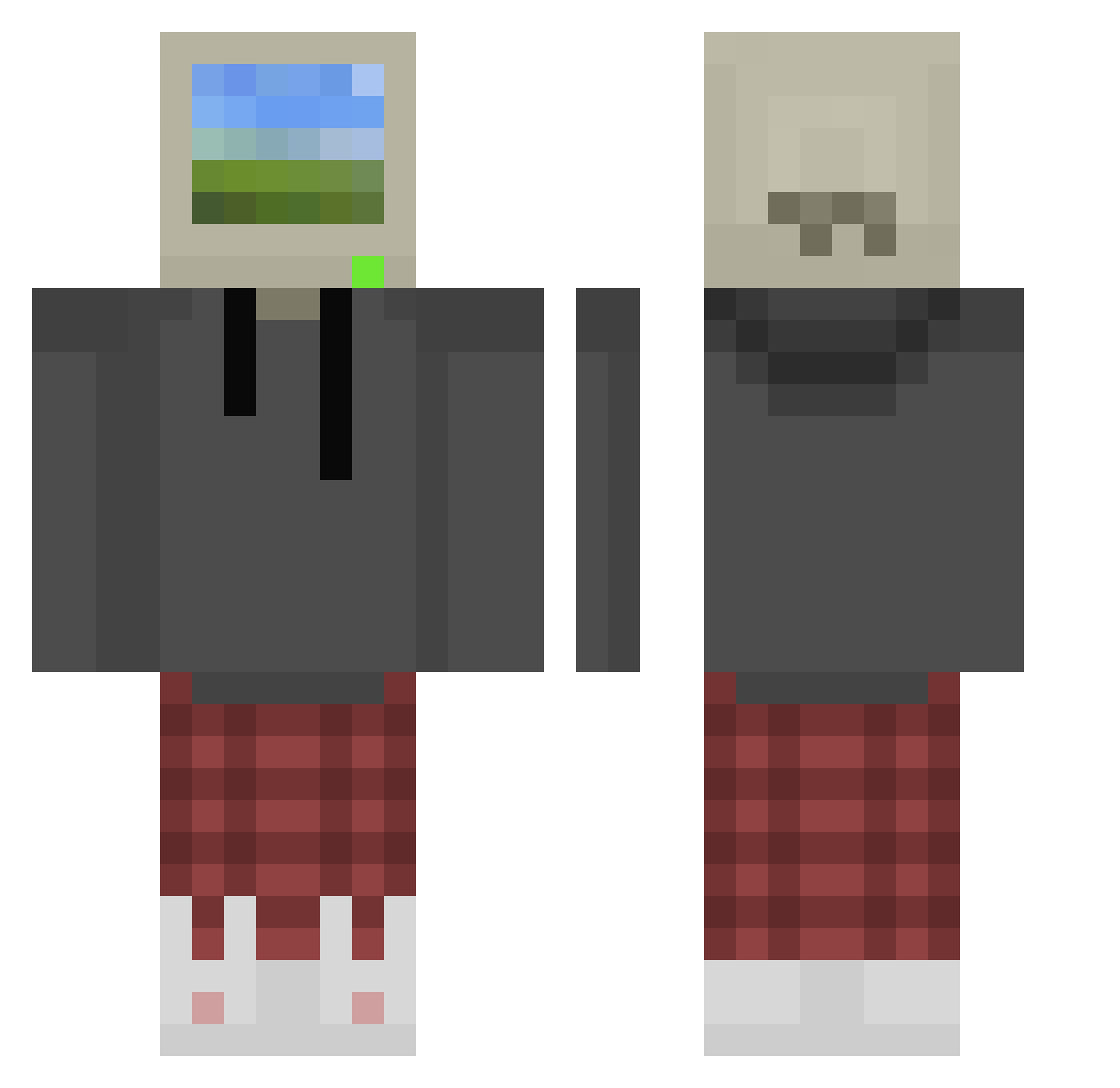
Current Minecraft skin of the player Fabonatum, loaded from the official Mojang API. Rotate the 3D model with your mouse or finger, then download the skin as a PNG file and use it in Minecraft: Bedrock Edition or Java Edition for free. When Fabonatum changes their skin, this page updates automatically and the old skin stays in the history below.
Other players with this skin (874)
Fabonatum was the 360th player we have seen with this skin, first spotted on 10.09.2026. The same skin was seen on these players. Open a nickname to see their current skin and skin history.
 Bland_37 SrFlopa PsychoDucc theballbender Nini_1985 oneinchhard DeathNuggets01 BdAim H3artNoFear420 Creeper_2009 SiMPLY96 cui0718 dltlgns33 PrimaryTrash940 Lioreta nusashka Erwan_BRT ElAlias_ alphajamesxm CICKING TehK45 Spiffyman135 blueskittlezzzzz Gunter3 Krakkun Tttory CarlosAGV xXHellboySharkXx BlazinRedBeard elbruis NechoFz TheBigBagWolf Chalino_Sanchez1 Zhoea CleanWindow11 JeMzZ_ 7PEPS7 DropsOfRain Elsinhuezo girthylord Polyethylene Nahyun0331 Chicken4002 Kekstra5
 irls_
irls_ MonsieurPringel Pastaboy14 huszr YuTou001 onguoin Nosnebs100 MrZockerdude Szym0nZ OneVodK Cmiss MattyMattys jannehspaghett offlineOS Marcedios Xylax23
More Windows XP Minecraft skins
How to install the Fabonatum skin
- Press the Download button above to save the skin as a PNG file.
- Minecraft: Bedrock Edition (PE): open the Dressing Room from the main menu (or tap your character → Edit Character), go to Classic Skins → Owned, press the + (new skin) button, choose the downloaded PNG and pick the Classic (Steve) model. Works on PC and mobile; consoles cannot import custom skins.
- Minecraft: Java Edition: open the Minecraft Launcher, go to the Skins tab, click New Skin, load the PNG, pick the Classic (Steve) model and press Save & Use. You can also upload it at minecraft.net → Profile → Change Skin.
The skin does not show up after import - what should I do?
Restart Minecraft and open the Dressing Room again - imported skins sometimes appear only after a restart. Also make sure you selected the imported skin and picked the Classic (Steve) model.
Which model should I choose, Classic or Slim?
This skin is designed for the Classic (Steve) model. If you pick the wrong model, the arms of the skin will look stretched or squeezed.
Is the skin of Fabonatum free to download?
Yes. Press Download, save the PNG file and use it in Minecraft: Bedrock Edition or Java Edition - no payment or registration needed. The skin also works on multiplayer servers and Realms.
More skins
Looking for more? Go back to all Minecraft skins and check the top skins of the week, month and all time, or find any player's skin by nickname.