
Faaaafik - Minecraft Skins & Skin History
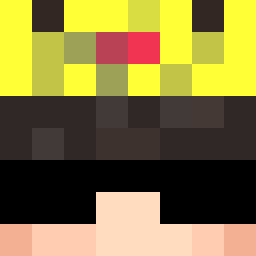
Current Minecraft skin of the player Faaaafik, loaded from the official Mojang API. Rotate the 3D model with your mouse or finger, then download the skin as a PNG file and use it in Minecraft: Bedrock Edition or Java Edition for free. When Faaaafik changes their skin, this page updates automatically and the old skin stays in the history below.

Other players with this skin (14333)
Faaaafik was the 3791st player we have seen with this skin, first spotted on 26.08.2026. The same skin was seen on these players. Open a nickname to see their current skin and skin history.
 SukiBloopy Szuchal_ Macosa2 BernardoSolari R_iverp_late FiFlip00 gregor444 villish19 04Patovica Davilotee_ arvidje WorQel Flo0ka SimplyTheGod
 qodbsgh830 d4vdsw hacadl7 nmnmnmnmnmnnmnmn zahaaa BHK3175 Logan_vp
 goatzoah TakunXu Baldixd xander102011 brentpauwels celasnik
 GamerLLH entretenidos haemugi1
 Tounadisney_ Kontrabasik517 Diss PirateKingLuffy5 Luvoballs 1v71 L_PLUS_RATIO rlawodnjs1123 GM74 PieroSb tiz_win TyCappy33 vitamin222 Improve Corture Sobersides Taibeioff Gehbesseroffline Atiplove2002 5gFf calvadooo Rares71
 SAADAAMIR PHALLIC tennen1 Xeno342 LopataPes TEENS20132 LampMimikyu Thetipadis
How to install the Faaaafik skin
- Press the Download button above to save the skin as a PNG file.
- Minecraft: Bedrock Edition (PE): open the Dressing Room from the main menu (or tap your character → Edit Character), go to Classic Skins → Owned, press the + (new skin) button, choose the downloaded PNG and pick the Classic (Steve) model. Works on PC and mobile; consoles cannot import custom skins.
- Minecraft: Java Edition: open the Minecraft Launcher, go to the Skins tab, click New Skin, load the PNG, pick the Classic (Steve) model and press Save & Use. You can also upload it at minecraft.net → Profile → Change Skin.
The skin does not show up after import - what should I do?
Restart Minecraft and open the Dressing Room again - imported skins sometimes appear only after a restart. Also make sure you selected the imported skin and picked the Classic (Steve) model.
Which model should I choose, Classic or Slim?
This skin is designed for the Classic (Steve) model. If you pick the wrong model, the arms of the skin will look stretched or squeezed.
Is the skin of Faaaafik free to download?
Yes. Press Download, save the PNG file and use it in Minecraft: Bedrock Edition or Java Edition - no payment or registration needed. The skin also works on multiplayer servers and Realms.
More skins
Looking for more? Go back to all Minecraft skins and check the top skins of the week, month and all time, or find any player's skin by nickname.