
FaLoR_21 - Minecraft Skins & Skin History
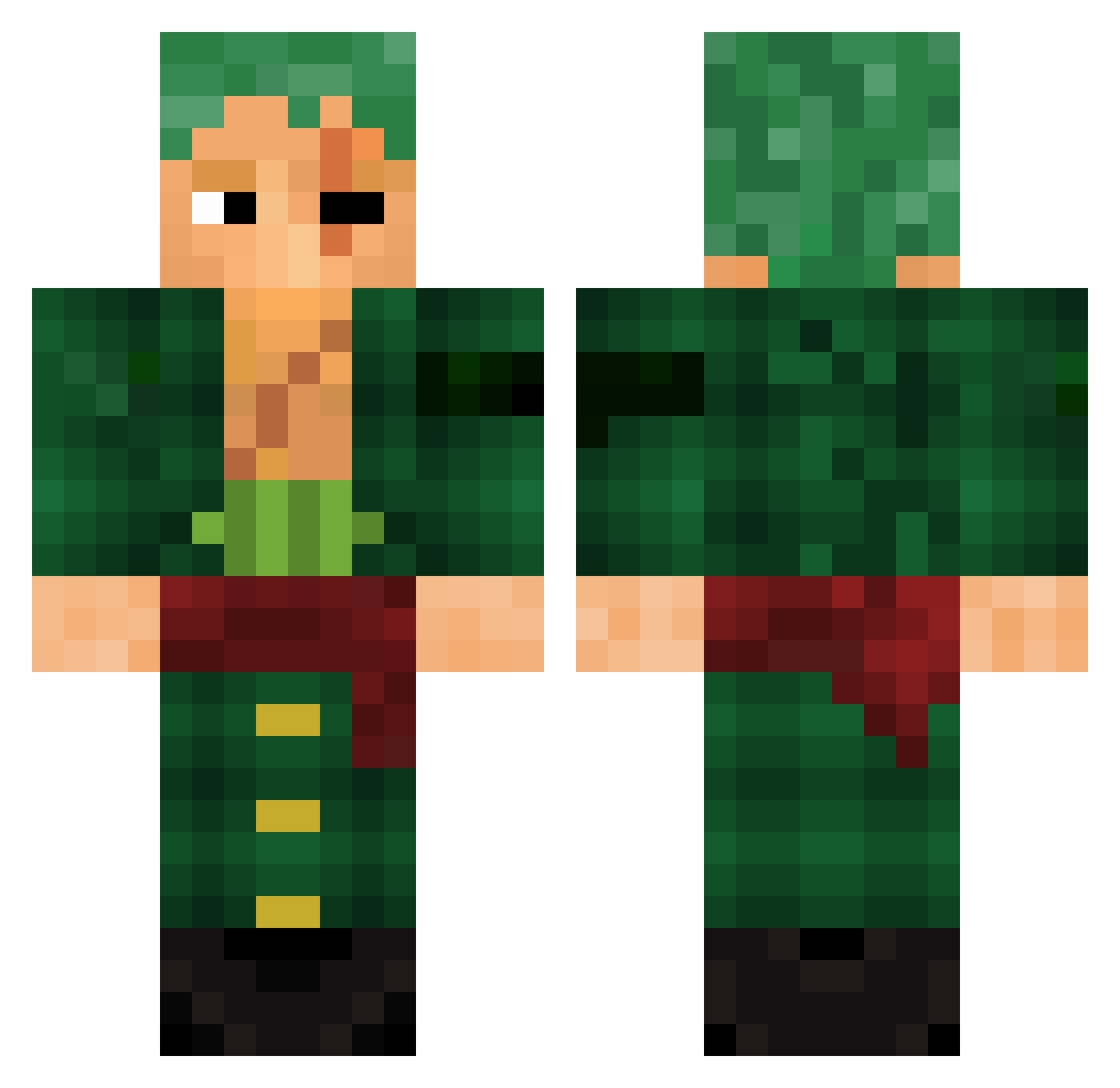
Current Minecraft skin of the player FaLoR_21, loaded from the official Mojang API. Rotate the 3D model with your mouse or finger, then download the skin as a PNG file and use it in Minecraft: Bedrock Edition or Java Edition for free. When FaLoR_21 changes their skin, this page updates automatically and the old skin stays in the history below.
Other players with this skin (786)
FaLoR_21 was the 38th player we have seen with this skin, first spotted on 27.07.2026. The same skin was seen on these players. Open a nickname to see their current skin and skin history.
 Seyed167 AzWorld6791 Kypme keyloww
 Tr1xyTrippin Zoro_bey mav12 Dragon_King578 YILuisIY BlueishToast121 Gragbar DarioAdy lingua_mar darcoser vExpo rangerfire5000 Rickyraspa MrBeanL4den MichMich_bsr Leninchouji cemgolo viharjackson SkipZm8 Psychoiko Ak1480 AndreaStella Salmane Louison258 ajmiiqx BigZoroFan ShiroTX Littlenugget829 maci_00 ElioTV1 Jorbzz yennnypoo Mali_76 spikesalive Not_TeeMA
 KagaroNakama69 DANKSquirrel49 CODYZRIOT Ironoxium tmdrjs12
 Flaritas RoronoaZorro3 MEXICUTIONER27 Hyplosic Aka1r0 GuntakuGamer PapaOngle Andreikujo jhoanandres119 HandyRock spendawgg Rmaldini2 Wietzkid H2G5 doruksavage SamuraiGio
More Roronoa Zoro Minecraft skins
See all 291 Roronoa Zoro skins
How to install the FaLoR_21 skin
- Press the Download button above to save the skin as a PNG file.
- Minecraft: Bedrock Edition (PE): open the Dressing Room from the main menu (or tap your character → Edit Character), go to Classic Skins → Owned, press the + (new skin) button, choose the downloaded PNG and pick the Classic (Steve) model. Works on PC and mobile; consoles cannot import custom skins.
- Minecraft: Java Edition: open the Minecraft Launcher, go to the Skins tab, click New Skin, load the PNG, pick the Classic (Steve) model and press Save & Use. You can also upload it at minecraft.net → Profile → Change Skin.
The skin does not show up after import - what should I do?
Restart Minecraft and open the Dressing Room again - imported skins sometimes appear only after a restart. Also make sure you selected the imported skin and picked the Classic (Steve) model.
Which model should I choose, Classic or Slim?
This skin is designed for the Classic (Steve) model. If you pick the wrong model, the arms of the skin will look stretched or squeezed.
Is the skin of FaLoR_21 free to download?
Yes. Press Download, save the PNG file and use it in Minecraft: Bedrock Edition or Java Edition - no payment or registration needed. The skin also works on multiplayer servers and Realms.
More skins
Looking for more? Go back to all Minecraft skins and check the top skins of the week, month and all time, or find any player's skin by nickname.