
FLAMINGRANGA - Minecraft Skins & Skin History
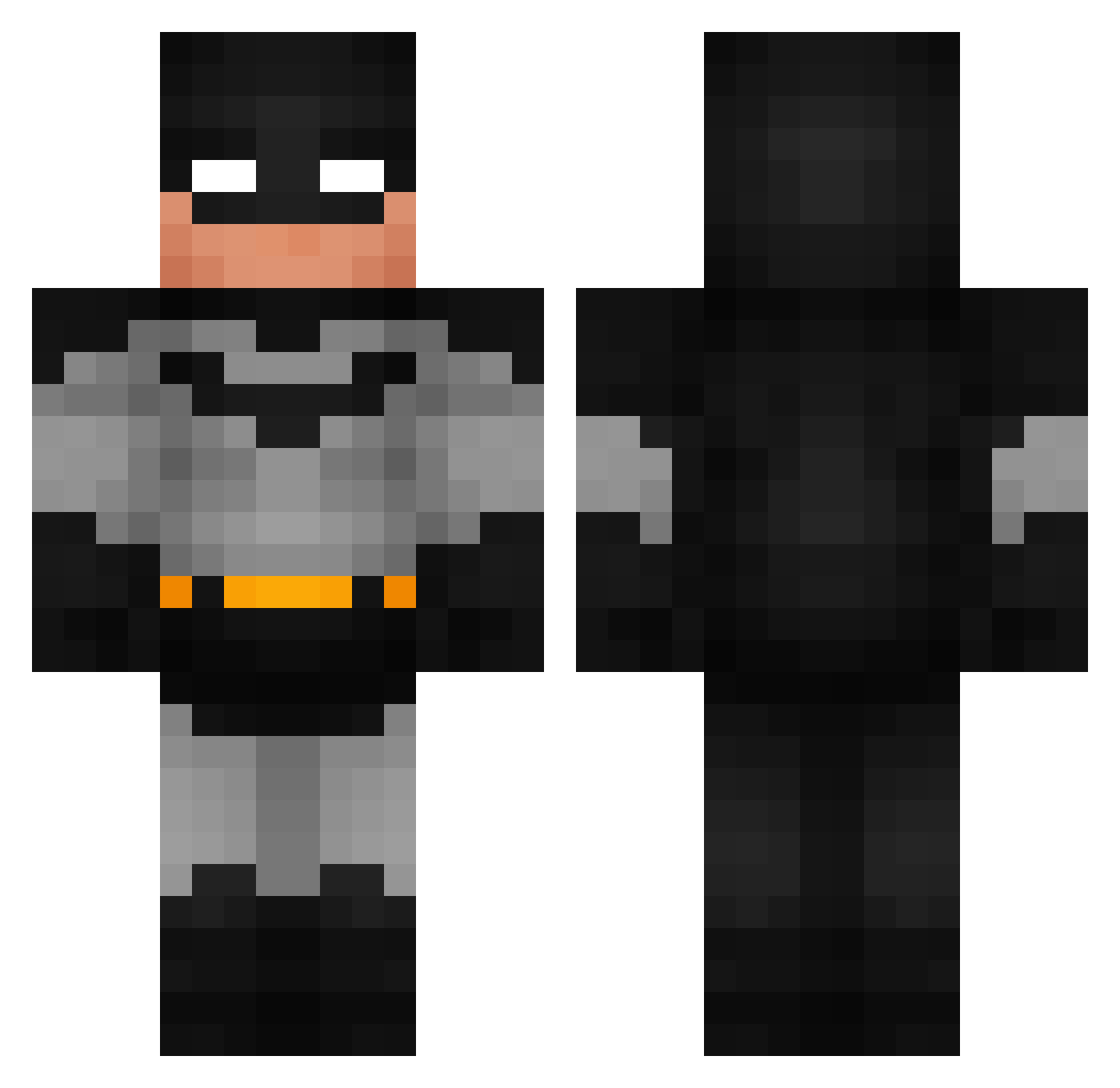
Current Minecraft skin of the player FLAMINGRANGA, loaded from the official Mojang API. Rotate the 3D model with your mouse or finger, then download the skin as a PNG file and use it in Minecraft: Bedrock Edition or Java Edition for free. When FLAMINGRANGA changes their skin, this page updates automatically and the old skin stays in the history below.
Other players with this skin (992)
FLAMINGRANGA was the 883rd player we have seen with this skin, first spotted on 30.10.2026. The same skin was seen on these players. Open a nickname to see their current skin and skin history.
 Brauando Tualexito777 cheese_1975 madlove1 rotxoxo HugeW earthkris Dr_rab09 leftfootliam noni25 Rodricksito DakenXM TeddyB00r0 Cyberbytte Somanator ItemInfo Ysbubz killle8 LSI_Q marcelooo_ phchenn Kn1ghtyy Kotha_ ABOSA3D SuperHotEGirl NotBeatz Simba92 LordWeeb WinterCok AndyFrick TheGoshDarnBatma kingfxx101 Wilson1777 Shiizuu7788 babinstan PolowZz IfIWasCool SheTookTheKiids sir_botsalot Strawberic Jxymi3 lalovg27 chace72 SpudMeister25 Minklo 2TUNEDD Danyyboyyy MrAwebo SteveOps feetluver420 Guisinhos TymForiX mason_booty TealTiger6 Jollamby iagocv dumpl1ngthealpha IkeaBag46 Ahmed10332 skitzm8
More Batman Minecraft skins
How to install the FLAMINGRANGA skin
- Press the Download button above to save the skin as a PNG file.
- Minecraft: Bedrock Edition (PE): open the Dressing Room from the main menu (or tap your character → Edit Character), go to Classic Skins → Owned, press the + (new skin) button, choose the downloaded PNG and pick the Classic (Steve) model. Works on PC and mobile; consoles cannot import custom skins.
- Minecraft: Java Edition: open the Minecraft Launcher, go to the Skins tab, click New Skin, load the PNG, pick the Classic (Steve) model and press Save & Use. You can also upload it at minecraft.net → Profile → Change Skin.
The skin does not show up after import - what should I do?
Restart Minecraft and open the Dressing Room again - imported skins sometimes appear only after a restart. Also make sure you selected the imported skin and picked the Classic (Steve) model.
Which model should I choose, Classic or Slim?
This skin is designed for the Classic (Steve) model. If you pick the wrong model, the arms of the skin will look stretched or squeezed.
Is the skin of FLAMINGRANGA free to download?
Yes. Press Download, save the PNG file and use it in Minecraft: Bedrock Edition or Java Edition - no payment or registration needed. The skin also works on multiplayer servers and Realms.
More skins
Looking for more? Go back to all Minecraft skins and check the top skins of the week, month and all time, or find any player's skin by nickname.