
FANBINGGAO - Minecraft Skins & Skin History
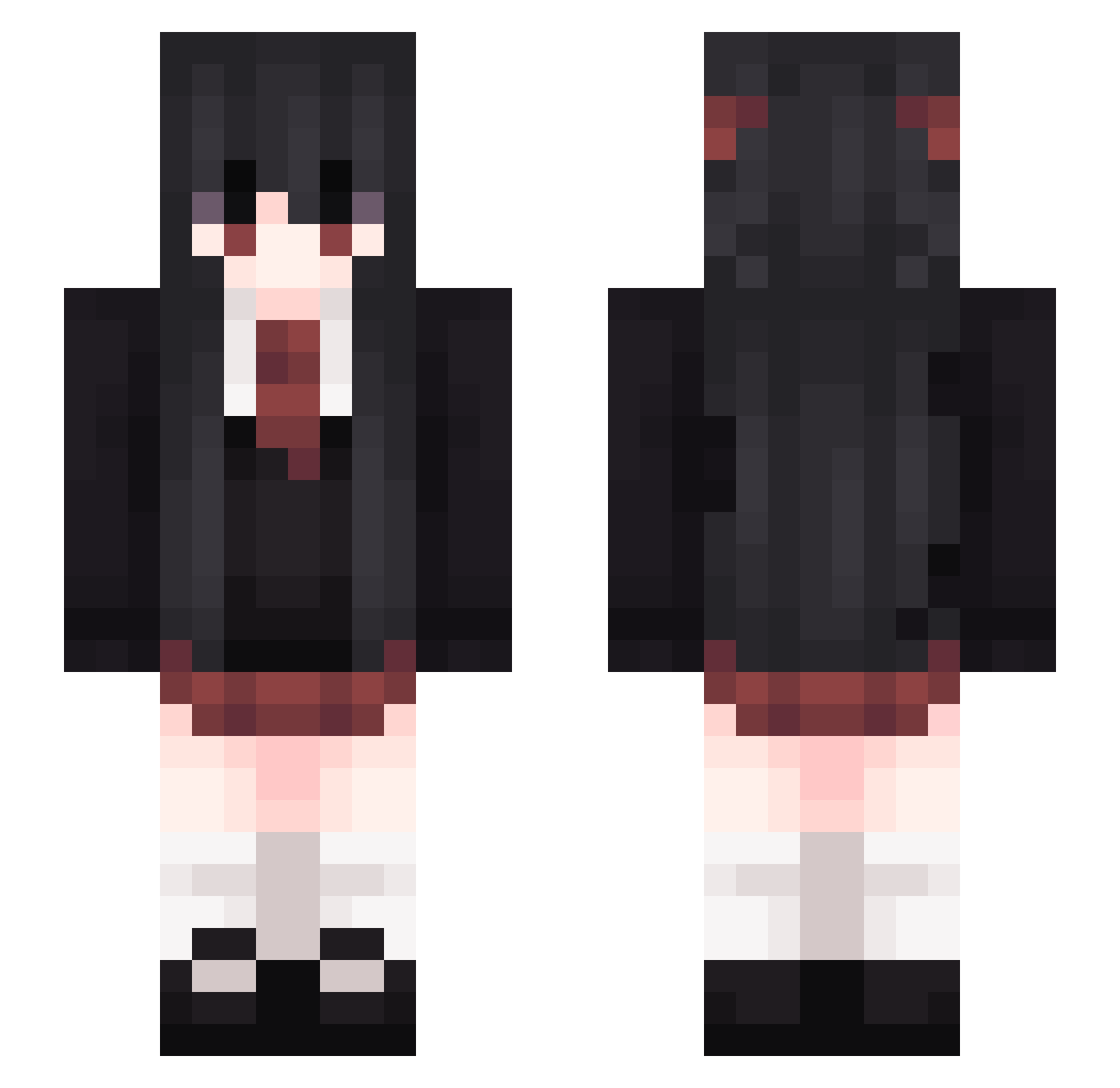
Current Minecraft skin of the player FANBINGGAO, loaded from the official Mojang API. Rotate the 3D model with your mouse or finger, then download the skin as a PNG file and use it in Minecraft: Bedrock Edition or Java Edition for free. When FANBINGGAO changes their skin, this page updates automatically and the old skin stays in the history below.
Other players with this skin (265)
FANBINGGAO was the 195th player we have seen with this skin, first spotted on 09.10.2026. The same skin was seen on these players. Open a nickname to see their current skin and skin history.
 vialofpoison Sakaki2020 Qskadi Aequor_ Profzessor Spinca Stunstark Moius Mian_FCB yange_ikkk QQEat BlueCMeth Patinalua mikanlover Kalininskaja nataria13 RagnarZ lunimeme bigfgha NightrayML owosusc Machii__ WaiAmI yunayuni WhiteTime Yzyinrsy_ Nsui Hanakei sobczyk_ CsLizarder S_Nr M_EON Southend9923 SmokedShake GoYangYi_ 3phemerae Hespyrn Aich017 laaamppp cimsss Folatalmi sundayred BadCenFans WitharryQwQ Assassin_Bertram rigidlyscare bbrightvc0 ScarletMegu ketiket0100 sweetlamb Changwook itaekun Icemaker3000 ShuShuPaNa_Gnar Naily0042 SavageWolf808 KoutaLilium MomoraMola qwer233 Hayypix
More School Uniform Minecraft skins
See all 6647 School Uniform skins
How to install the FANBINGGAO skin
- Press the Download button above to save the skin as a PNG file.
- Minecraft: Bedrock Edition (PE): open the Dressing Room from the main menu (or tap your character → Edit Character), go to Classic Skins → Owned, press the + (new skin) button, choose the downloaded PNG and pick the Slim (Alex) model. Works on PC and mobile; consoles cannot import custom skins.
- Minecraft: Java Edition: open the Minecraft Launcher, go to the Skins tab, click New Skin, load the PNG, pick the Slim (Alex) model and press Save & Use. You can also upload it at minecraft.net → Profile → Change Skin.
The skin does not show up after import - what should I do?
Restart Minecraft and open the Dressing Room again - imported skins sometimes appear only after a restart. Also make sure you selected the imported skin and picked the Slim (Alex) model.
Which model should I choose, Classic or Slim?
This skin is designed for the Slim (Alex) model. If you pick the wrong model, the arms of the skin will look stretched or squeezed.
Is the skin of FANBINGGAO free to download?
Yes. Press Download, save the PNG file and use it in Minecraft: Bedrock Edition or Java Edition - no payment or registration needed. The skin also works on multiplayer servers and Realms.
More skins
Looking for more? Go back to all Minecraft skins and check the top skins of the week, month and all time, or find any player's skin by nickname.