
Exporteur - Minecraft Skins & Skin History
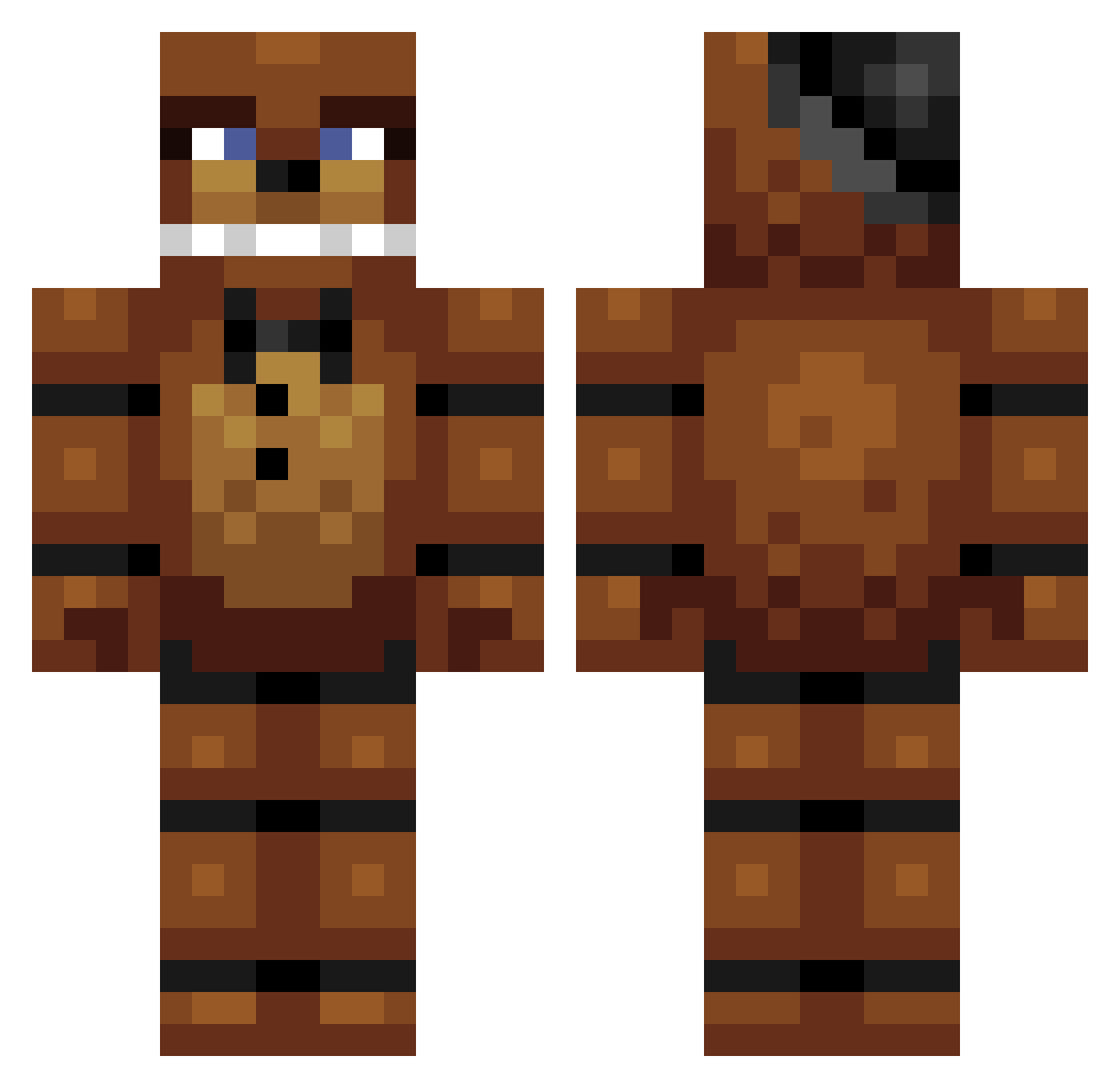
Current Minecraft skin of the player Exporteur, loaded from the official Mojang API. Rotate the 3D model with your mouse or finger, then download the skin as a PNG file and use it in Minecraft: Bedrock Edition or Java Edition for free. When Exporteur changes their skin, this page updates automatically and the old skin stays in the history below.
Other players with this skin (281)
Exporteur was the 106th player we have seen with this skin, first spotted on 10.09.2026. The same skin was seen on these players. Open a nickname to see their current skin and skin history.
 Rivaph _Azcalon_ nadiyuhh Iobes Deostrox ozzy734 Freddy_insanity freddiesfazbear PuLseVr0 FickyLeader862 Hampepampe10 TrisLP_05 bussinburgers Door_Belle13 Booger80b flameyboy981 8zzy Nacho9042 K4minari CERRRRRR clemepcx MrBosco24 Vincy646 MarlockT jimjamthemagic oppirattata lLikeForks Freddy654 OttoJan11 Toe1028 RIPmisiu Moo_nie Luxar_Arts mrbebra99 Fartily PhillipYazzie nx879 Tnamemc L0TUSEAT ReekidNarrator glasses_our_cool OofScout PicaShing WarpStar95 imdavins Mishyy_1 walkerbro1000 Eduardo213533 Shmady ReyReo hwsuf SlovakWin FatNuts_Inc FIESTYPANCAKES12 ItaliaausItalia MrNightmareandco R3nk_ OGufaw Blake080 FadiingLight_
Previous skins of Exporteur
Skins that Exporteur wore before, newest first. Click a skin to open its page and download it.
More Freddy Fazbear Minecraft skins
See all 258 Freddy Fazbear skins
How to install the Exporteur skin
- Press the Download button above to save the skin as a PNG file.
- Minecraft: Bedrock Edition (PE): open the Dressing Room from the main menu (or tap your character → Edit Character), go to Classic Skins → Owned, press the + (new skin) button, choose the downloaded PNG and pick the Classic (Steve) model. Works on PC and mobile; consoles cannot import custom skins.
- Minecraft: Java Edition: open the Minecraft Launcher, go to the Skins tab, click New Skin, load the PNG, pick the Classic (Steve) model and press Save & Use. You can also upload it at minecraft.net → Profile → Change Skin.
The skin does not show up after import - what should I do?
Restart Minecraft and open the Dressing Room again - imported skins sometimes appear only after a restart. Also make sure you selected the imported skin and picked the Classic (Steve) model.
Which model should I choose, Classic or Slim?
This skin is designed for the Classic (Steve) model. If you pick the wrong model, the arms of the skin will look stretched or squeezed.
Is the skin of Exporteur free to download?
Yes. Press Download, save the PNG file and use it in Minecraft: Bedrock Edition or Java Edition - no payment or registration needed. The skin also works on multiplayer servers and Realms.
More skins
Looking for more? Go back to all Minecraft skins and check the top skins of the week, month and all time, or find any player's skin by nickname.