
Evil_Man834 - Minecraft Skins & Skin History
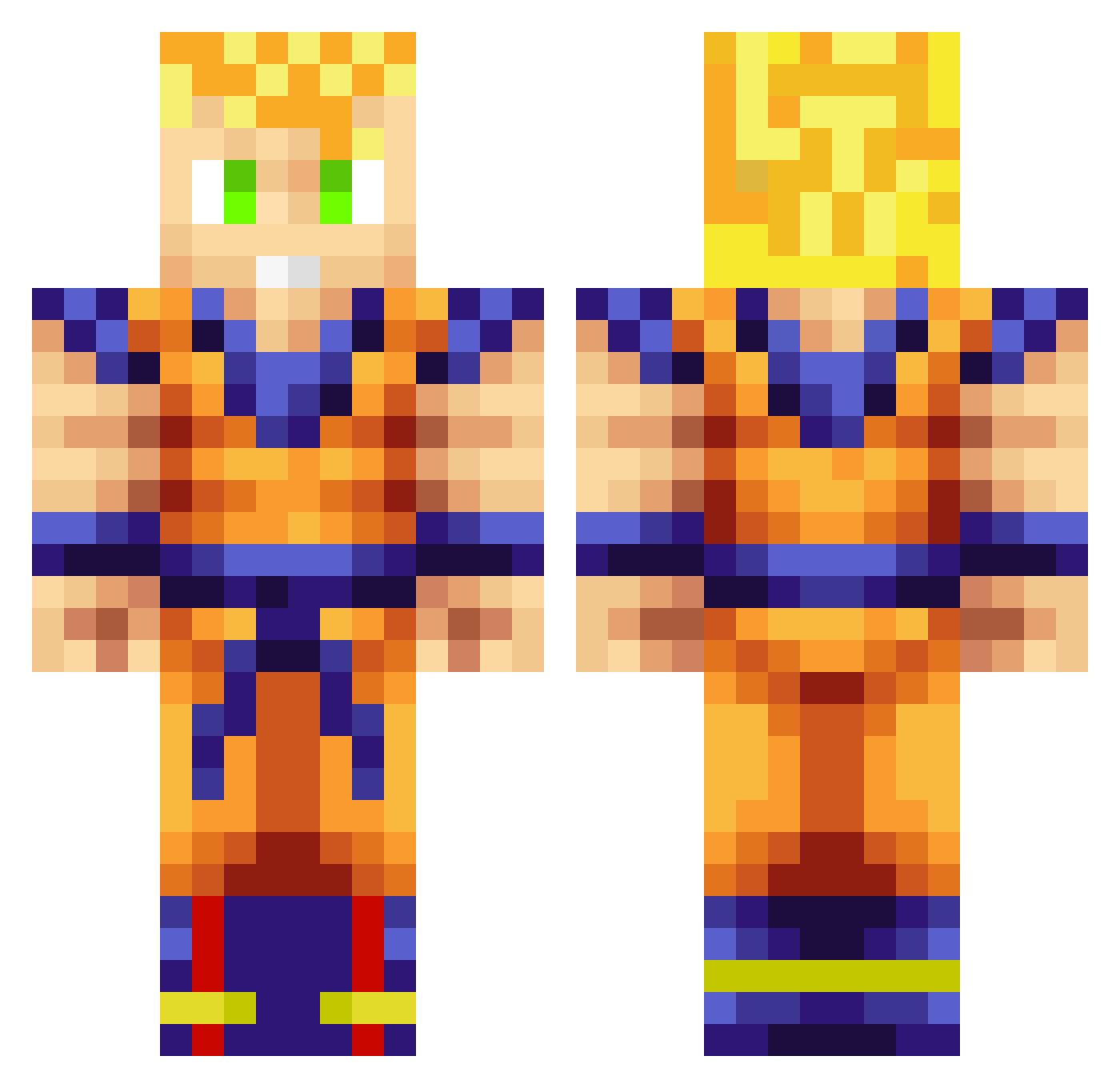
Current Minecraft skin of the player Evil_Man834, loaded from the official Mojang API. Rotate the 3D model with your mouse or finger, then download the skin as a PNG file and use it in Minecraft: Bedrock Edition or Java Edition for free. When Evil_Man834 changes their skin, this page updates automatically and the old skin stays in the history below.
Other players with this skin (713)
Evil_Man834 was the 561st player we have seen with this skin, first spotted on 03.10.2026. The same skin was seen on these players. Open a nickname to see their current skin and skin history.
 Deathbylaw CaptainSpider07 gr3tzky Madis13 lesus01 DarthRedBeard grapesoda21 edenpain Jensen3131 AndyPotato JMBxxAIDS Scrappybore Meijin_Kage Lifelus Infishock terron93 RuhrpottBorusse GrumpyMosquito SenorMintKiddo1 gmess38 EdmundoLtd iOwncheetos esity WelshBoy11 SocialWorker MarX_17 jacobonator hluna curmstomp Alando_ FUJ174 DillTill2019 hex6000 tobberobben1 Damager1220 SpacexPhoenix Ossukaru kansotoyo1 Green360 iBob40 runintomybullets EruditeGod Maamat ClydeCloud Chrisbro116 d3xter15 Picouik fall3nprophet Jensi0104 Lubster88 SneakyToast TheUlas Mithushan supersayin1998 ryry6543210 Fluvian Nujnuj123 AlitaIdo kuwakuwa01 Ismetcan66
More Goku Minecraft skins
How to install the Evil_Man834 skin
- Press the Download button above to save the skin as a PNG file.
- Minecraft: Bedrock Edition (PE): open the Dressing Room from the main menu (or tap your character → Edit Character), go to Classic Skins → Owned, press the + (new skin) button, choose the downloaded PNG and pick the Classic (Steve) model. Works on PC and mobile; consoles cannot import custom skins.
- Minecraft: Java Edition: open the Minecraft Launcher, go to the Skins tab, click New Skin, load the PNG, pick the Classic (Steve) model and press Save & Use. You can also upload it at minecraft.net → Profile → Change Skin.
The skin does not show up after import - what should I do?
Restart Minecraft and open the Dressing Room again - imported skins sometimes appear only after a restart. Also make sure you selected the imported skin and picked the Classic (Steve) model.
Which model should I choose, Classic or Slim?
This skin is designed for the Classic (Steve) model. If you pick the wrong model, the arms of the skin will look stretched or squeezed.
Is the skin of Evil_Man834 free to download?
Yes. Press Download, save the PNG file and use it in Minecraft: Bedrock Edition or Java Edition - no payment or registration needed. The skin also works on multiplayer servers and Realms.
More skins
Looking for more? Go back to all Minecraft skins and check the top skins of the week, month and all time, or find any player's skin by nickname.