
Esquiare_ - Minecraft Skins & Skin History
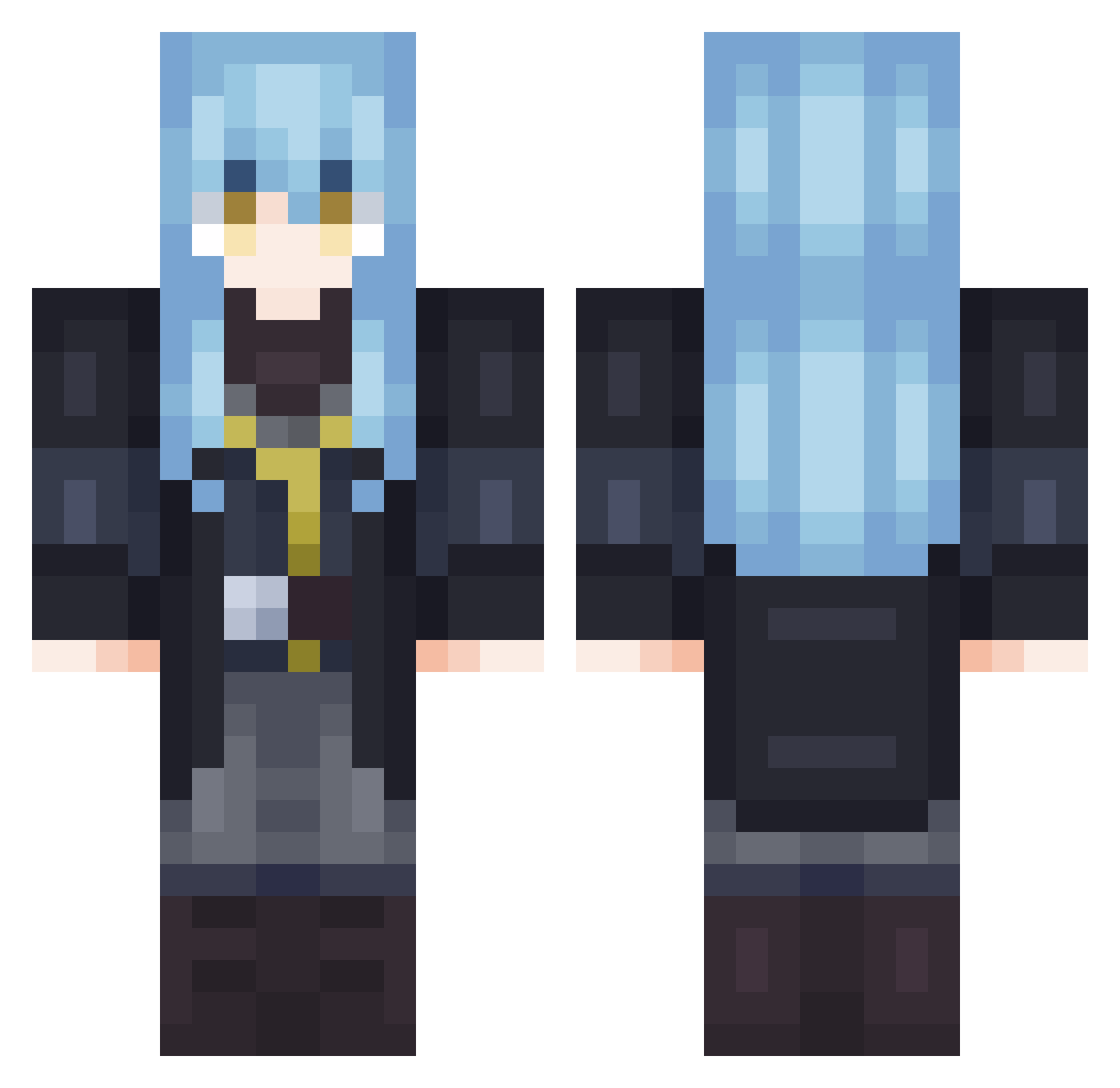
Current Minecraft skin of the player Esquiare_, loaded from the official Mojang API. Rotate the 3D model with your mouse or finger, then download the skin as a PNG file and use it in Minecraft: Bedrock Edition or Java Edition for free. When Esquiare_ changes their skin, this page updates automatically and the old skin stays in the history below.
Other players with this skin (702)
Esquiare_ was the 101st player we have seen with this skin, first spotted on 09.08.2026. The same skin was seen on these players. Open a nickname to see their current skin and skin history.
 pudim456
 ArtWae xdisnx takeshi0607 Bleachigo312 LunarSaint Deroxant MOZA0103 Patrox43 Reliew Yeipon Huais wei945 papiko320 FrostyR_ Ch3ck1n LordSwifter honyan StepSiis Prkmez Loio1900 RimuruTV Diviiinus ivanabakker6 LoveAres seei14 Mymper mrdth AntiochFall Tommy_awa ang0dzm notdxve3 Shashashanghaii Bodoqueee WICK0000 Loop3331 Kaneko9 Cassy123 Telainp saku081123 shion_202 Zenith20 Re2Eeee NaqNGM hinessay Campionero_ AK486 Mafa312 Chokoadam BxckTheSaint Troll_CraftBR glouv OkamiKita Promayki2018
 Diaveline rim_001 Hunterswg Chen_Shen SovietNations FatButSushi
More Rimuru Tempest Minecraft skins
See all 251 Rimuru Tempest skins
How to install the Esquiare_ skin
- Press the Download button above to save the skin as a PNG file.
- Minecraft: Bedrock Edition (PE): open the Dressing Room from the main menu (or tap your character → Edit Character), go to Classic Skins → Owned, press the + (new skin) button, choose the downloaded PNG and pick the Classic (Steve) model. Works on PC and mobile; consoles cannot import custom skins.
- Minecraft: Java Edition: open the Minecraft Launcher, go to the Skins tab, click New Skin, load the PNG, pick the Classic (Steve) model and press Save & Use. You can also upload it at minecraft.net → Profile → Change Skin.
The skin does not show up after import - what should I do?
Restart Minecraft and open the Dressing Room again - imported skins sometimes appear only after a restart. Also make sure you selected the imported skin and picked the Classic (Steve) model.
Which model should I choose, Classic or Slim?
This skin is designed for the Classic (Steve) model. If you pick the wrong model, the arms of the skin will look stretched or squeezed.
Is the skin of Esquiare_ free to download?
Yes. Press Download, save the PNG file and use it in Minecraft: Bedrock Edition or Java Edition - no payment or registration needed. The skin also works on multiplayer servers and Realms.
More skins
Looking for more? Go back to all Minecraft skins and check the top skins of the week, month and all time, or find any player's skin by nickname.