
Ersania - Minecraft Skins & Skin History
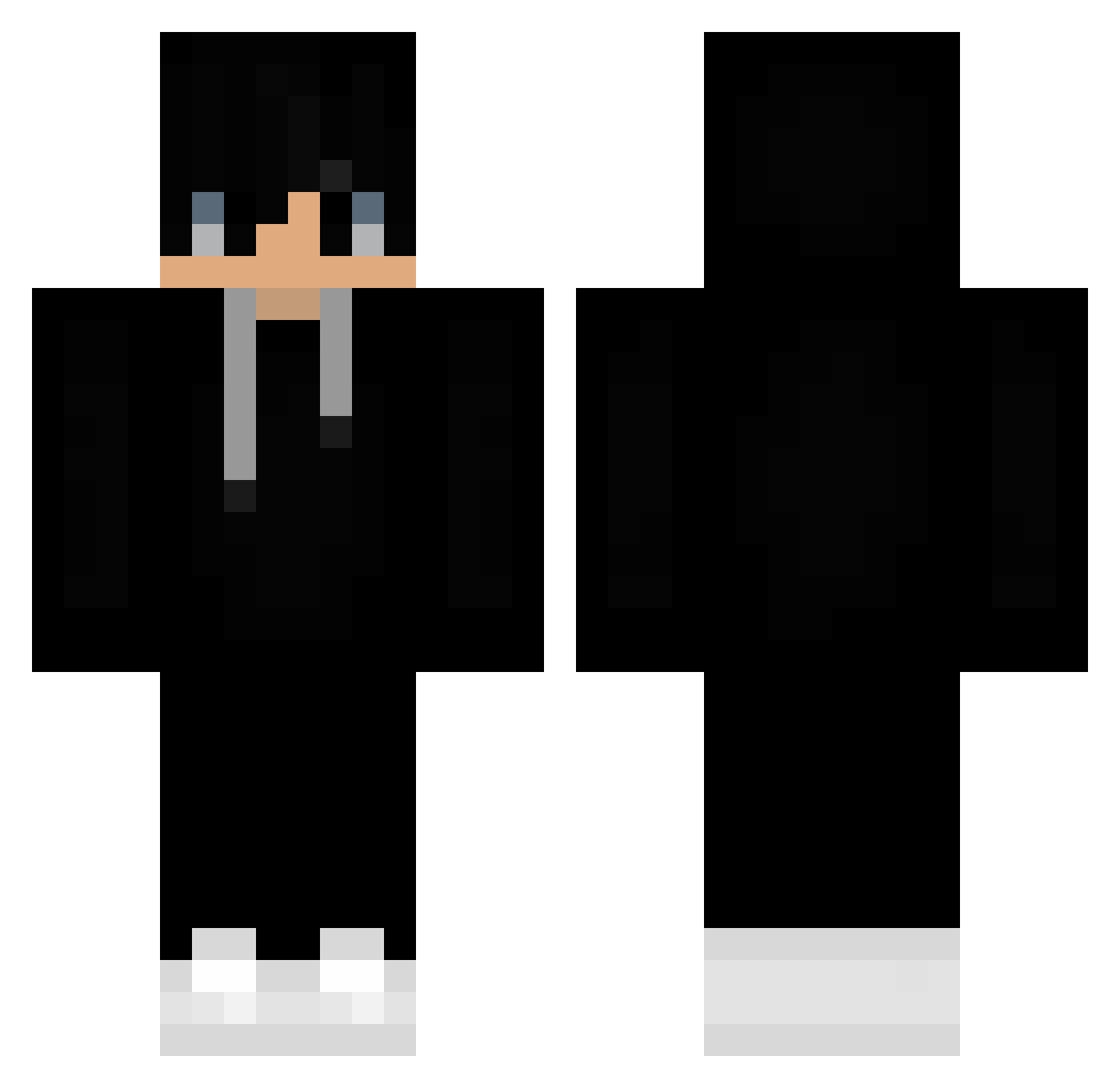
Current Minecraft skin of the player Ersania, loaded from the official Mojang API. Rotate the 3D model with your mouse or finger, then download the skin as a PNG file and use it in Minecraft: Bedrock Edition or Java Edition for free. When Ersania changes their skin, this page updates automatically and the old skin stays in the history below.
Other players with this skin (383)
Ersania was the 203rd player we have seen with this skin, first spotted on 13.09.2026. The same skin was seen on these players. Open a nickname to see their current skin and skin history.
 MrDiffyable HoolyWeed aboda_123 CagyJason Nelooxx Sm0l1k2111 jasso01 xDaniel27 ItssDroxz hoirn 165649 Demonicpancake1 Ayyso TrueChocoTaco Babycool30 GenCrazy Cowlorsito Klaymann Luckyfox112 Ayes303 Sh4xter girthy_pencil JaisTrial sonic7jul Gunnerandzach Pokeekop LuciaZ Ballermannn Lukitas_99 queen_andy Itsmerony urieljbn BenzersizKimlik SkillessNoob69 FeatGorgon79523 SaberWolf_V bee1peegooor hubey285 Horns9310 Silver061 Foxin67 Poseidonn_97 Skardis_kun ANCO33 kiki_lol7 AFK_Torpsty M3xXas Oma_Alfreda IGYB Toby1234 MatFire88 Guitarblade only_bedo Pmpln killerking12370 radiofr Player100C Blizster Jouk0 Hishimory
More Sneakers Minecraft skins
How to install the Ersania skin
- Press the Download button above to save the skin as a PNG file.
- Minecraft: Bedrock Edition (PE): open the Dressing Room from the main menu (or tap your character → Edit Character), go to Classic Skins → Owned, press the + (new skin) button, choose the downloaded PNG and pick the Classic (Steve) model. Works on PC and mobile; consoles cannot import custom skins.
- Minecraft: Java Edition: open the Minecraft Launcher, go to the Skins tab, click New Skin, load the PNG, pick the Classic (Steve) model and press Save & Use. You can also upload it at minecraft.net → Profile → Change Skin.
The skin does not show up after import - what should I do?
Restart Minecraft and open the Dressing Room again - imported skins sometimes appear only after a restart. Also make sure you selected the imported skin and picked the Classic (Steve) model.
Which model should I choose, Classic or Slim?
This skin is designed for the Classic (Steve) model. If you pick the wrong model, the arms of the skin will look stretched or squeezed.
Is the skin of Ersania free to download?
Yes. Press Download, save the PNG file and use it in Minecraft: Bedrock Edition or Java Edition - no payment or registration needed. The skin also works on multiplayer servers and Realms.
More skins
Looking for more? Go back to all Minecraft skins and check the top skins of the week, month and all time, or find any player's skin by nickname.