
Erikazo - Minecraft Skins & Skin History
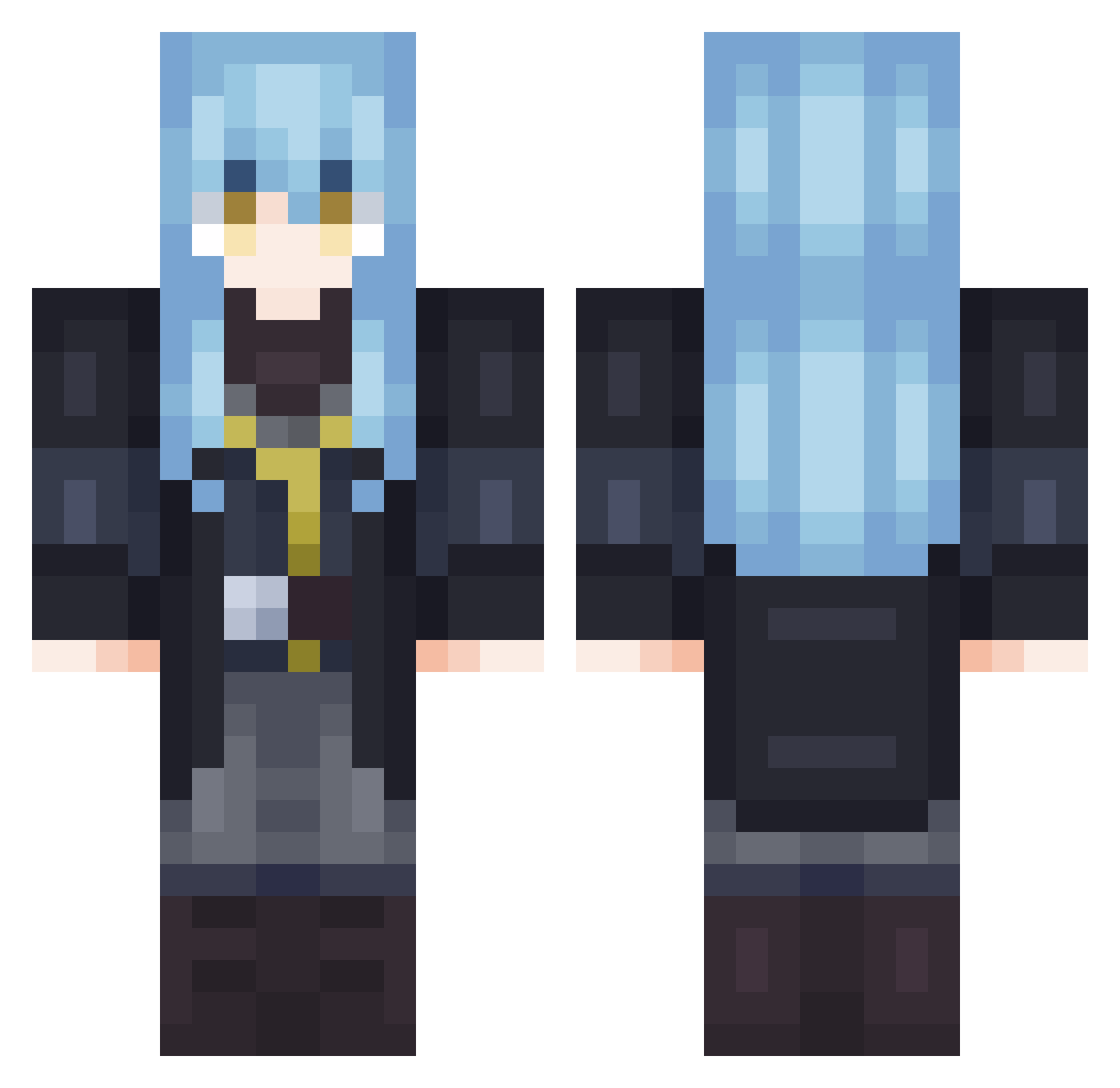
Current Minecraft skin of the player Erikazo, loaded from the official Mojang API. Rotate the 3D model with your mouse or finger, then download the skin as a PNG file and use it in Minecraft: Bedrock Edition or Java Edition for free. When Erikazo changes their skin, this page updates automatically and the old skin stays in the history below.
Other players with this skin (702)
Erikazo was the 56th player we have seen with this skin, first spotted on 29.07.2026. The same skin was seen on these players. Open a nickname to see their current skin and skin history.
 BrainSmoothi WifiLaFlair makicha1210 matijestok Razone_HD Senju_off Kuma_Maru Aresmen h1napeace YatakaOkata Naizi9S realitycat PurifyMe Thalia_Tempest YeXiaochai Jecaal27 Byrondir Ri1muru_ Hug1n BAND3T MarttRL The__A1 TheHungryDodo yamishiroll Schiyro the_gushi Iza_eli kalkai_
 fddtyddr1326 biel97 Not_Carbong BS_Mekk SpiriT_WinD ShinjiPk TokiwaShaKi meylor20 leanachiver280 DinoM100 Tiny__Light SAKU1093 Darkase99 Limousine12343 PanhMi max5051656 wimurutempest Killer2000676 urakitune MCmikey237 SovietNations Simkiller7682 Chen_Shen Hunterswg
 DrAnd3rson wilsonaiden rim_001
 Diaveline RyanRSGamer99 OkamiKita Dhawit Kaisovzordat
More Rimuru Tempest Minecraft skins
See all 251 Rimuru Tempest skins
How to install the Erikazo skin
- Press the Download button above to save the skin as a PNG file.
- Minecraft: Bedrock Edition (PE): open the Dressing Room from the main menu (or tap your character → Edit Character), go to Classic Skins → Owned, press the + (new skin) button, choose the downloaded PNG and pick the Classic (Steve) model. Works on PC and mobile; consoles cannot import custom skins.
- Minecraft: Java Edition: open the Minecraft Launcher, go to the Skins tab, click New Skin, load the PNG, pick the Classic (Steve) model and press Save & Use. You can also upload it at minecraft.net → Profile → Change Skin.
The skin does not show up after import - what should I do?
Restart Minecraft and open the Dressing Room again - imported skins sometimes appear only after a restart. Also make sure you selected the imported skin and picked the Classic (Steve) model.
Which model should I choose, Classic or Slim?
This skin is designed for the Classic (Steve) model. If you pick the wrong model, the arms of the skin will look stretched or squeezed.
Is the skin of Erikazo free to download?
Yes. Press Download, save the PNG file and use it in Minecraft: Bedrock Edition or Java Edition - no payment or registration needed. The skin also works on multiplayer servers and Realms.
More skins
Looking for more? Go back to all Minecraft skins and check the top skins of the week, month and all time, or find any player's skin by nickname.